
Follow-Gated DMs in ReplyRush
The Follow-Gated DM feature lets you send an automated direct message only after a user follows your Instagram account.
It’s a powerful way to increase your follower count while still delivering the link, offer, or information they wanted.
Purpose of Follow-Gated DM
- Grow followers – Encourage people to follow before they receive valuable content.
- Filter audience – Ensure DMs go only to engaged followers.
- Boost engagement – Followers are more likely to see and interact with your posts in the future.
Benefits
- Works with Posts/Reels, Stories, Inbox Automation, Upcoming Post and Global Triggers.
- Combines well with Comment Auto Reply, Sendback, and AI Trigger.
How to Activate Follow-Gated DM
- Log in to ReplyRush: https://app.replyrush.com.
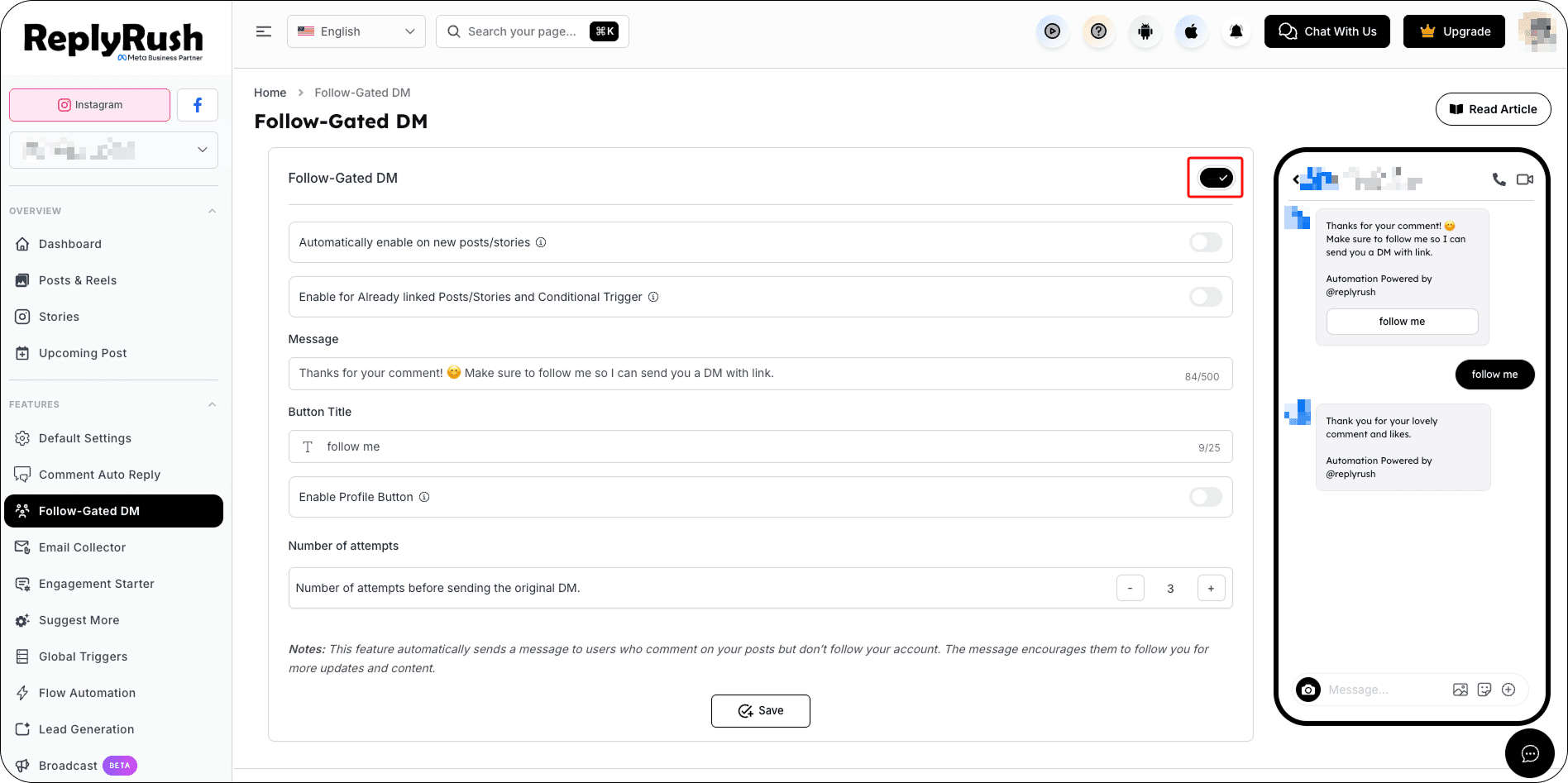
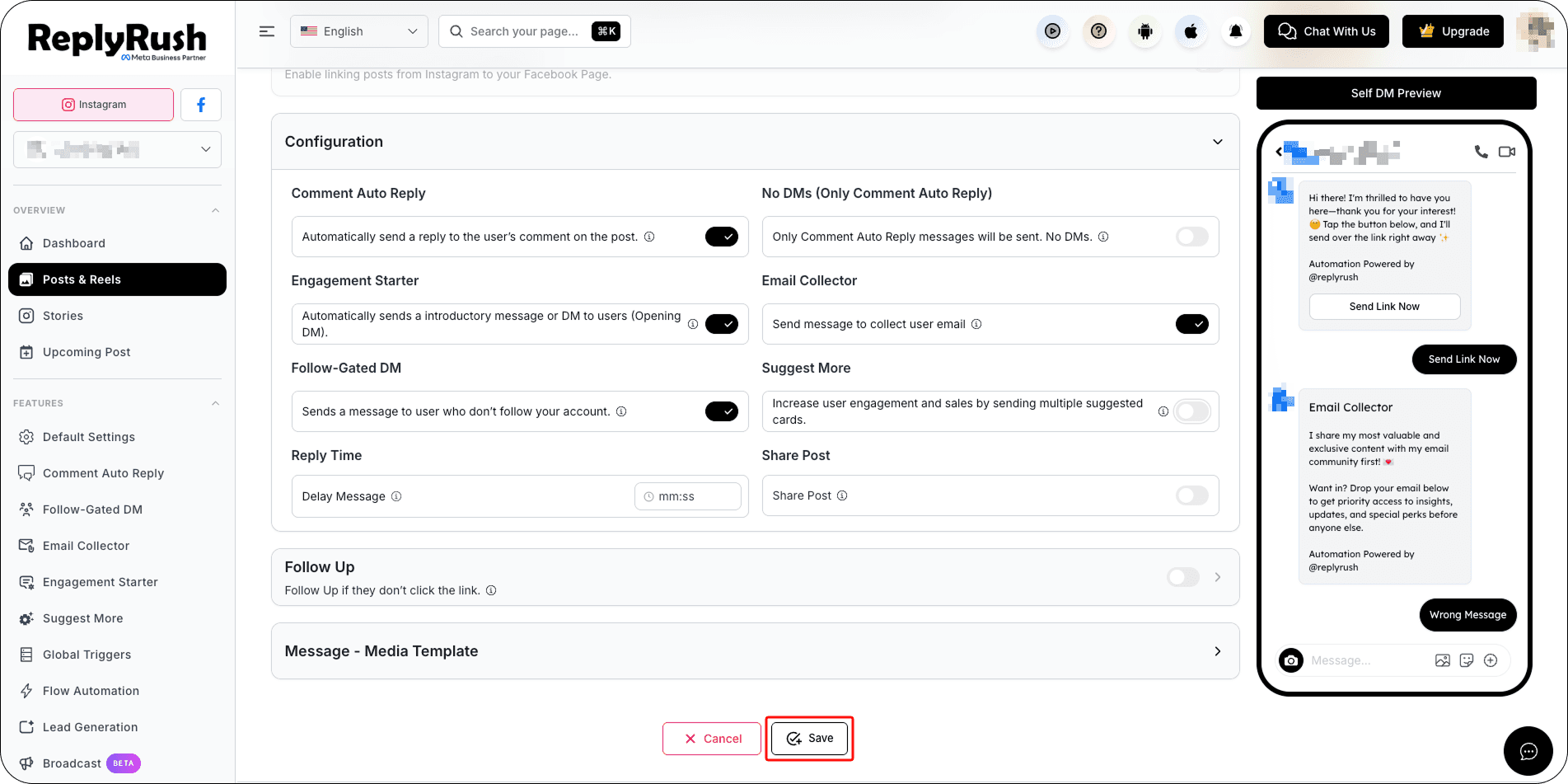
- Enable the Follow-Gated DM toggle.
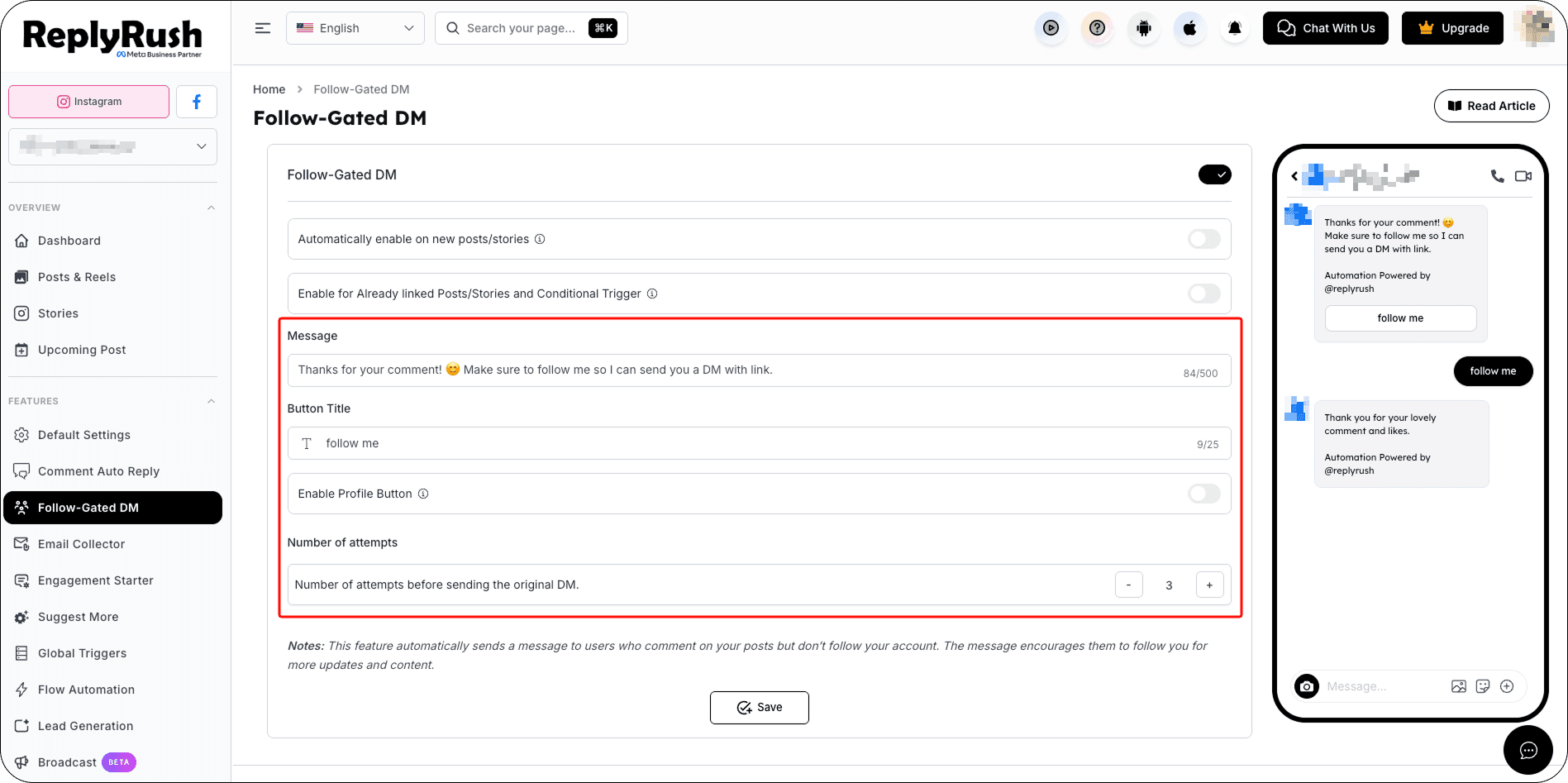
- You will see two optional automation settings:
Automatically Enable on New Posts/Stories — Automatically enables Follow-Gated DM for every new post or story you link.
Enable for Already Linked Posts/Stories and Conditional Triggers — Immediately applies Follow-Gated DM to all currently linked posts, stories, and conditional triggers.
4. Configure your message:
- Message : Add the message content a user will receive after following.
- Button Title : (Optional) Add a button title for Media Templates to direct them to a link or offer.
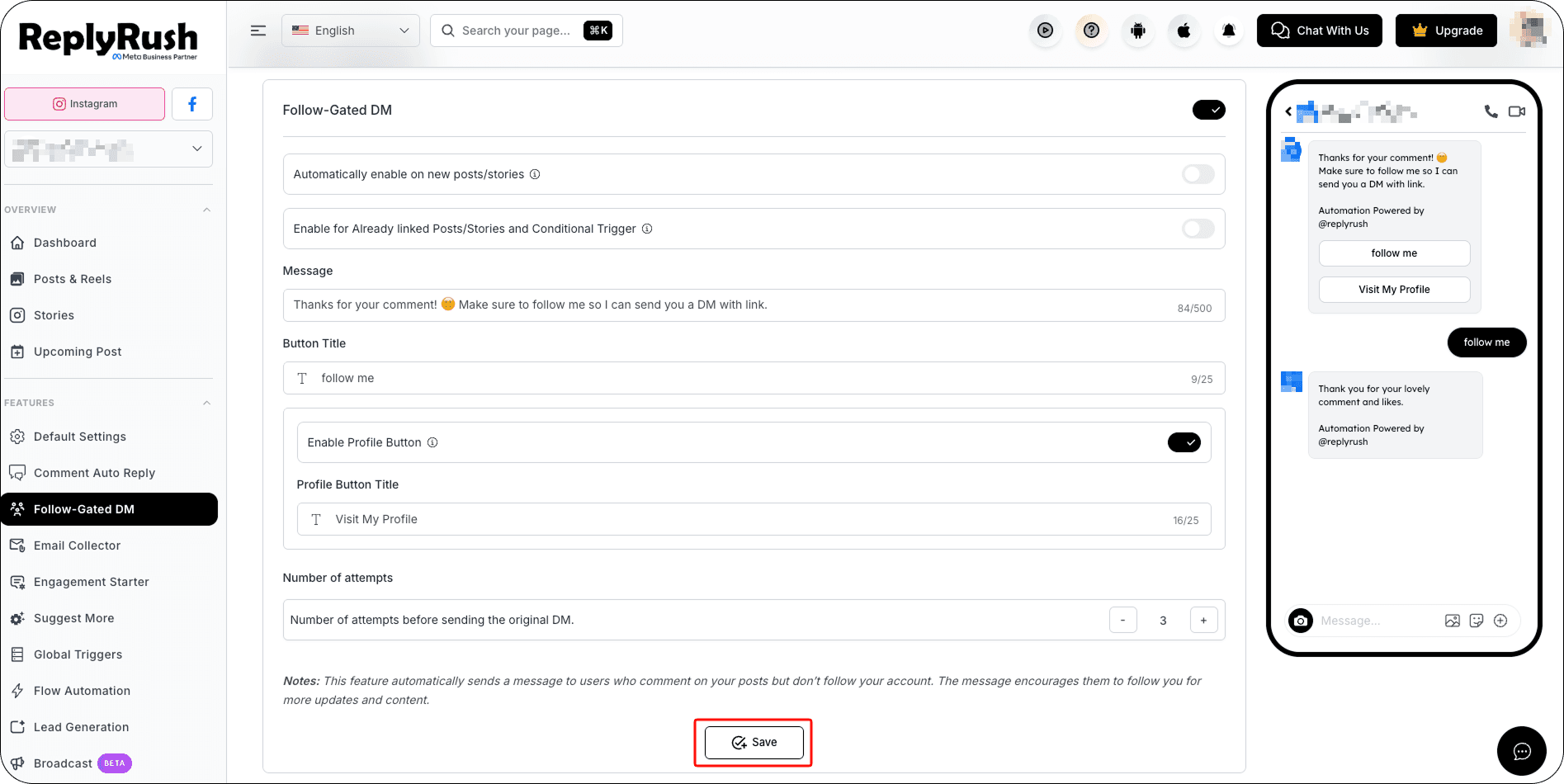
- Enable Profile Button : Adds a profile Button to the reply so users can easily check out your Instagram profile and follow you.
- Number of attempts : Number of attempts before sending the original DM.
5. Click Save to apply your Follow-Gated settings.
Manage Follow-Gated DMs
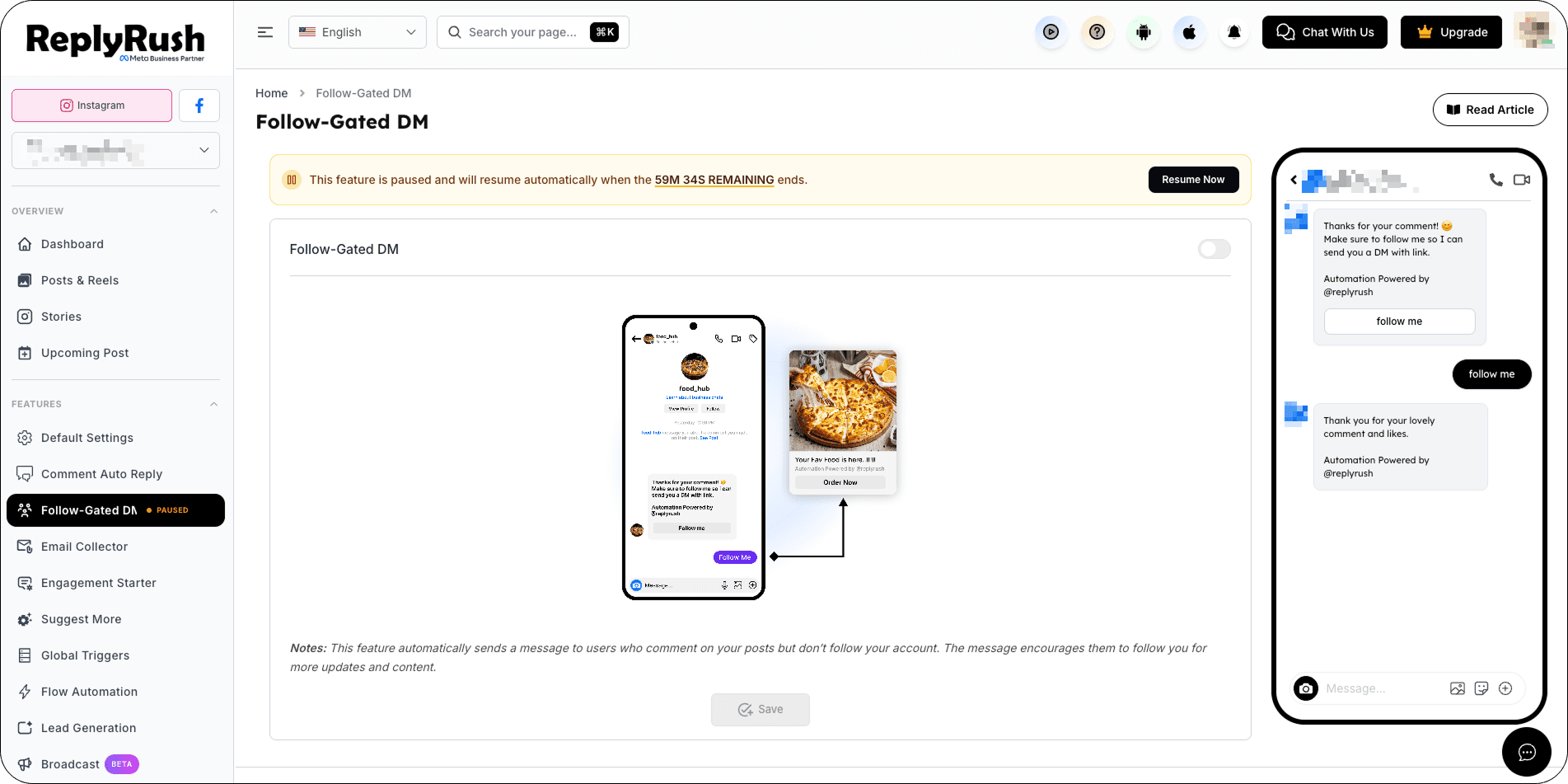
When Follow-Gated DMs are enabled, you can manage their status directly from the sidebar toggle.
When you turn the toggle OFF, ReplyRush displays an Active Automations dialog showing where Follow-Gated DMs are currently being used.
Review these active automations before choosing how you want to proceed.
Temporarily Pause Follow-Gated DMs
To pause the feature:
- Turn the Follow-Gated DMs toggle OFF.
- Review the Active Automations.
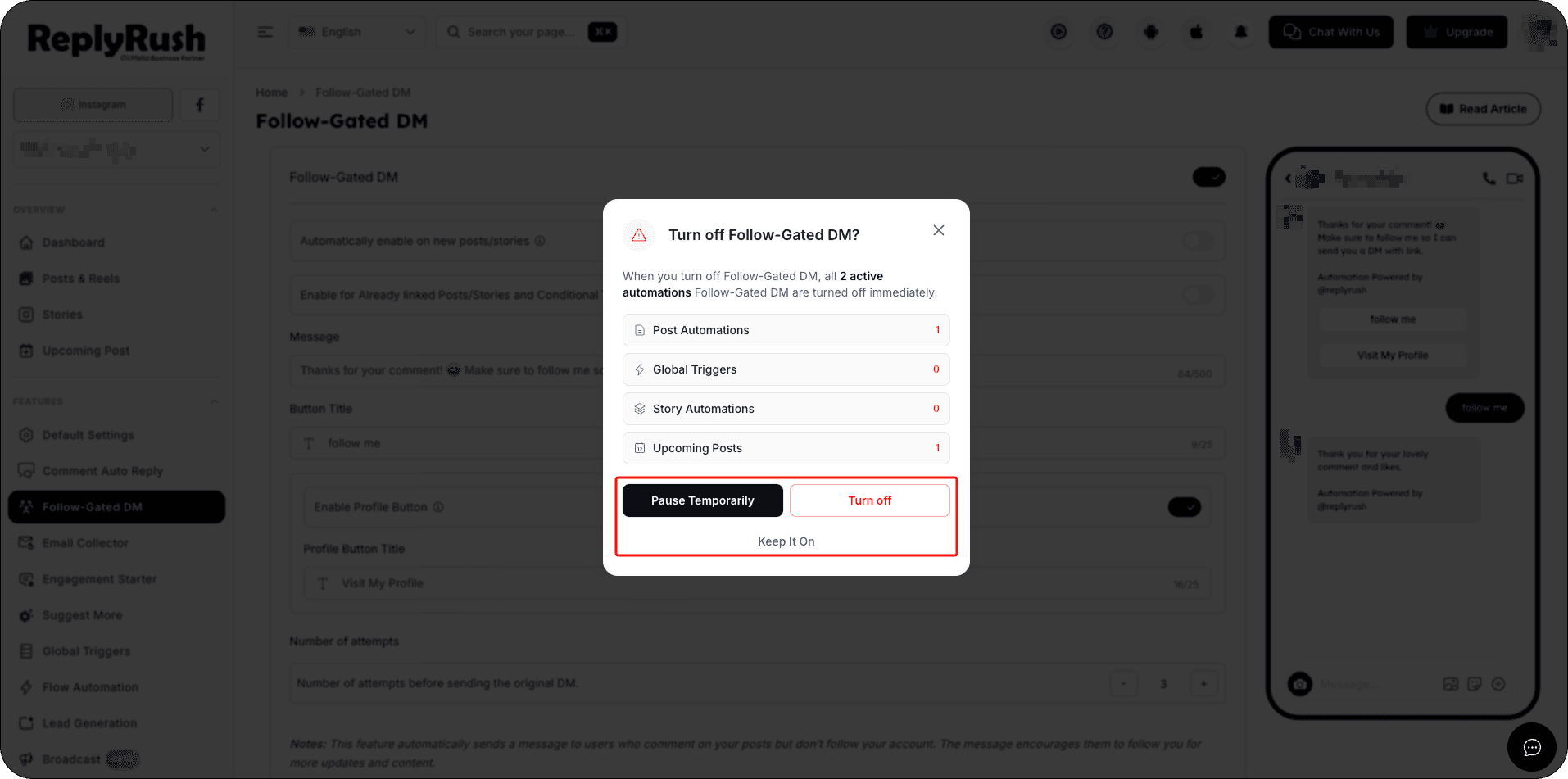
- Choose one of the three available options:
Keep It On — Keeps Follow-Gated DMs enabled, and all automations continue working normally.
Pause Temporarily — Temporarily pauses Follow-Gated DMs for a selected duration while preserving your existing automation settings.
Turn Off — Disables Follow-Gated DMs until you manually enable them again. Your existing automation settings are not deleted.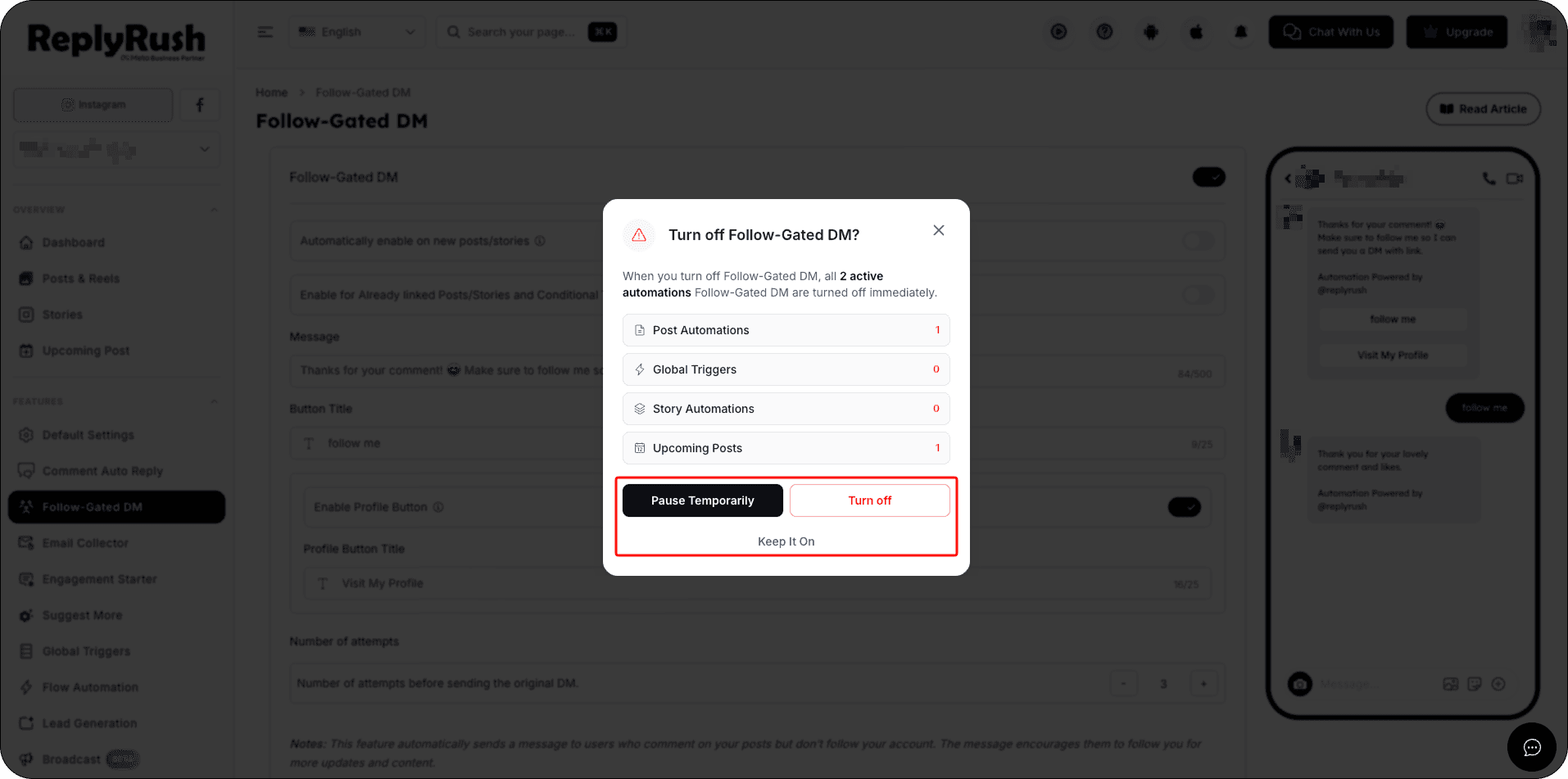
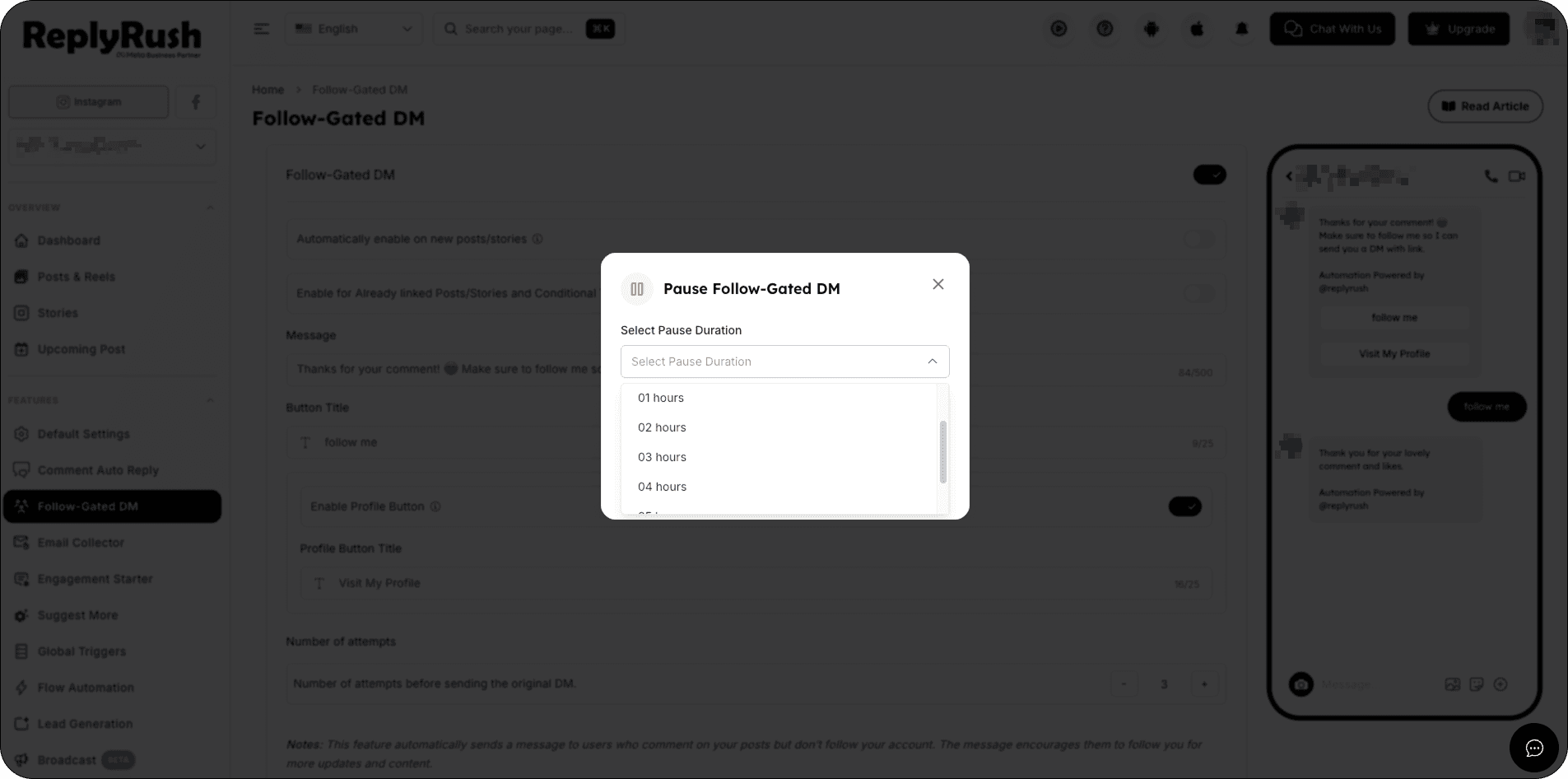
- If you select Pause Temporarily, choose the desired pause duration.
- Click Pause to confirm.
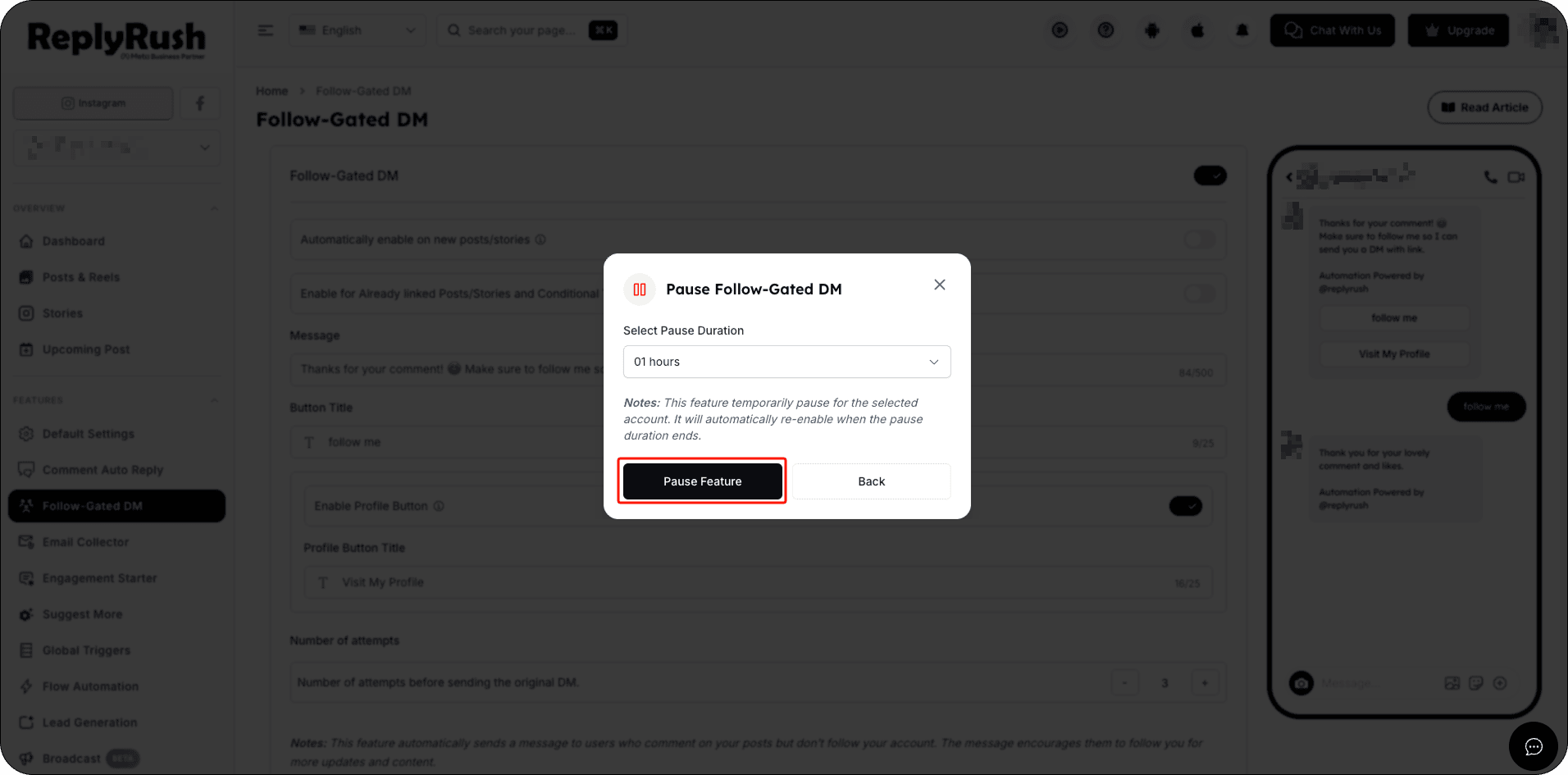
After the selected pause duration ends, ReplyRush automatically enables Follow-Gated DMs again.
You don’t need to manually turn it back on.
Example:
If you select a 1-hour pause, Follow-Gated DMs will automatically become active again after 1 hour.
If you select a 1-hour pause, you can click Resume Now at any time before the pause ends to immediately reactivate Follow-Gated DMs. Otherwise, Follow-Gated DMs will automatically become active again when the 1-hour pause is completed.
How to Enable Follow-Gated DMs on Post/Reels
- Log in to your ReplyRush account: https://app.replyrush.com.
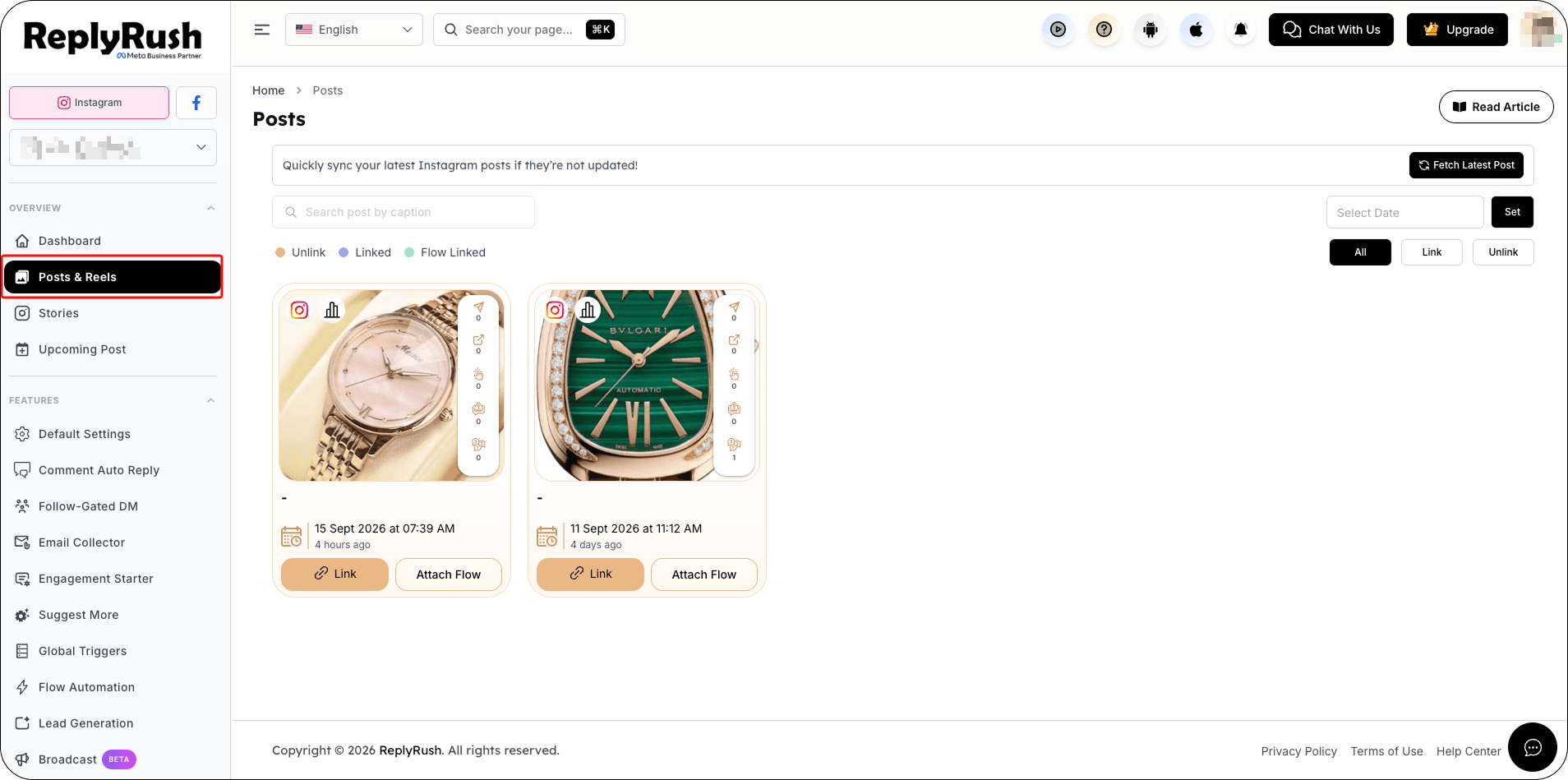
- Go to Posts/Reels or Stories in the sidebar.
- Click Link or Edit on the content where you want to collect emails.
- Enable the toggle for Follow-Gated DMs.
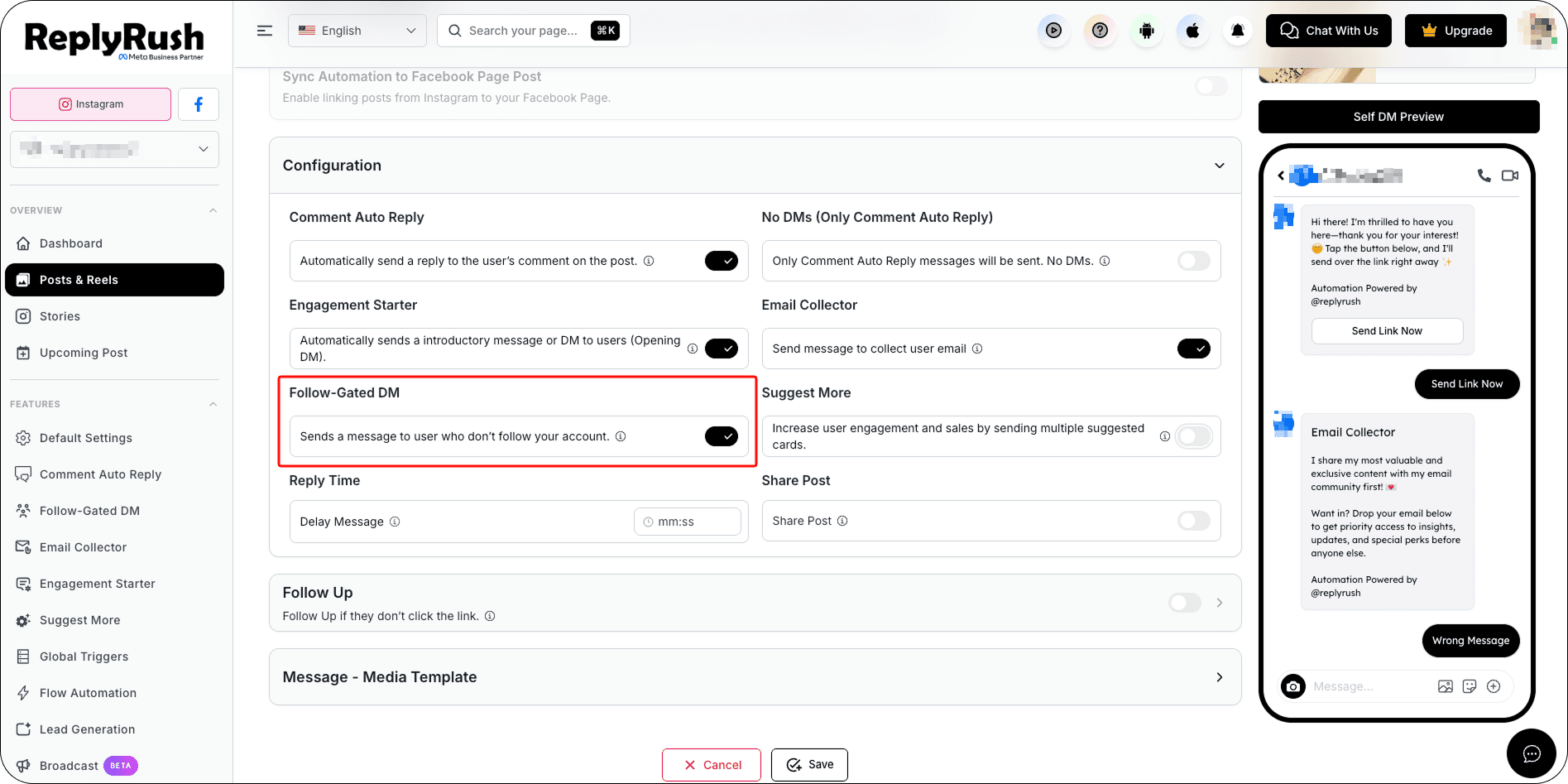
- Click Save to apply your changes.
How It Works
- A user triggers your automation (comment, story reply, DM keyword, etc.).
- If they already follow you, they instantly receive your message.
- If they don’t follow you yet, ReplyRush prompts them to follow.
- Once they follow, the original message is sent automatically.
Best Practices
- Offer value in exchange for a follow — e.g., coupon, PDF guide, event link.
- Use in promotional campaigns to convert active non-followers into followers.
- Combine with Global Trigger or AI Trigger for maximum reach without manual edits.
Example Use Cases
- “Follow us to get your exclusive 10% discount code in DM.”
- “Follow to instantly receive the free eBook.”
- “Follow us and we’ll send you the webinar registration link.”
FAQs
Q: Can Follow-Gated DM work without user interaction?
A: No, Meta’s policy requires the user to interact (comment, story reply, or send a DM) before we can send an automated message.
Q: Can I use it with Sendback?
A: Yes, you can run Sendback for missed interactions while keeping the follow requirement active.
Q: What if the user never follows?
A: They simply won’t receive the automated DM until they follow.
Q I enable Follow-Gated DMs before the pause ends?
A: Yes. You can select Resume Now to manually re-enable Follow-Gated DMs before the selected pause duration is complete.