
Smart Menu in ReplyRush
The Smart Menu (also known as the Persistent Menu) allows you to create a visible, clickable menu inside your Instagram or Facebook Messenger chat window. This menu helps customers quickly access key information about your business — such as store hours, locations, product lists, offers, or support links — without needing to type a message.
By providing easy access to important options, the Smart Menu can reduce repetitive support queries by up to 58% and improve customer satisfaction.
How the Smart Menu Works
- The menu is always visible in a user’s conversation with your business.
- You can add up to 10 menu items, each with a title and an Auto DM response.
- When a user clicks a menu item:
A postback notification is triggered.
The selected DM message is sent instantly.
Your standard 24-hour messaging window with the user starts, allowing you to continue the conversation.
Limitations
- The menu is not updated in real time for users who already have an active chat.
- To ensure a consistent experience, it’s best to add all Smart Menu options at once before starting messaging campaigns.
How to Set Up a Smart Menu in ReplyRush
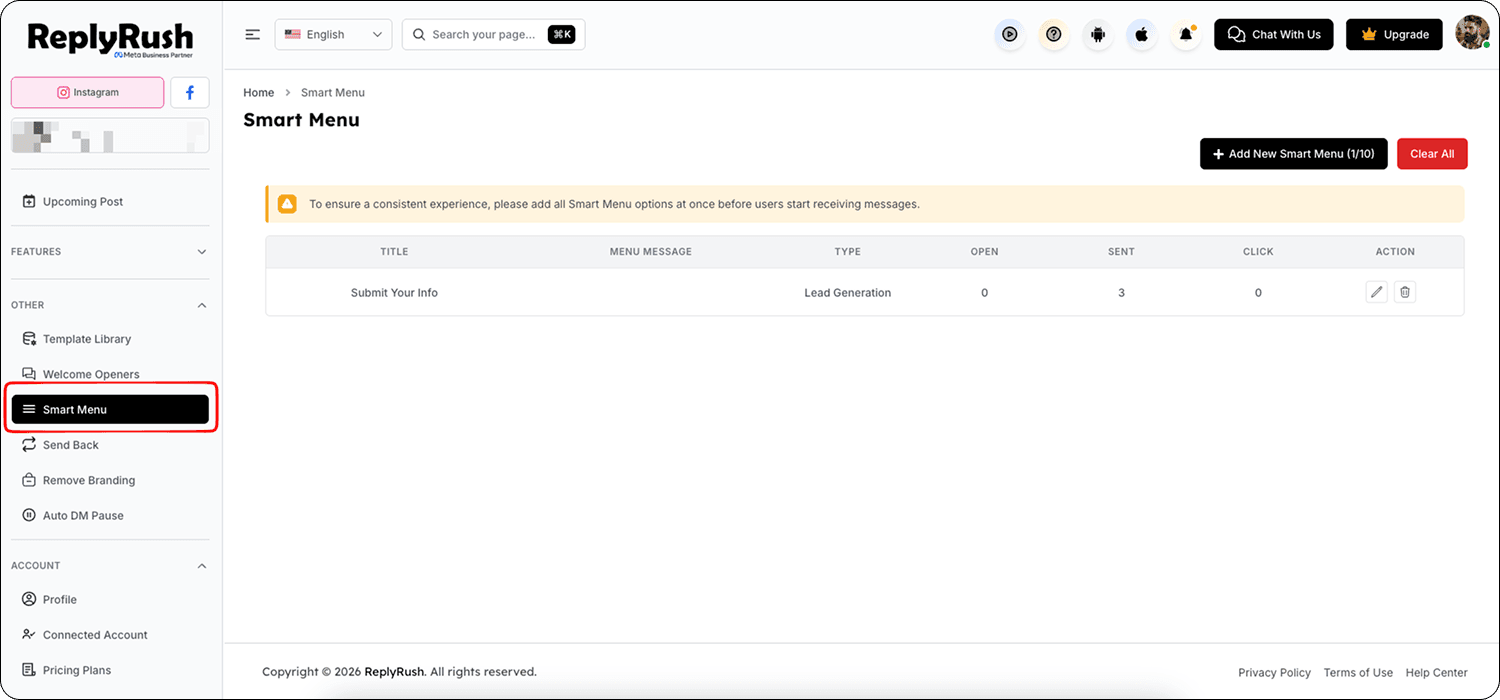
- Open the Sidebar in your ReplyRush dashboard.
- Click on Smart Menu.
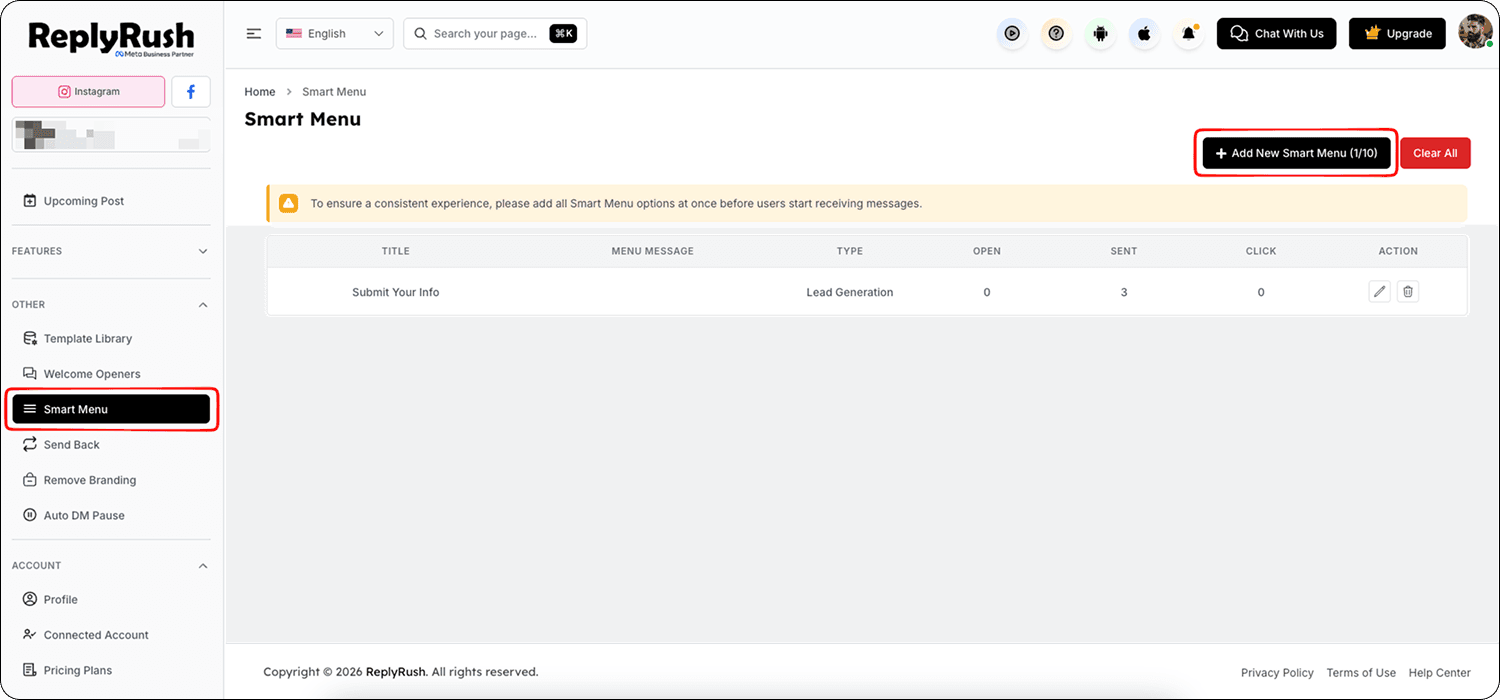
- In the top right corner, click Add Smart Menu.
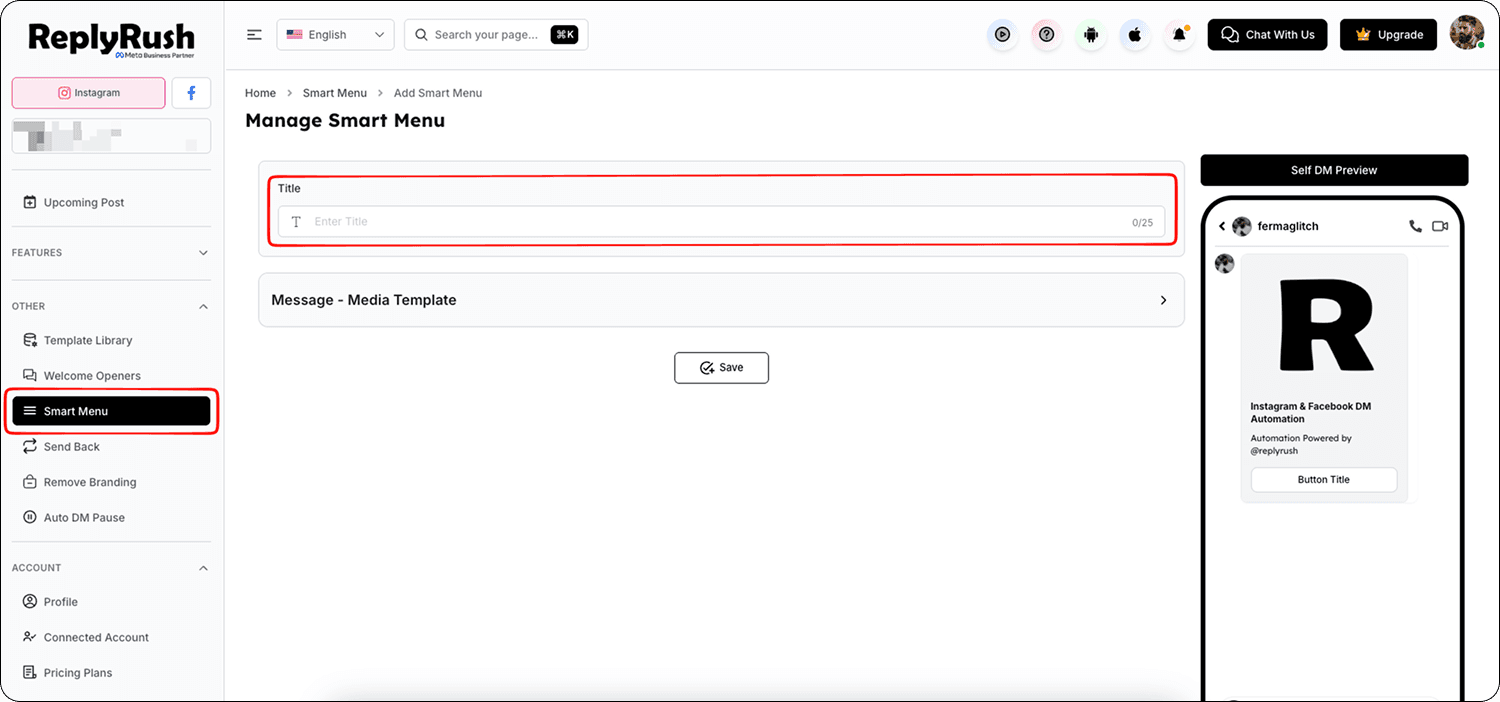
- Add a Menu Title (e.g., “Store Hours,” “View Products,” “Contact Us”).
- Set the DM Message that should be sent when a user clicks that menu item.
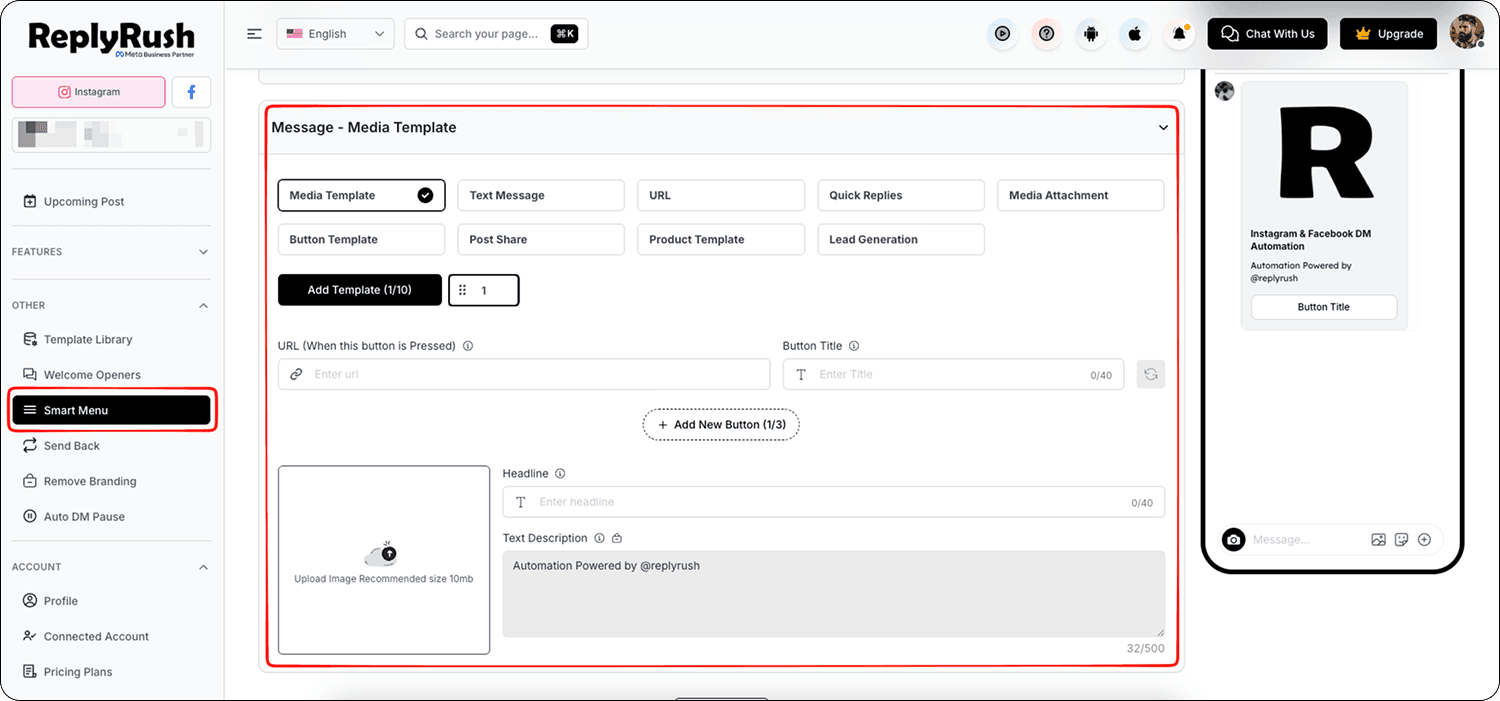
- Click Save to activate the menu.
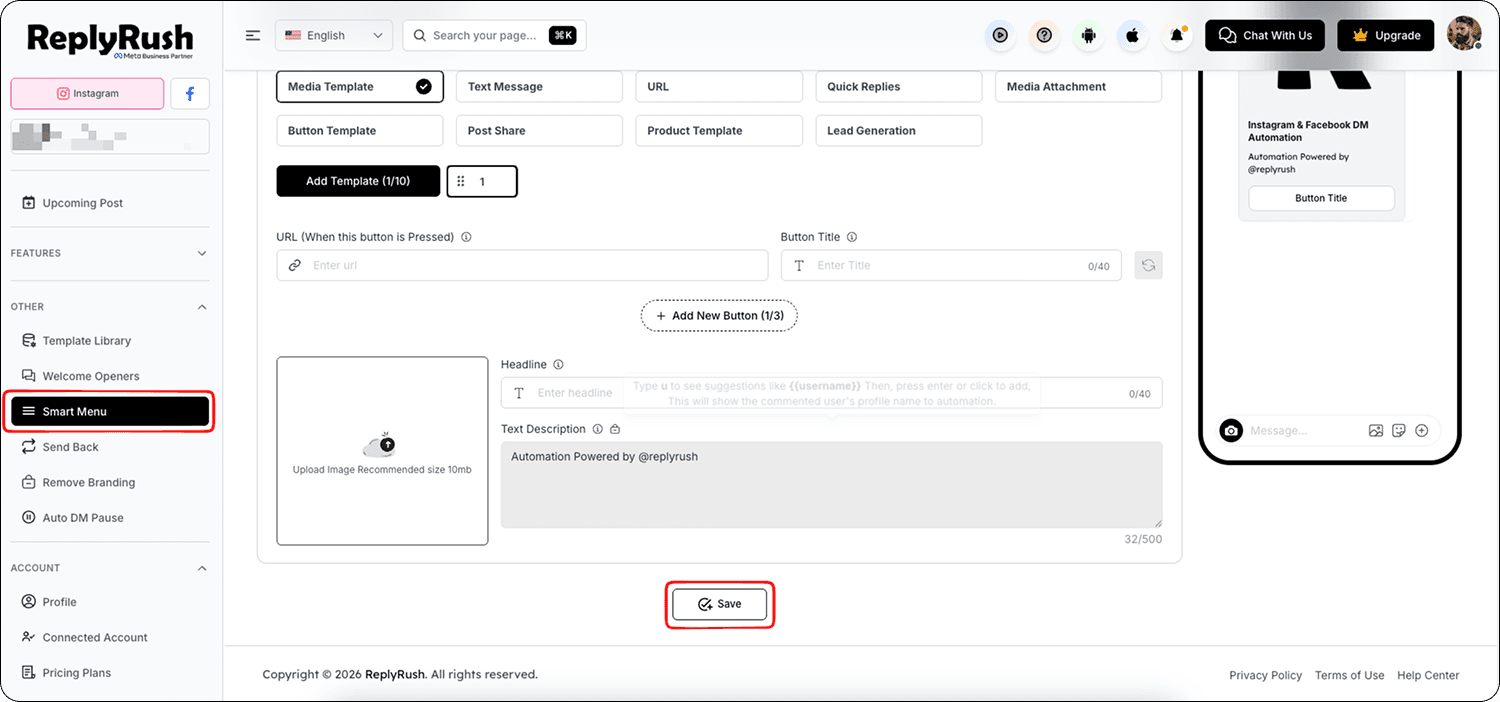
- Repeat the process for up to 10 Smart Menu items.
Benefits of the Smart Menu
- Reduces support queries by answering common questions automatically.
- Gives customers self-service access to essential business information.
- Improves user experience with quick, clear navigation inside chats.
- Works well for brands, e-commerce stores, influencers, and service providers who frequently receive repetitive questions.