
Welcome Openers
The Welcome Openers feature allows you to greet new users when they open your Instagram inbox for the first time. It presents them with pre-set questions or options, making it easy for them to choose what they need help with — and automatically sends the right DM reply.
This not only reduces repetitive support queries but also improves engagement by giving users a quick way to get information.
How Welcome Openers Work
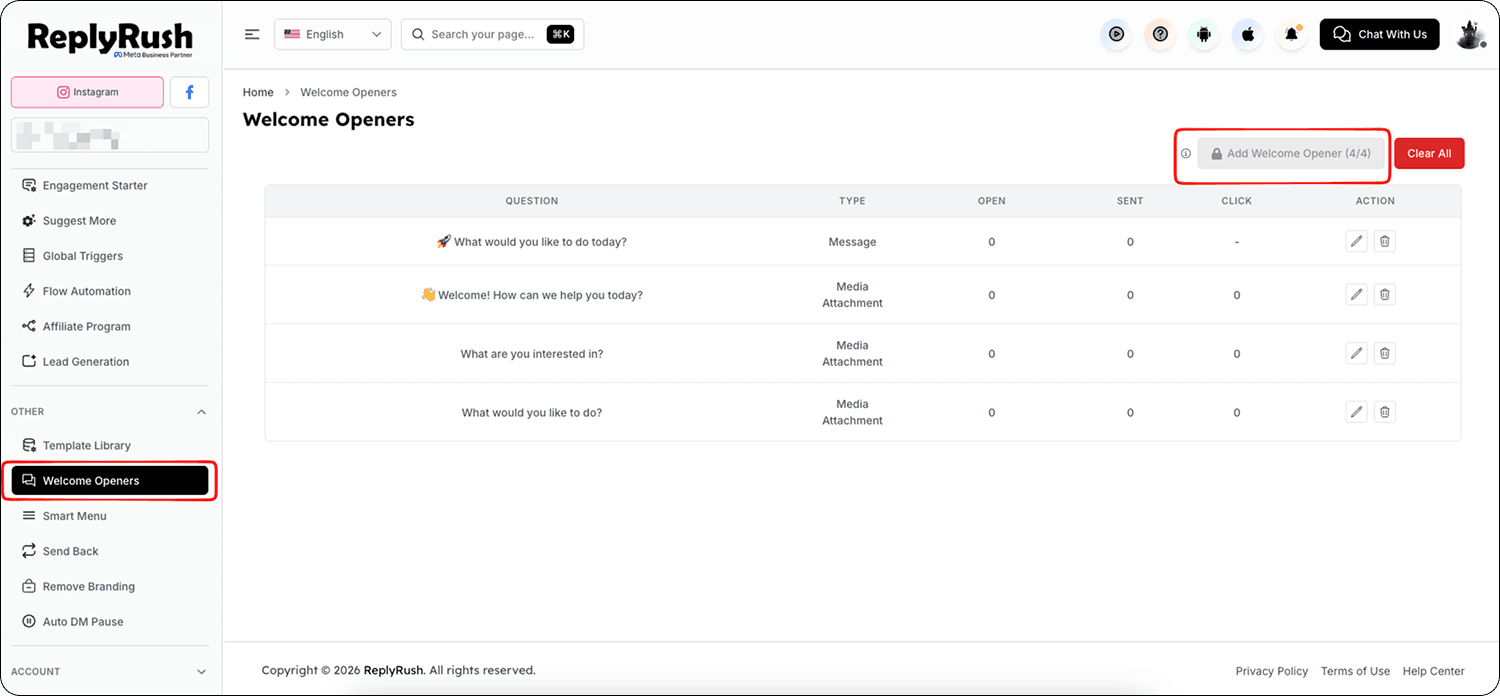
- You can set up to 4 welcome openers per Instagram account.
- When a new user opens your Instagram inbox, the welcome opener pops up and displays all the options you’ve configured.
- Once the user clicks on an option, the corresponding Auto DM is sent instantly.
- Works perfectly with Suggest More to share additional relevant information or products.
How to Add Welcome Openers
- Open the Sidebar in the ReplyRush dashboard.
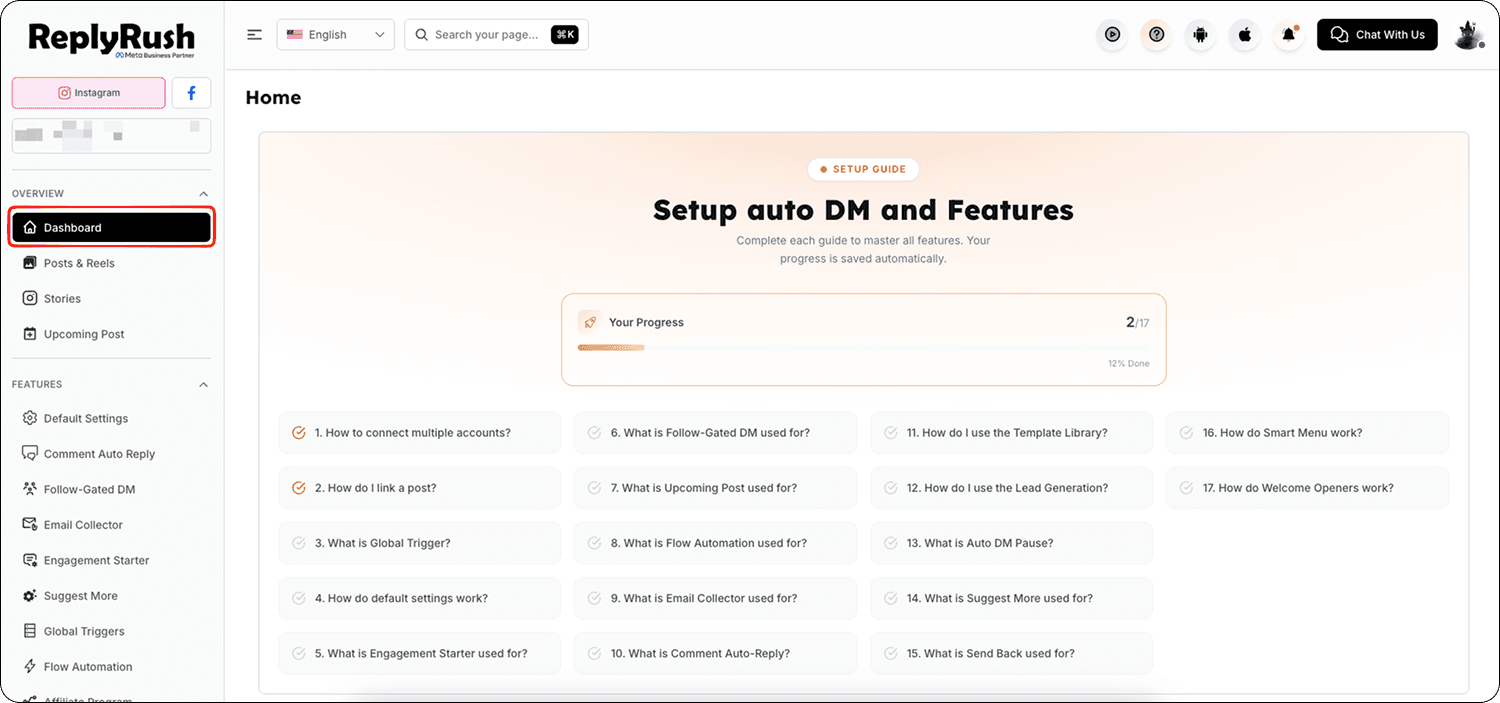
- Click on Welcome Openers.
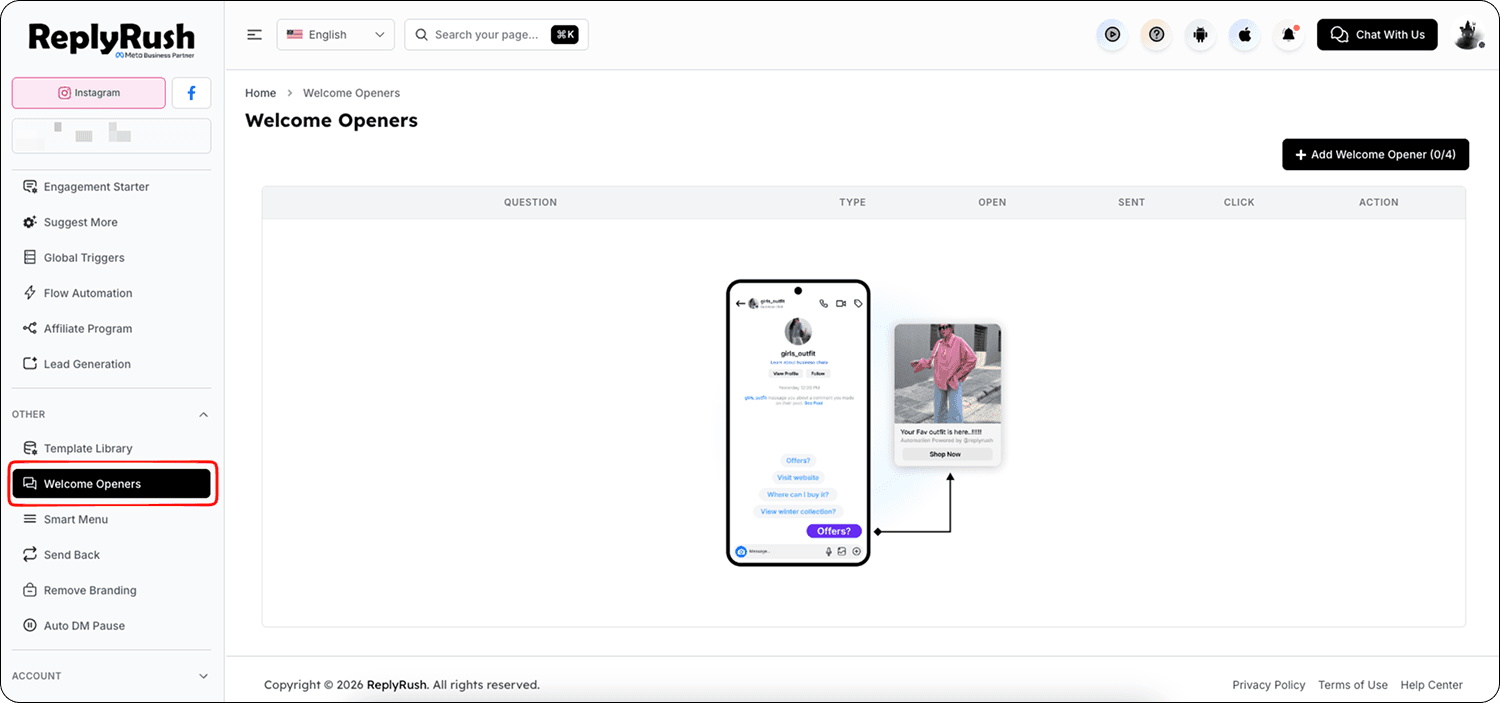
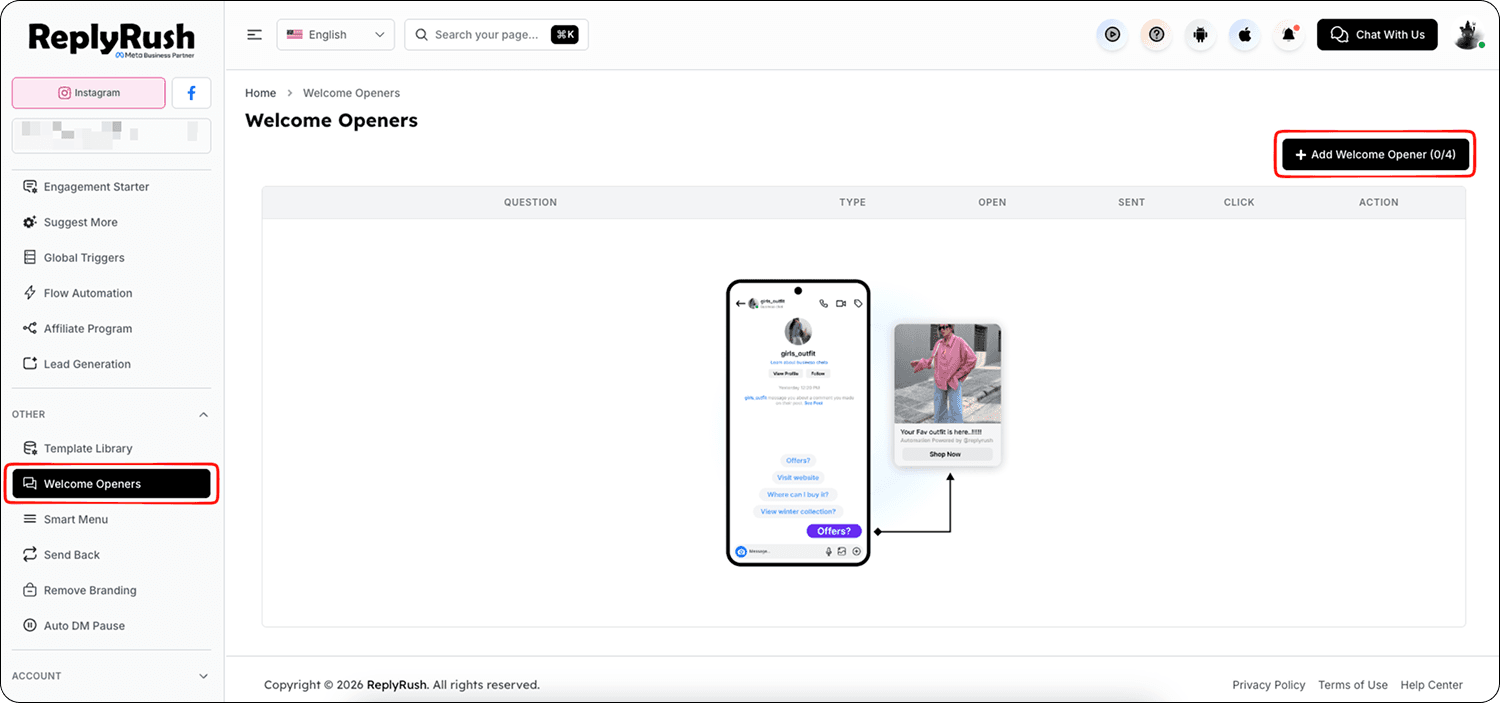
- In the top-right corner, click Add Welcome Opener.
- Enter your question or option text (this is what the user will see).
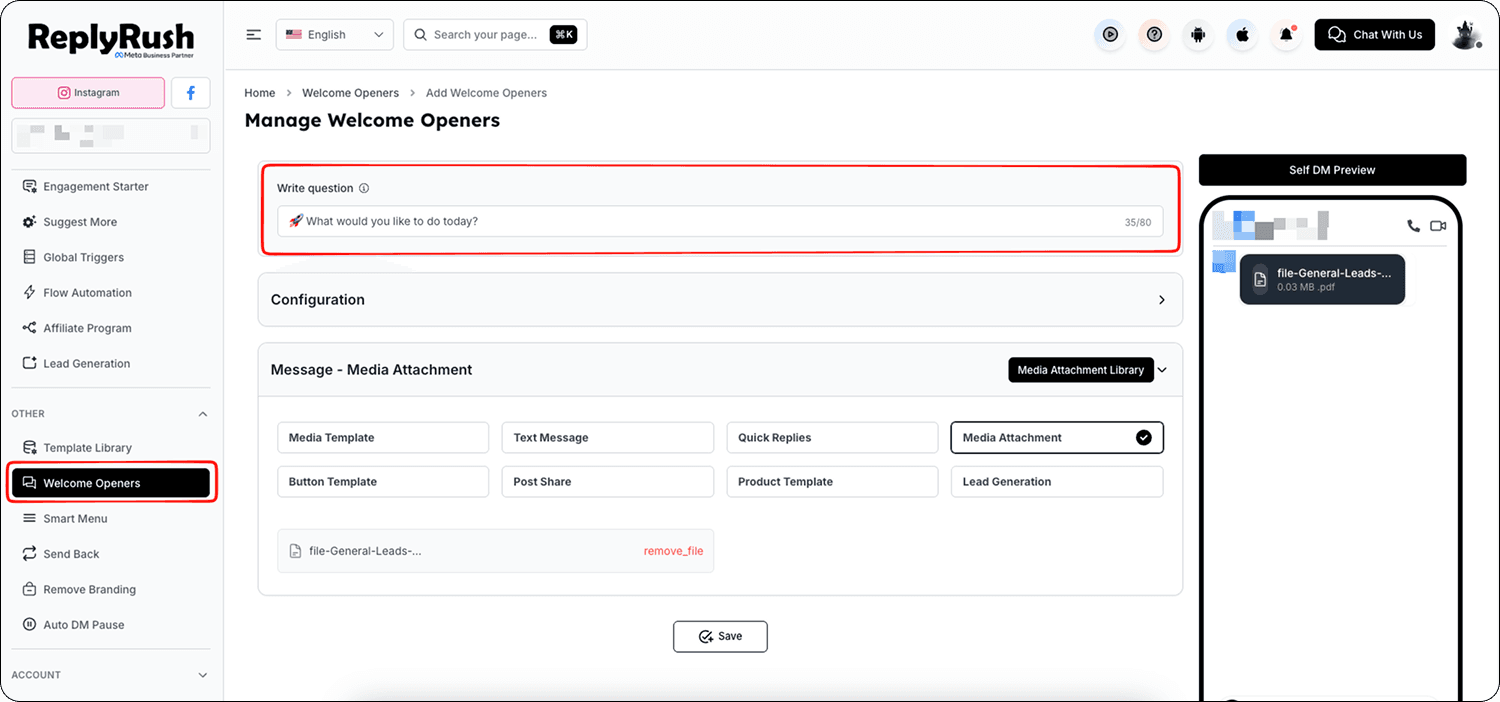
- Add the response message — this is the Auto DM they will receive when they click.
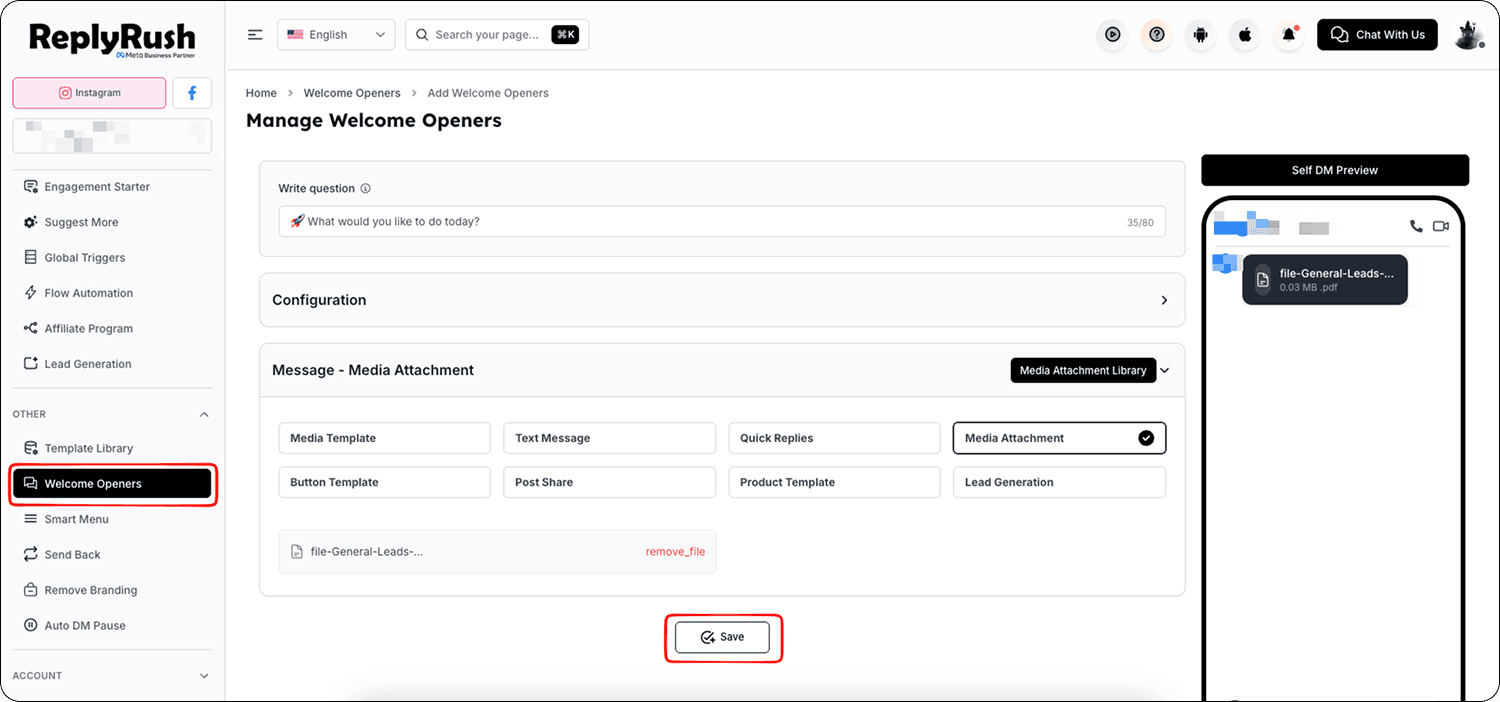
- Repeat the process to set up to 4 welcome openers per account.
Best Practices & Benefits
- Use frequently asked questions as welcome openers (e.g., “View Our Price List,” “See Today’s Offers,” “Contact Support,” “Shipping Information”).
- Combine with Suggest More to offer related products or details.
- Reduce support workload by answering repetitive queries instantly.
- Improve user satisfaction by providing quick, self-service options.