
Follow Up in ReplyRush
The Follow Up feature allows you to send a reminder message to users who have not clicked the link you sent in your DM.
This is a powerful tool for boosting engagement and increasing sales, as it gives users a gentle nudge to take action.
📈 On average, Follow Up increases sales by 45% — making it especially valuable for creators, brands, and influencers.
Purpose
- Recover lost leads — Reach users who didn’t take action on your first message.
- Increase conversions — Encourage people to check your link, product, or offer.
- Maximize campaign results — Keep your audience engaged even after the initial DM.
Important Note
Follow Up only works when Engagement Starter is enabled.
This is because Engagement Starter acts as a safety key — as per Meta’s policy, once a user interacts (by clicking a button in your welcome message), ReplyRush is allowed to send them multiple messages.
How to Enable Follow Up for a Specific Post, Reel, or Story
- Log in: https://app.replyrush.com
- From the sidebar, go to Posts/Reels or Stories.
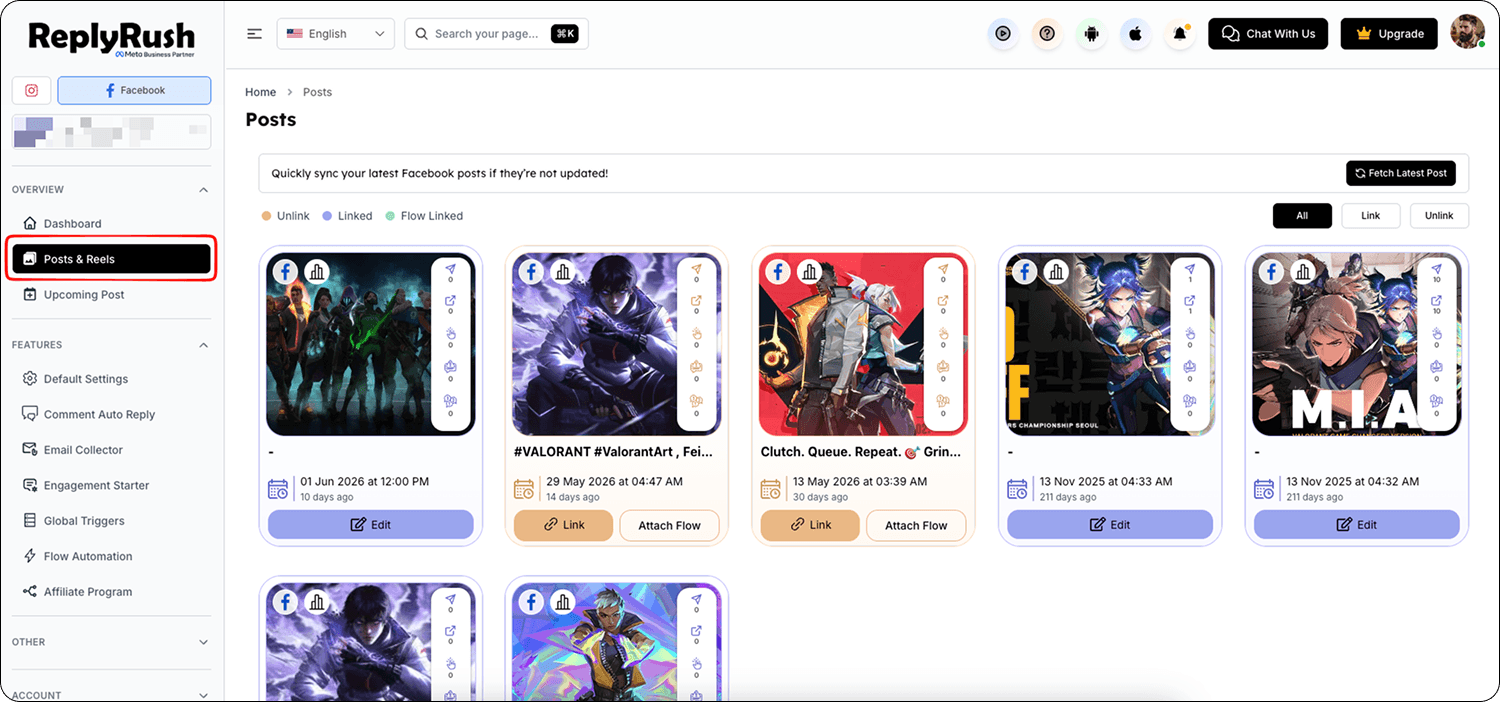
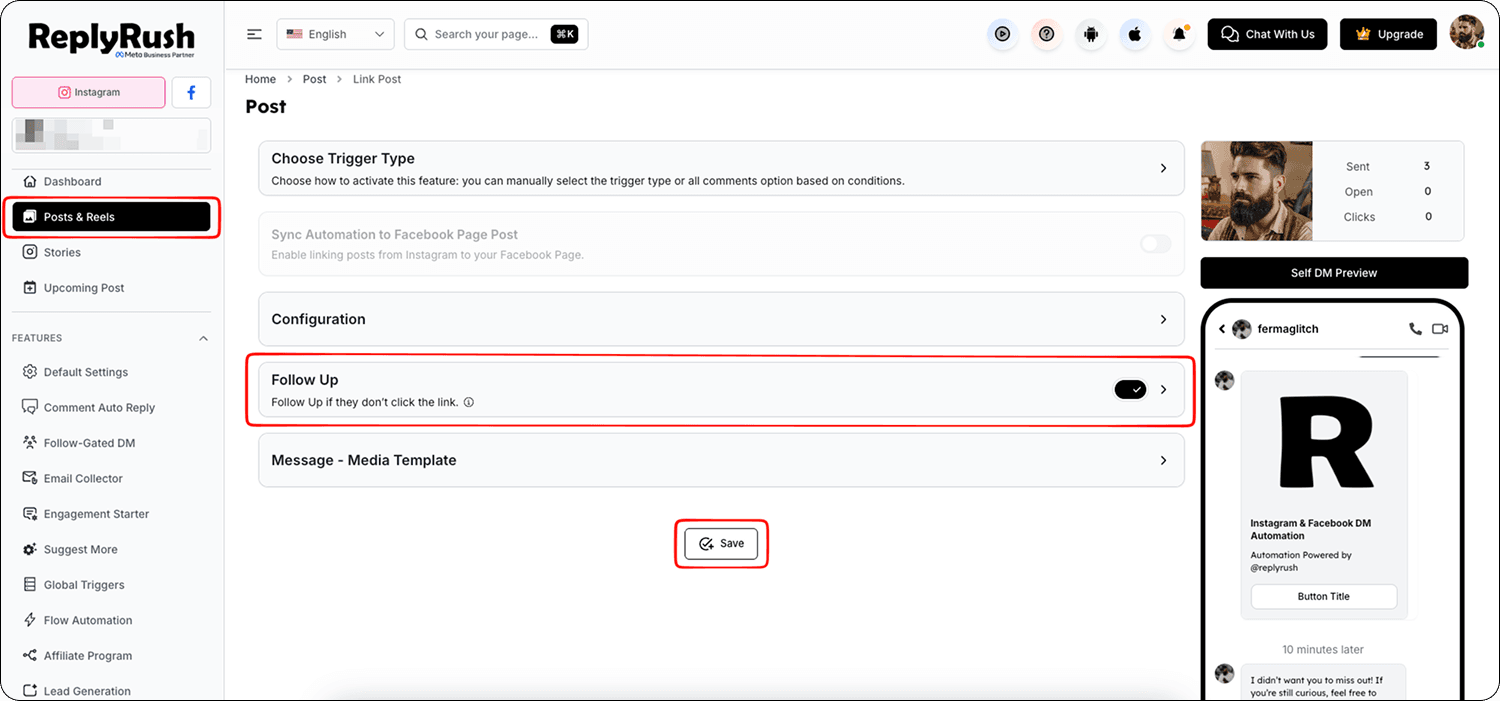
- Find the content you want to set Follow Up for → click Link.
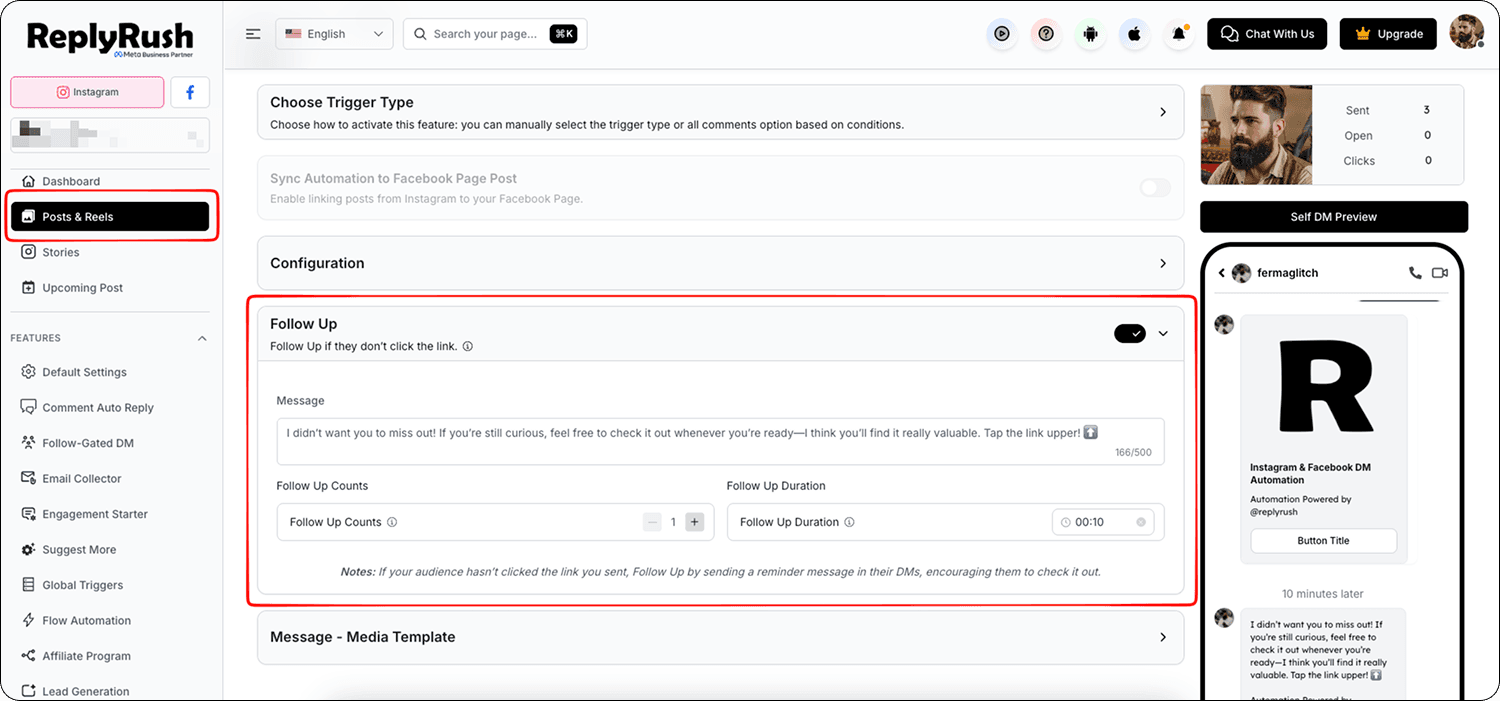
- In the Options section:
Make sure Engagement Starter is enabled.
Enable Follow Up toggle.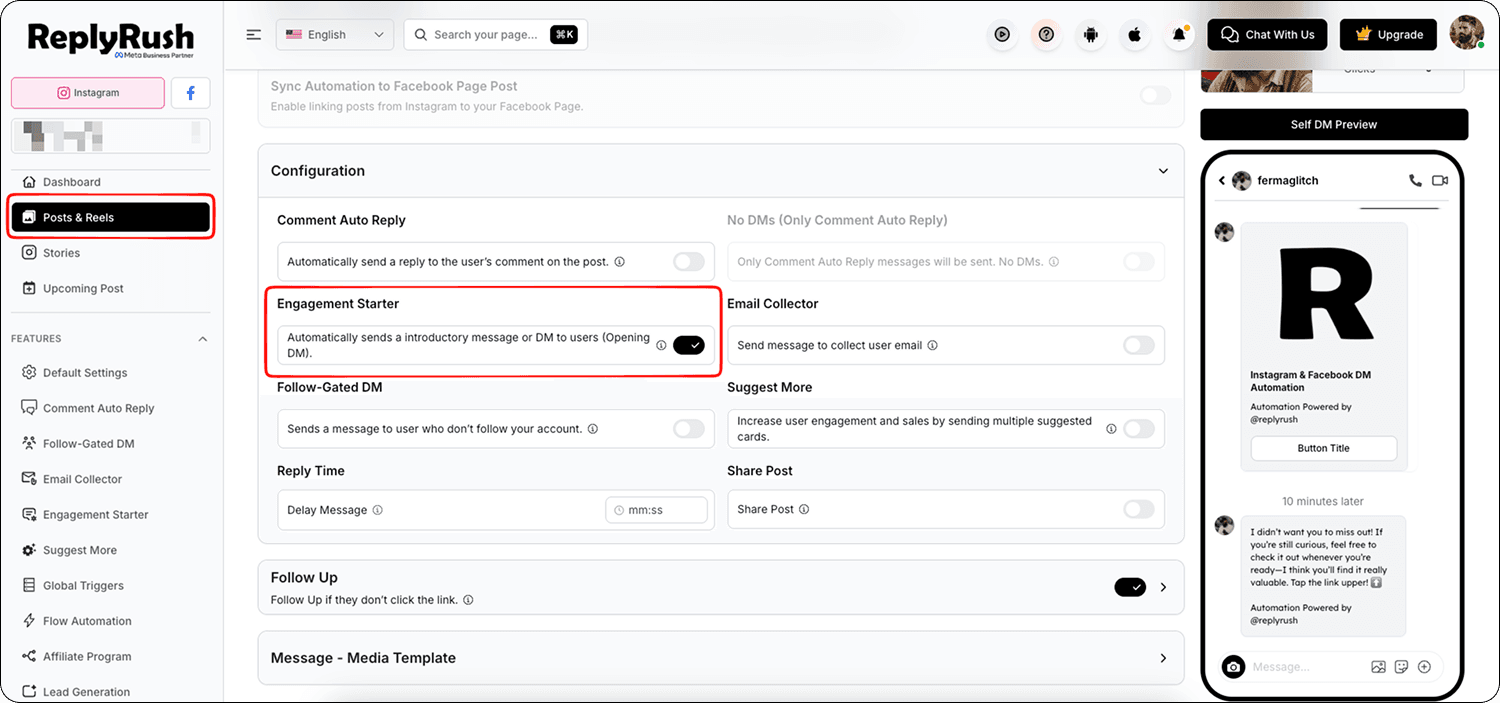
- Configure your Follow Up:
Message – Write the reminder DM you want to send. (Example: “Hey! Just checking if you saw our special offer. Here’s the link again 🔗”)
Follow Up Count – Number of reminders to send (e.g., 1).
Follow Up Duration – Time after the initial message to send the reminder (e.g., 1 hour, 1 day).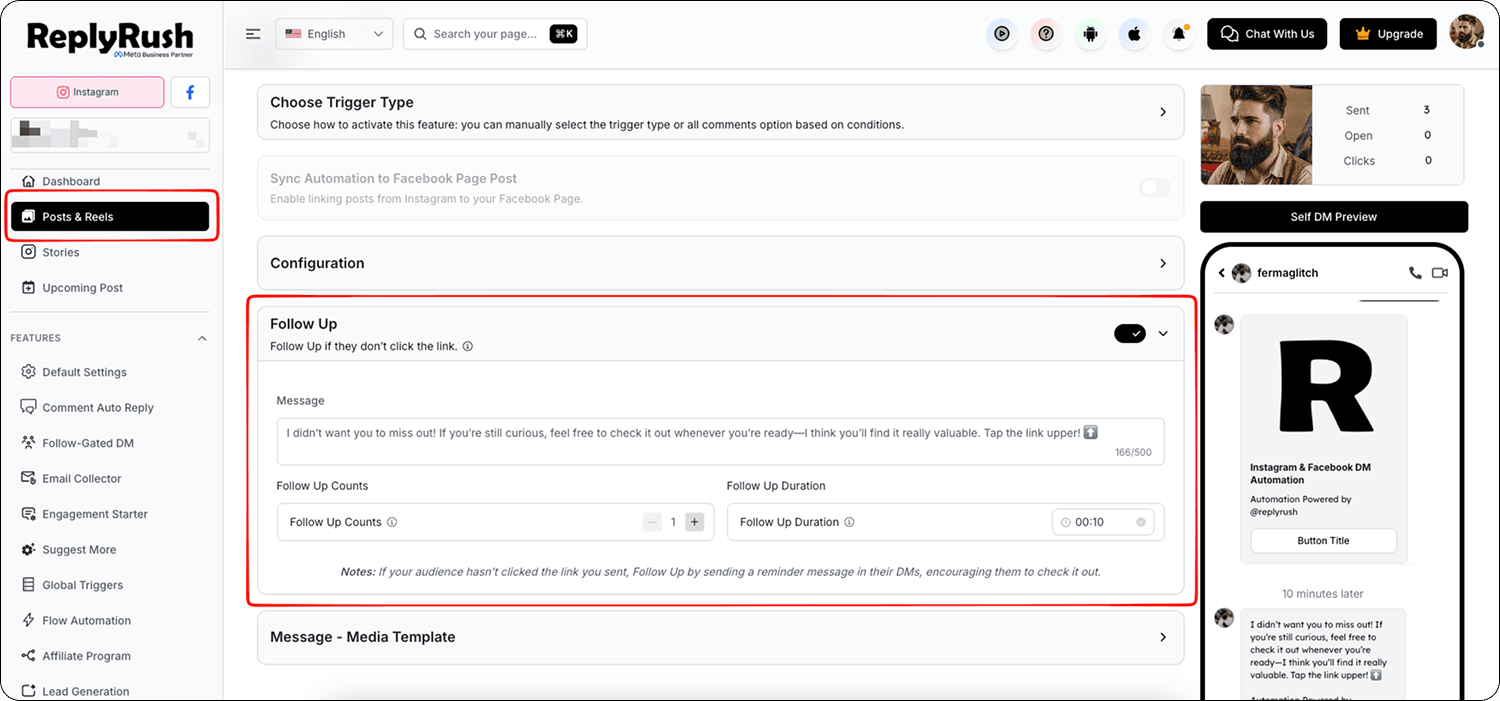
- Click Save to apply your settings.
How It Works
- User comments or triggers automation.
- Engagement Starter sends the first welcome message.
- If the user does not click the link in that first message:
ReplyRush waits for the set duration.
Sends your Follow Up message as a reminder.
Best Practices
- Keep your Follow Up short and friendly.
- Include the link again so users can easily take action.
- Space reminders at least 1–24 hours apart to avoid looking spammy.
- Use urgency (limited-time offers, countdowns) to drive clicks.
FAQs
Q: Can Follow Up send multiple reminders?
A: Yes — you can set the Follow Up Count to send more than one reminder, but start small (1–2) for best results.
Q: Does Follow Up work without Engagement Starter?
A: No — Meta policies only allow multiple messages after interaction, which Engagement Starter provides.
Q: Is Follow Up available for all template types?
A: Yes — works with Media Templates, Simple Messages, and Quick Replies.