
Global Trigger in ReplyRush
The Global Trigger feature lets you set automation rules that apply across all your Instagram activities — posts, reels, stories, sponsored ads, and even inbox messages.
Instead of setting up triggers for each piece of content individually, you can create a single rule that works everywhere, saving you time and ensuring consistent responses.
Purpose of Global Trigger
- One setup for all content – Apply automation rules platform-wide instead of per post.
- Instant responses – Reply automatically to comments, DMs, or mentions that match your trigger words.
- Reduce repetitive replies – Handle FAQs and common inquiries without human intervention.
Benefits
- Works across Posts/Reels, Stories, Inbox Messages, and Sponsored Ads.
- Supports Media Templates, Single Messages, and Quick Replies.
- Can handle multiple trigger keywords in a single rule.
- Optional settings like Comment Auto Reply, Follow-Gated DM, and Engagement Starter to maximize interactions.
How to Set Up a Global Trigger
- Log in to your ReplyRush account: https://app.replyrush.com
- From the sidebar, select Global Trigger.
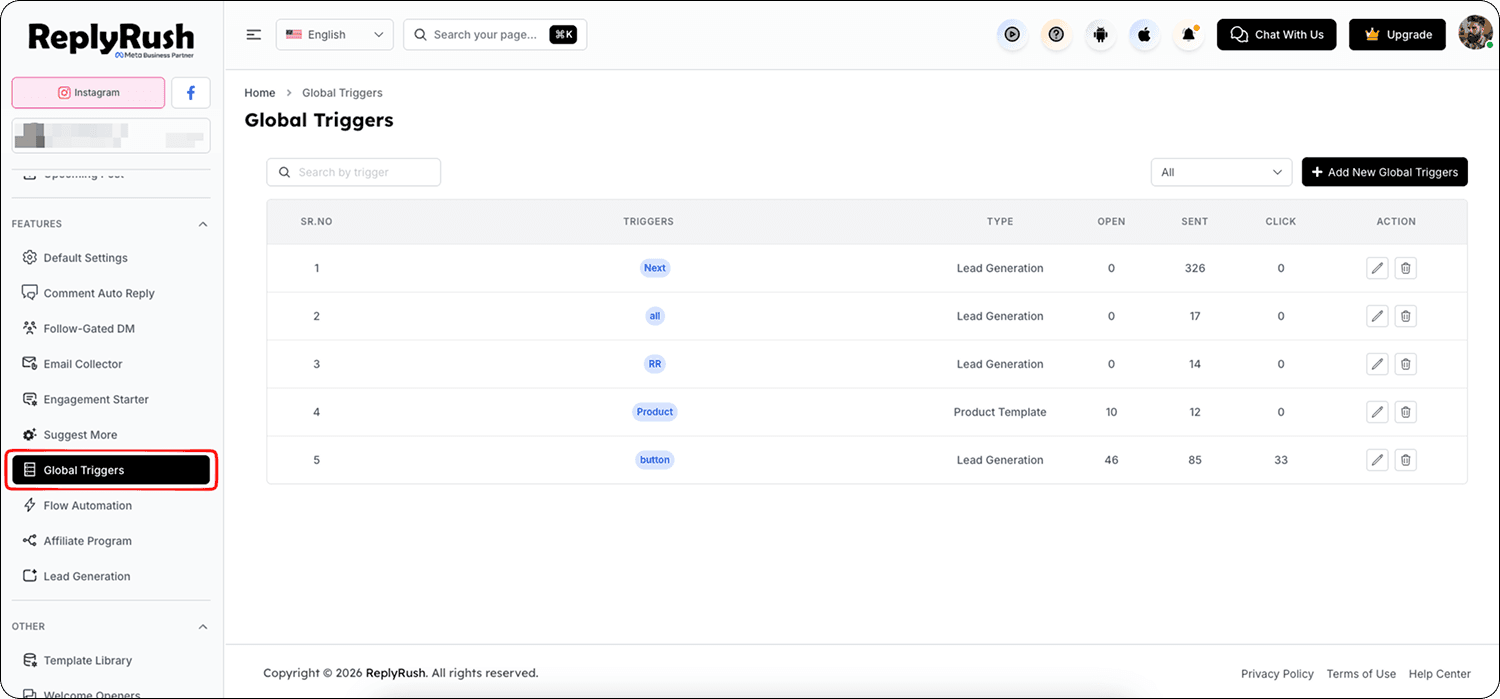
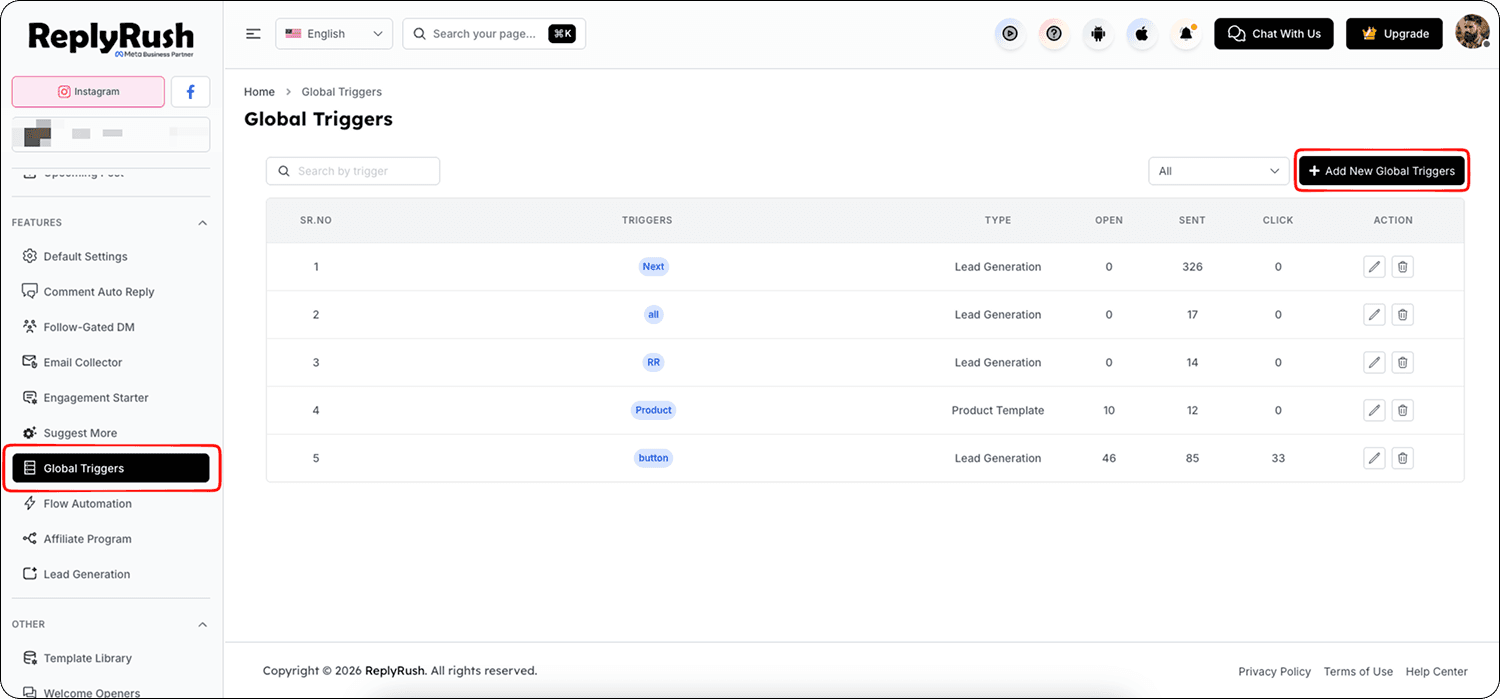
- Click the Add Global Trigger button in the top-right corner.
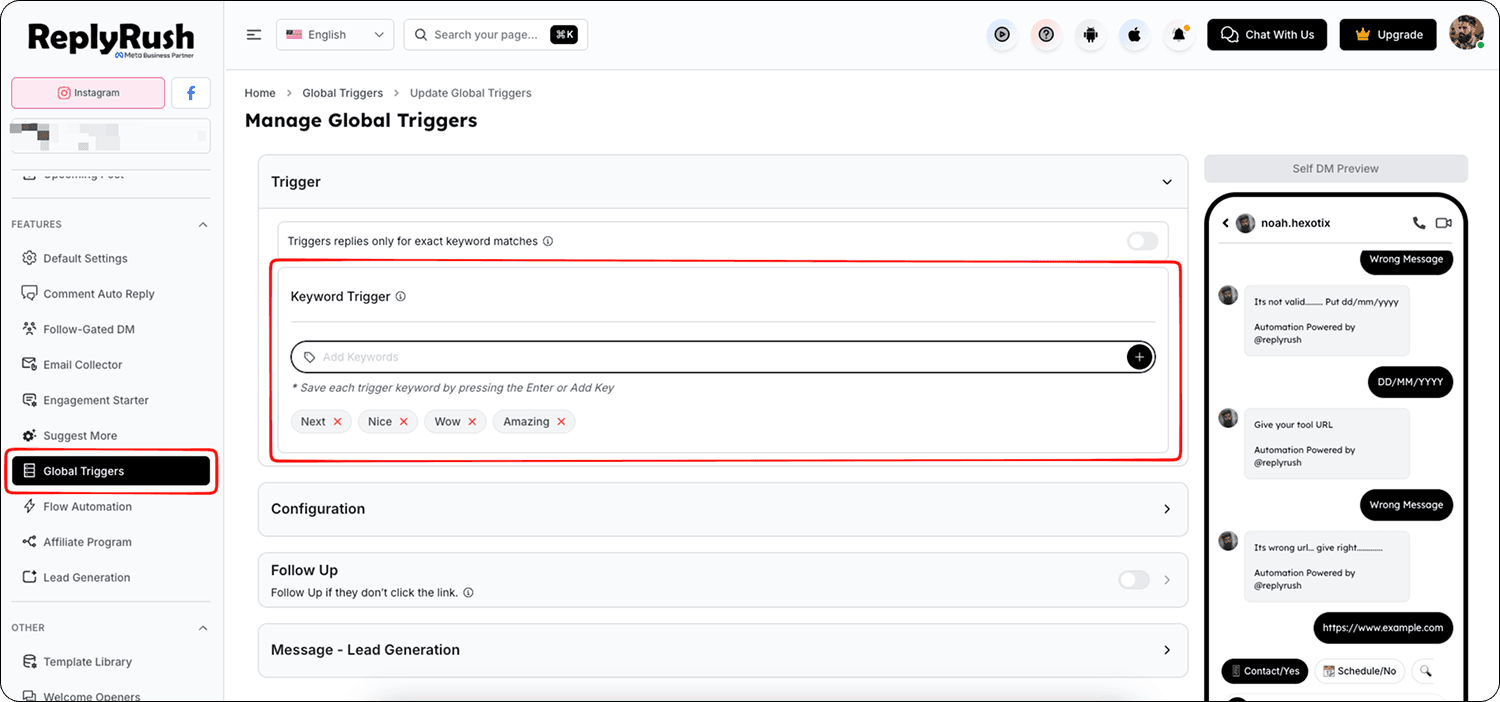
- Enter your trigger keyword(s) — you can add one or multiple words/phrases.
- Choose your Template Type:
Media Template – Includes buttons, links, and images.
Single Message – Text-only with optional links.
Quick Replies – Text plus interactive reply buttons.
- Enable the automation areas where you want the trigger to work.
Inbox Automation
Post/Reel Automation
Story Automation
Sponsored Ad Automation
Send Once Per User – Prevents sending the same DM multiple times to the same person.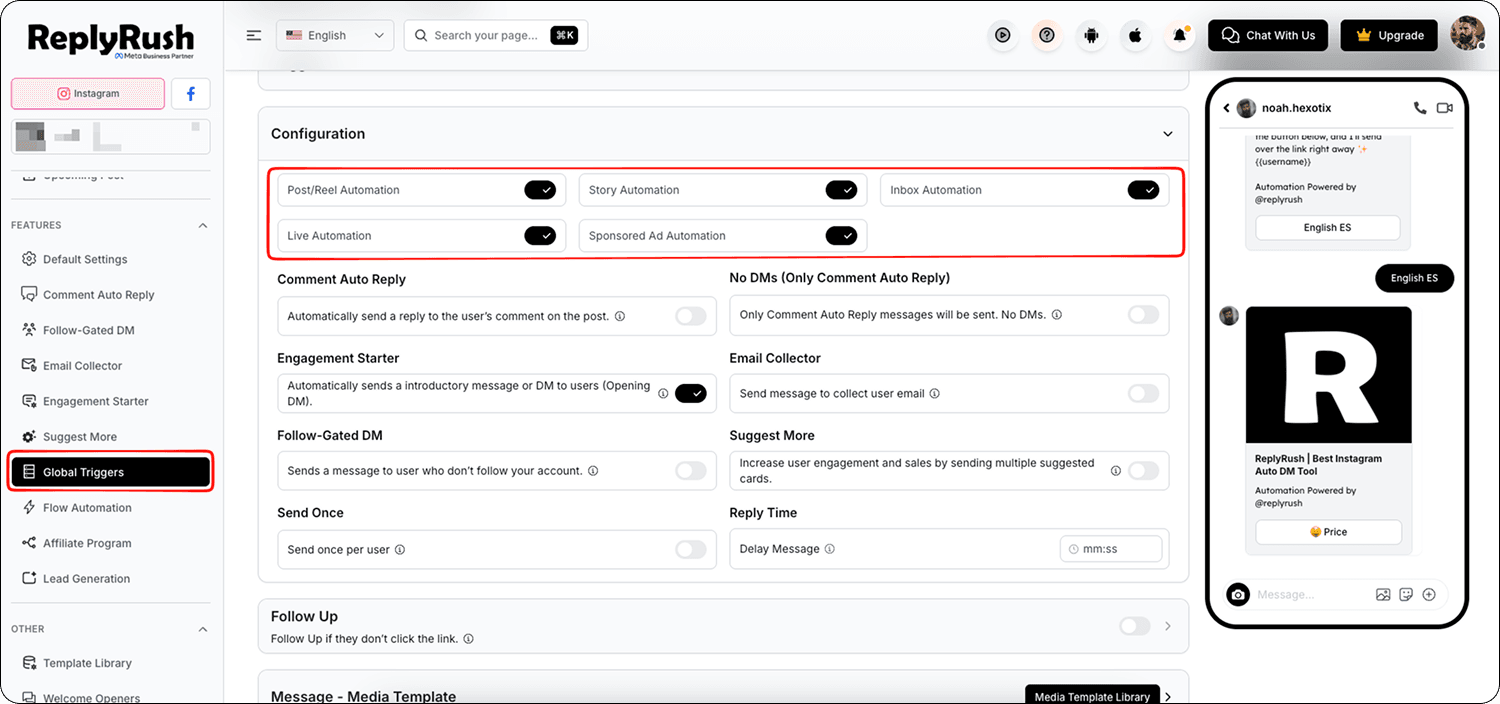
- Configure optional features :
Comment Auto Reply – Publicly reply to comments matching the trigger keyword.
Suggest More – Offer more interaction options after initial reply.
Engagement Starter – Send a welcome or ice-breaker before the main DM.
Follow-Gated DM – Require the user to follow you before sending the main DM.
Reply Time – Choose how soon after a trigger the DM is sent.
Delay Message – Add a delay before sending the DM for a natural feel.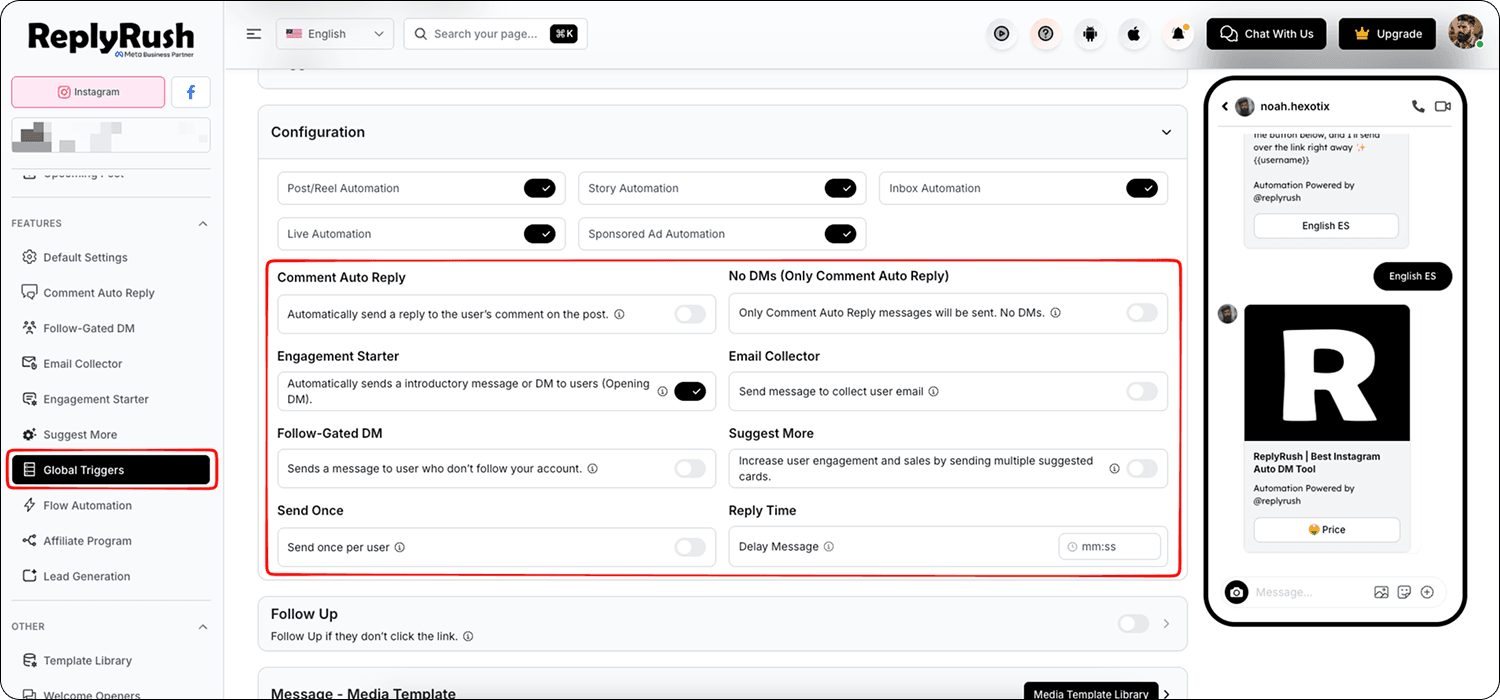
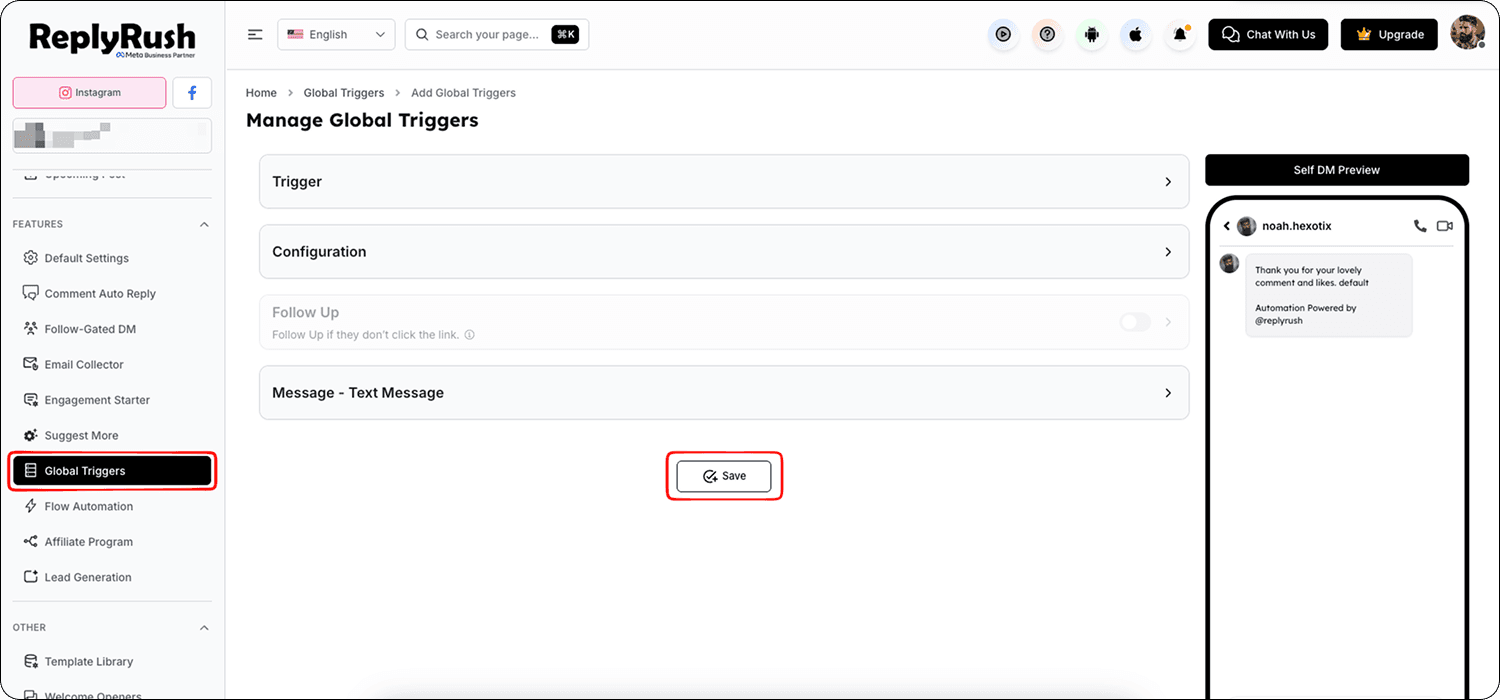
- Click Save to activate the Global Trigger.
How It Works
Once active, the Global Trigger scans all enabled areas for comments or DMs containing your keywords.
For example:
- A user comments “coupon” on your reel → Global Trigger sends the selected DM and can also reply publicly if Comment Auto Reply is enabled.
- A user sends “price list” in your inbox → Global Trigger replies instantly with your pricing message.
- A user comments “website” on a story → Global Trigger sends your site link via DM.
Best Uses
- FAQs – Instantly respond with answers for “price,” “website,” “offer,” “support email,” or “policy.”
- Promotions – Auto-reply with coupon codes or limited-time offer links.
- Lead capture – Use Follow-Gated DMs and Quick Replies to collect emails or drive actions.
- Customer service – Reduce incoming support queries by sending pre-prepared solutions.
FAQs
Q: Can I create more than one Global Trigger?
A: Yes, you can create multiple rules for different keywords and templates.
Q: Will Global Trigger overwrite post-specific triggers?
A: No, post-level triggers still work, but Global Triggers apply everywhere unless a post automation overrides, ReplyRush will send post automation as a priority.
Q: Can I use emojis as trigger keywords?
A: Yes, emojis are supported and can be set as triggers.