
How to Re-authorize Your Instagram/Facebook Connection in ReplyRush
Sometimes your Instagram connection to ReplyRush may stop working — this can happen if your password changes, your permissions expire, or Meta revokes access.
Re-authorizing refreshes your Instagram permissions and regenerates your token so your automations keep running smoothly.
You can access ReplyRush on multiple platforms:
- Main Website: https://www.replyrush.com
- Web Login/Registration: https://app.replyrush.com
- iOS App: Download on App Store
- Android APK: Download APP
Step-by-Step Guide
Re-authorize Your Instagram Account
- Log in to your ReplyRush account via https://app.replyrush.com or the mobile app.
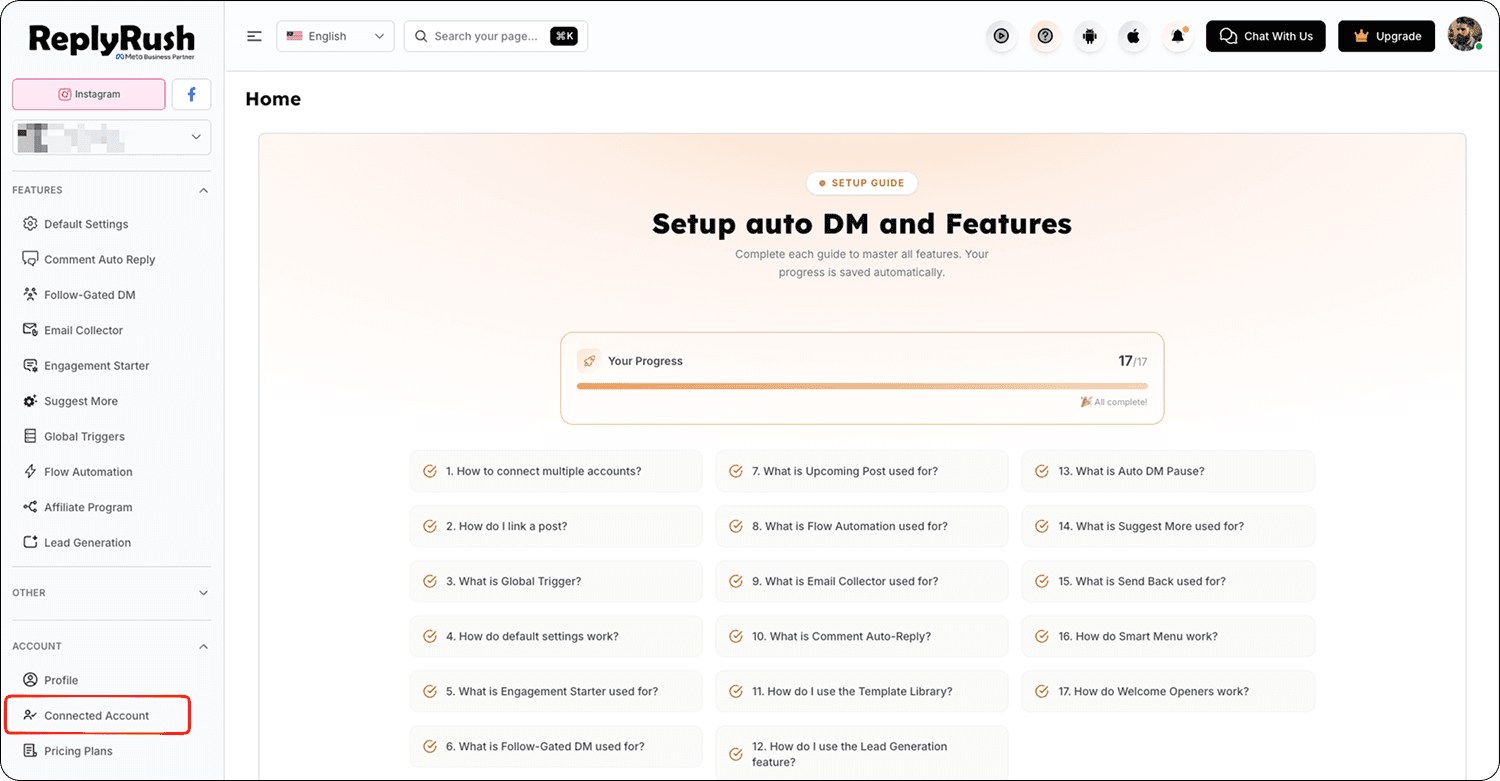
- Open the sidebar and click Connected Accounts.
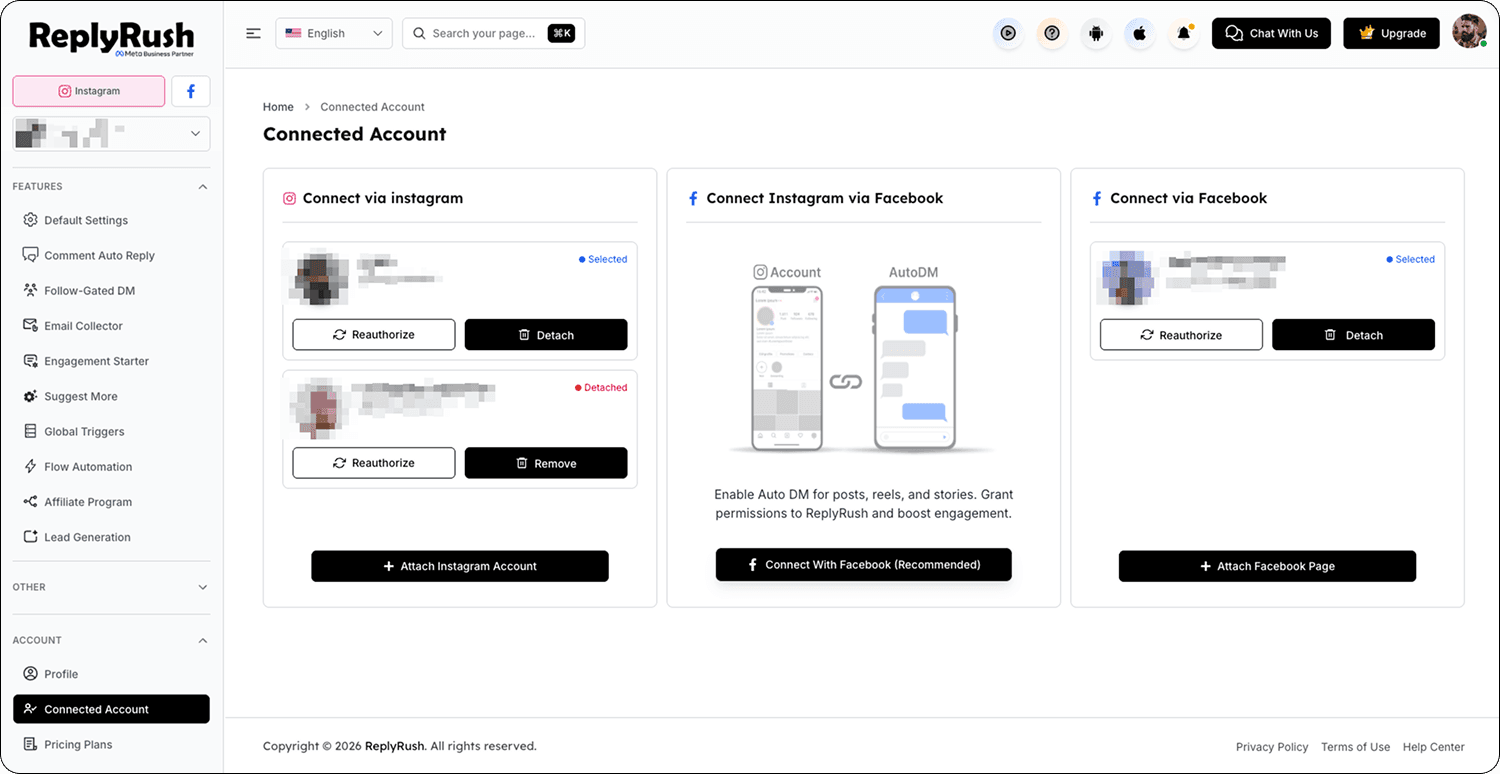
- Find the Instagram account you want to fix and click it.
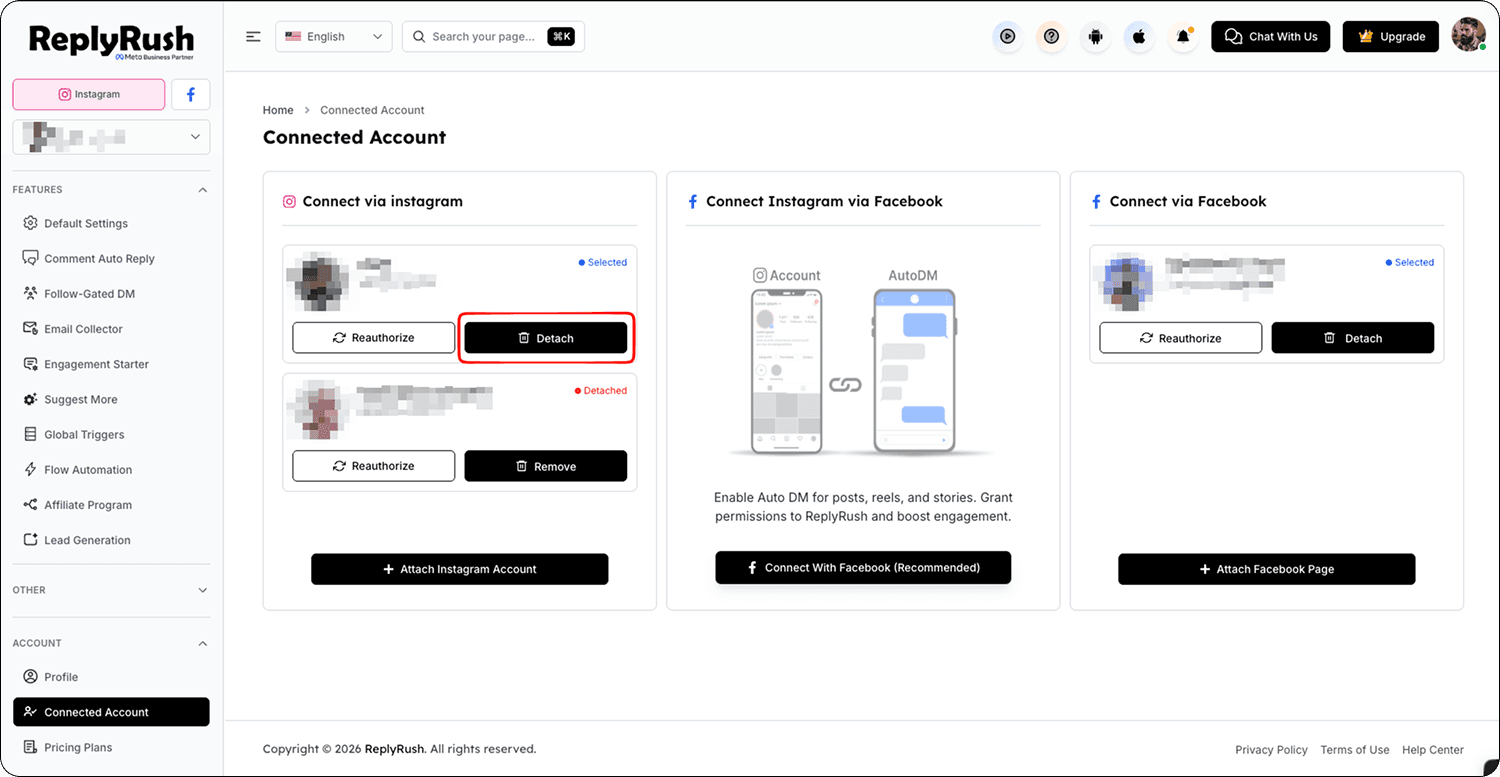
- You will see two options:
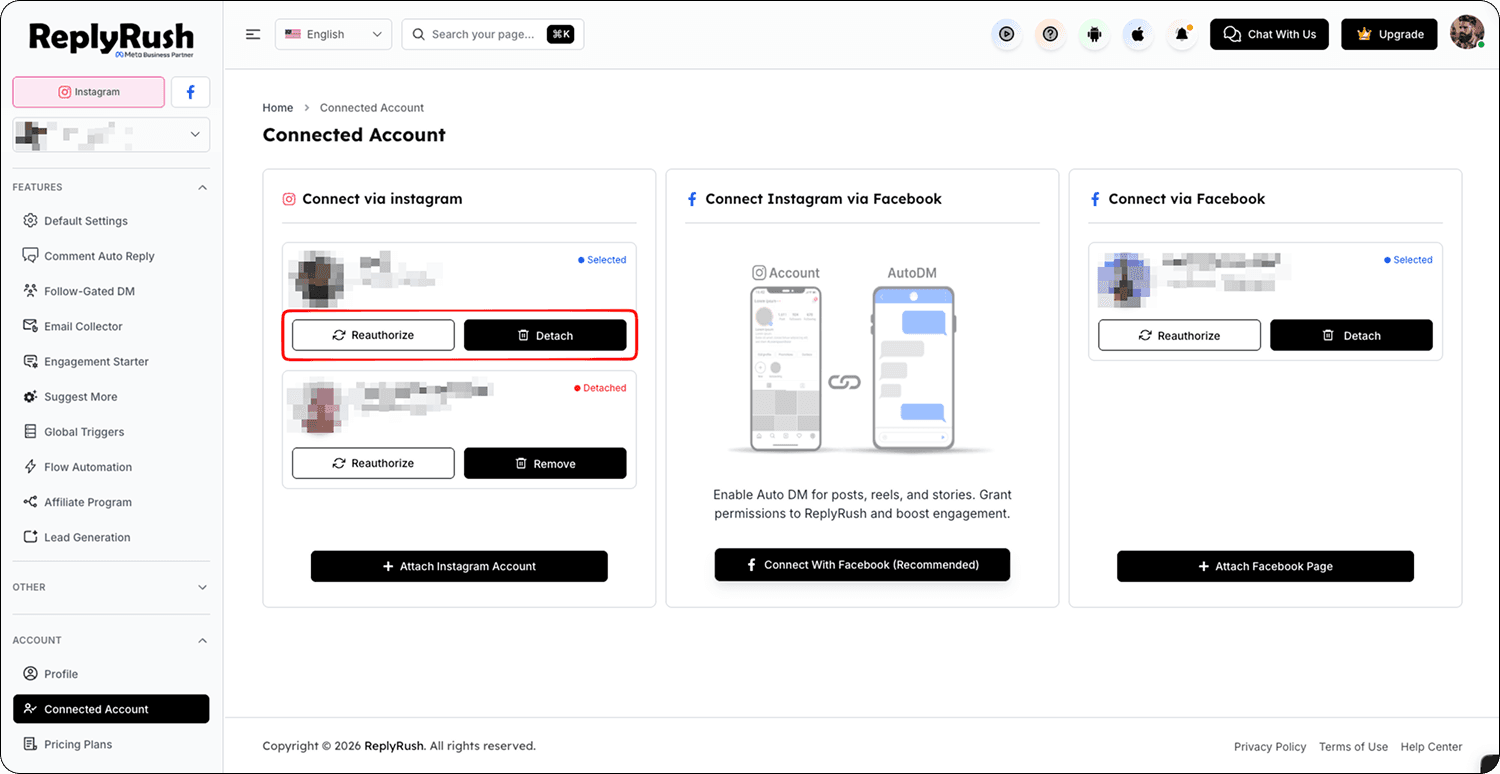
- Reauthorize – Resets your Instagram permissions and refreshes your token without removing the account.
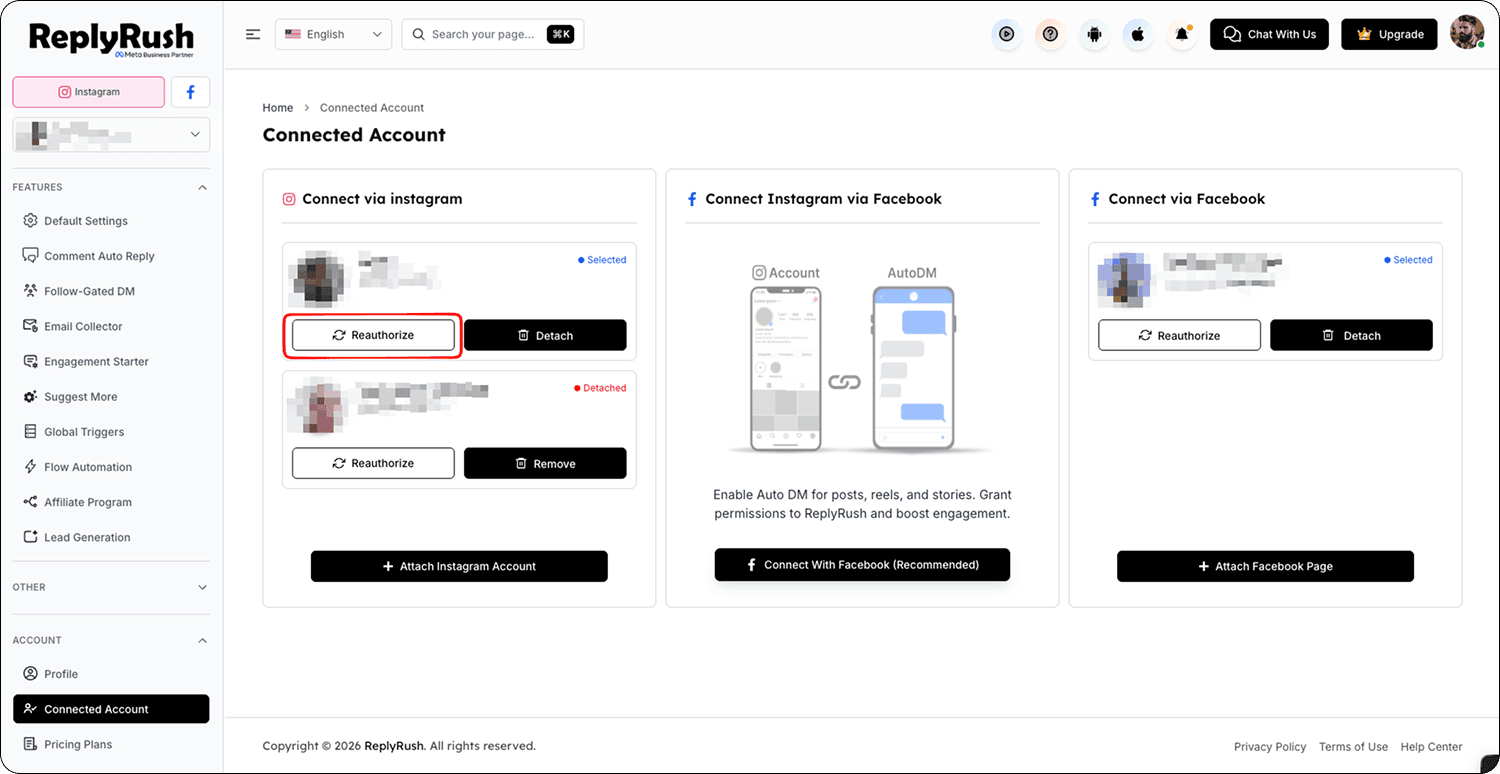
- Detach – Removes the Instagram account from ReplyRush.
- Click Reauthorize to reconnect and refresh your Instagram token.
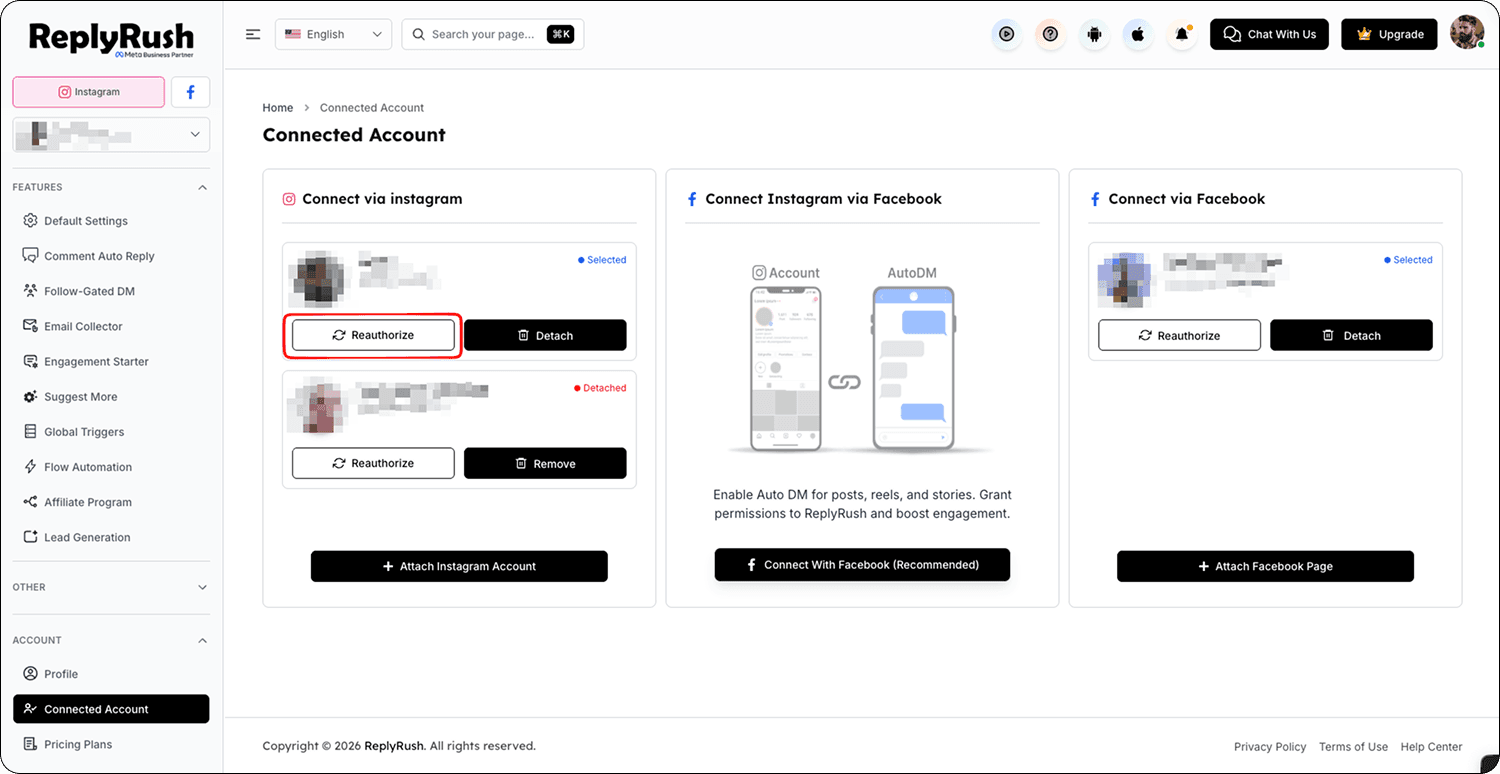
- Once done, re-check your automation settings for your posts/reels/stories to ensure they remain active.
When to Use Detach Instead
- If your permissions are missing or you want to connect the account again from scratch.
- Detaching will remove your Instagram account from ReplyRush, and you can:
Delete it permanently from your Connected Accounts and add a new account.
Or reconnect it again using Instagram Login or Facebook Login.
Troubleshooting
- Automation still not sending after re-authorizing
Try detaching the account and reconnecting it fully. Ensure you grant all permissions during the connection process. - Can’t find Connected Accounts in the sidebar
Scroll down in the left sidebar menu; it appears toward the bottom.
FAQs
Q: Will re-authorizing delete my automation?
A: No, all your flows and settings remain the same — only your permissions and token are refreshed.
Q: Do I need to re-authorize often?
A: Only when Instagram or Facebook expires your permissions (e.g., after password changes or security updates).