
Sendback in ReplyRush
The Sendback feature lets you send Auto DMs to users who have already commented on a post but didn’t receive a message — either because the post wasn’t linked in time or the trigger settings didn’t match their comments.
This is a one-time catch-up tool to ensure no potential engagement is missed.
Purpose of Sendback
- Recover missed opportunities – DM users who interacted but didn’t get your automation.
- Fix setup mistakes – Cover cases where the post wasn’t linked or the wrong keywords were set.
- Boost engagement after posting – Useful for high-traffic posts you forgot to automate at the time of publishing.
Benefits
- Works for posts, reels, and stories.
- Helps you maintain consistent engagement without manual DMs.
- Ideal for campaigns where comments happen fast and you need to act afterward.
How to Use Sendback
- Log in to your ReplyRush account: https://app.replyrush.com
- From the sidebar, select Posts/Reels (or Stories).
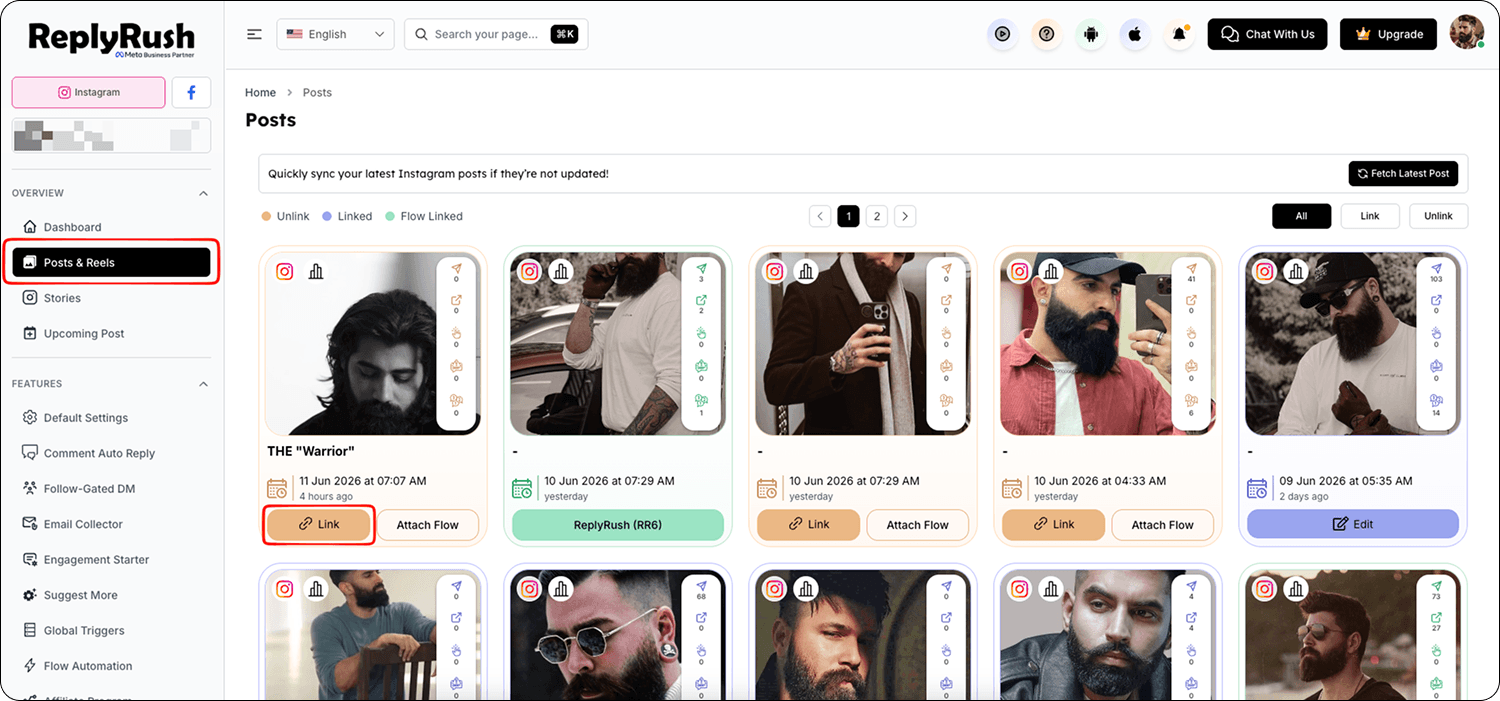
- Locate the post you want to send missed DMs for and click Link (if not already linked).
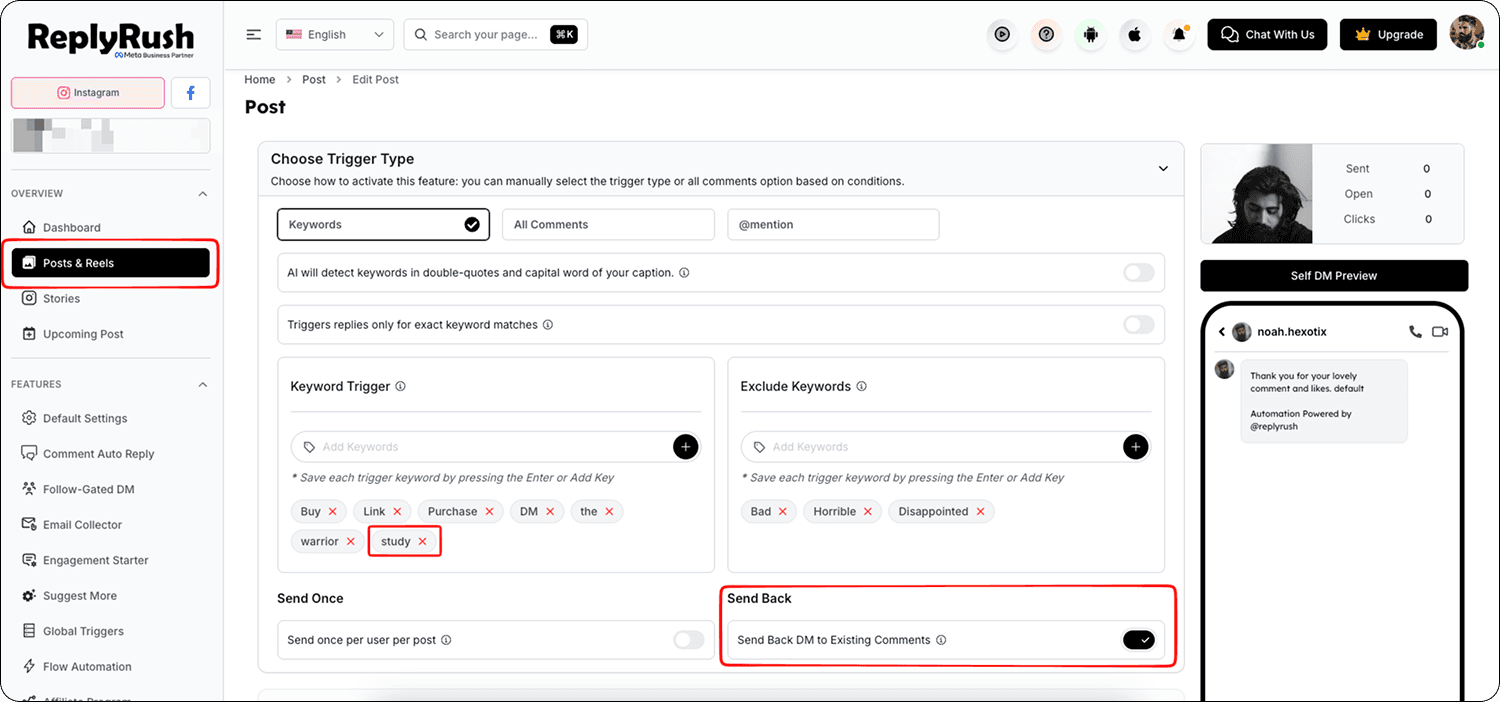
- In the Options panel, find the Sendback toggle.
- Enable Sendback.
- Click Save — ReplyRush will now send your automation to all eligible commenters who previously didn’t receive the DM.
Usage Limits
- You can only use Sendback once per post per day to prevent spam and comply with Instagram’s limits.
Common Use Cases
1. Post Was Never Linked
Example:
You publish a reel and it goes viral, but you forgot to link it in ReplyRush.
- Link the post now.
- Enable Sendback to send DMs to everyone who already commented.
2. Wrong or Missing Trigger Keyword
Example:
You set your trigger keyword to “dm”, but in your Instagram caption you wrote “study” as the keyword for engagement.
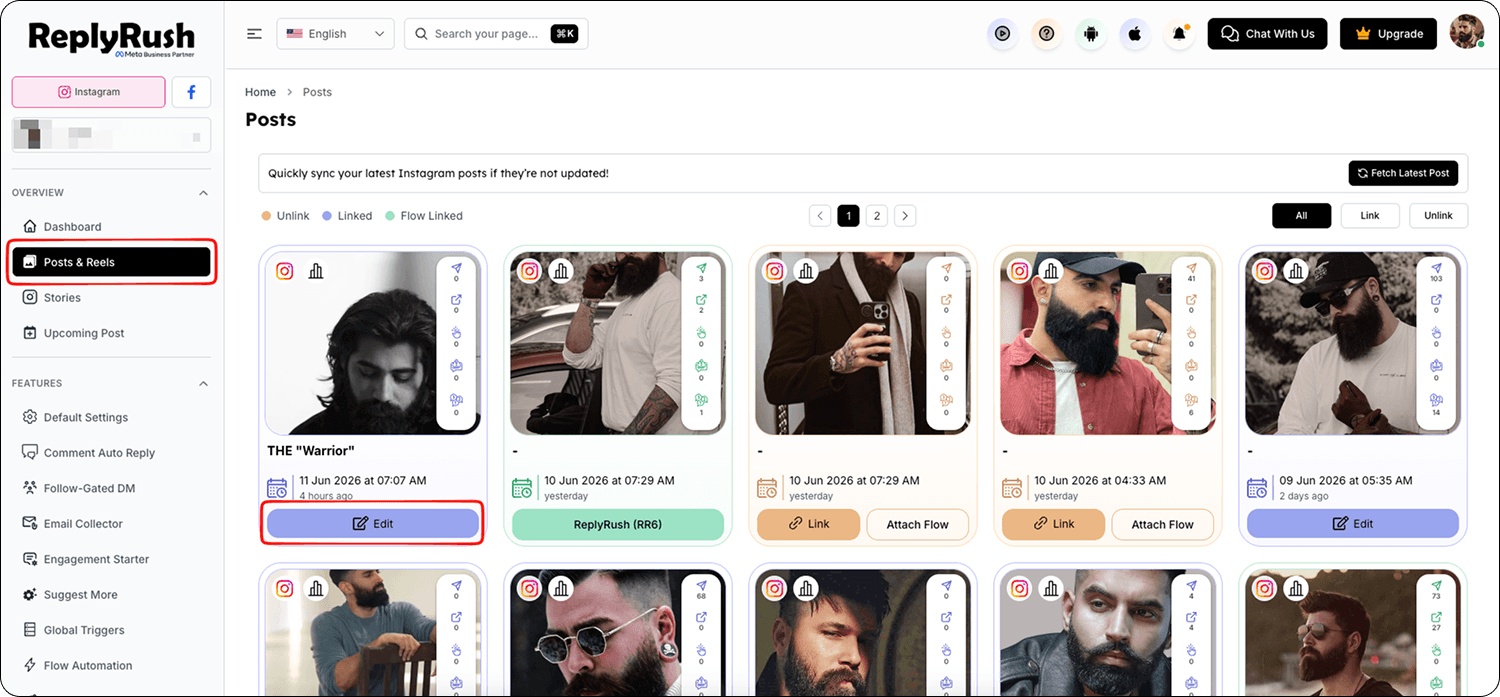
- Edit the linked post in ReplyRush.
- Add “study” as a trigger keyword.
- Enable Sendback to send DMs to users who commented “study” but didn’t get the message earlier.
Best Practices
- Always double-check your trigger keywords before posting to avoid missed users.
- Use Sendback sparingly — ideally as a fix, not as a regular sending method.
- Combine with Comment Auto Reply to engage both in public comments and private DMs.
FAQs
Q: Can I run Sendback multiple times for the same post?
A: Yes, but only once per day per post.
Q: Will Sendback resend messages to users who already got the DM?
A: No, it only sends to users who didn’t receive the automation previously.
Q: Does Sendback work for posts before I joined ReplyRush?
A: Yes, as long as Instagram’s API still allows access to the comments for that post.