
ReplyRush Troubleshooting Guide
If you’re facing issues while using ReplyRush, this guide will help you quickly identify and fix common problems without waiting for human support. Follow the step-by-step solutions below based on the issue you’re experiencing.
1. Auto DM Not Sending
Possible Causes & Solutions:
Account Token Expired:
- Open the Sidebar → Connected Accounts.
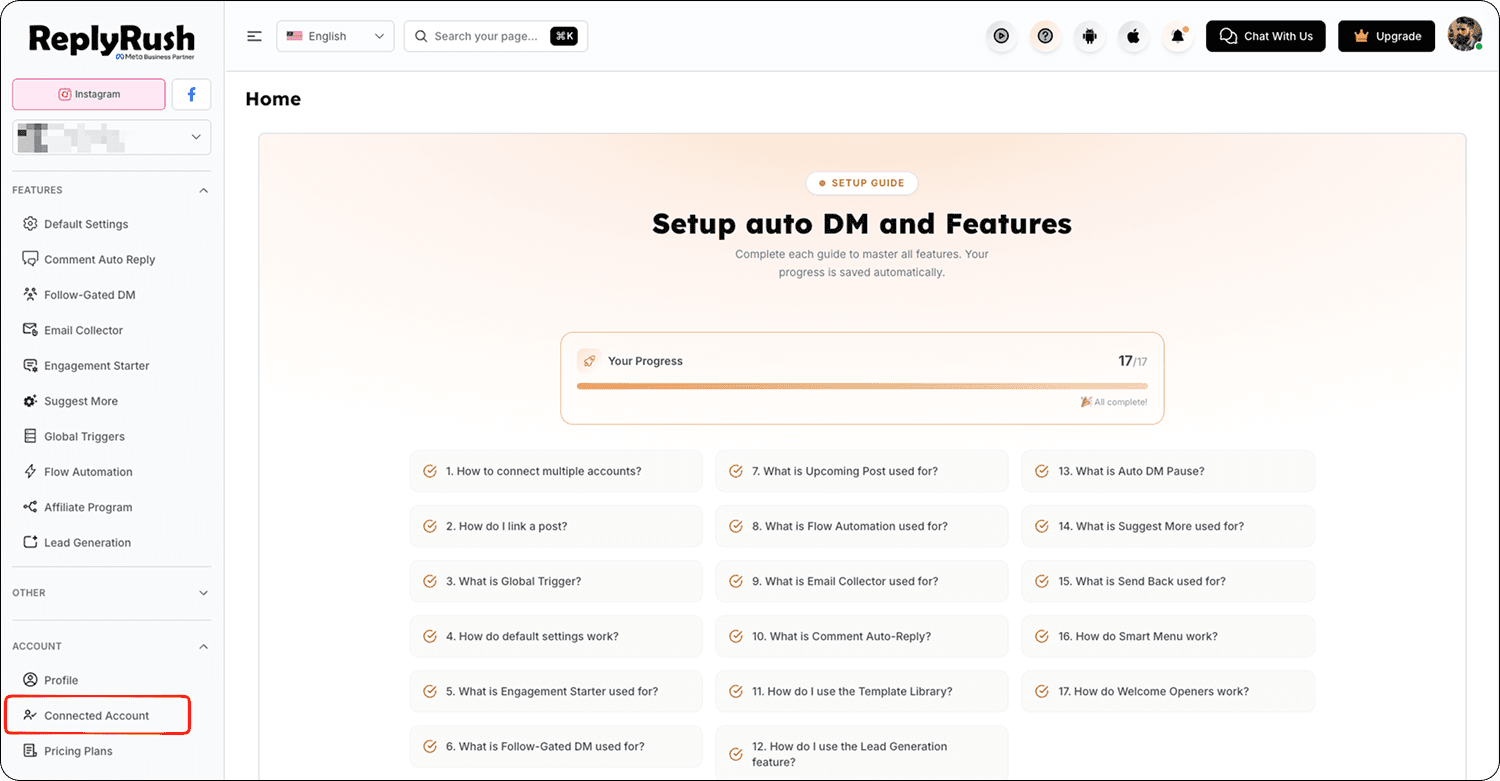
- Find your Instagram account.
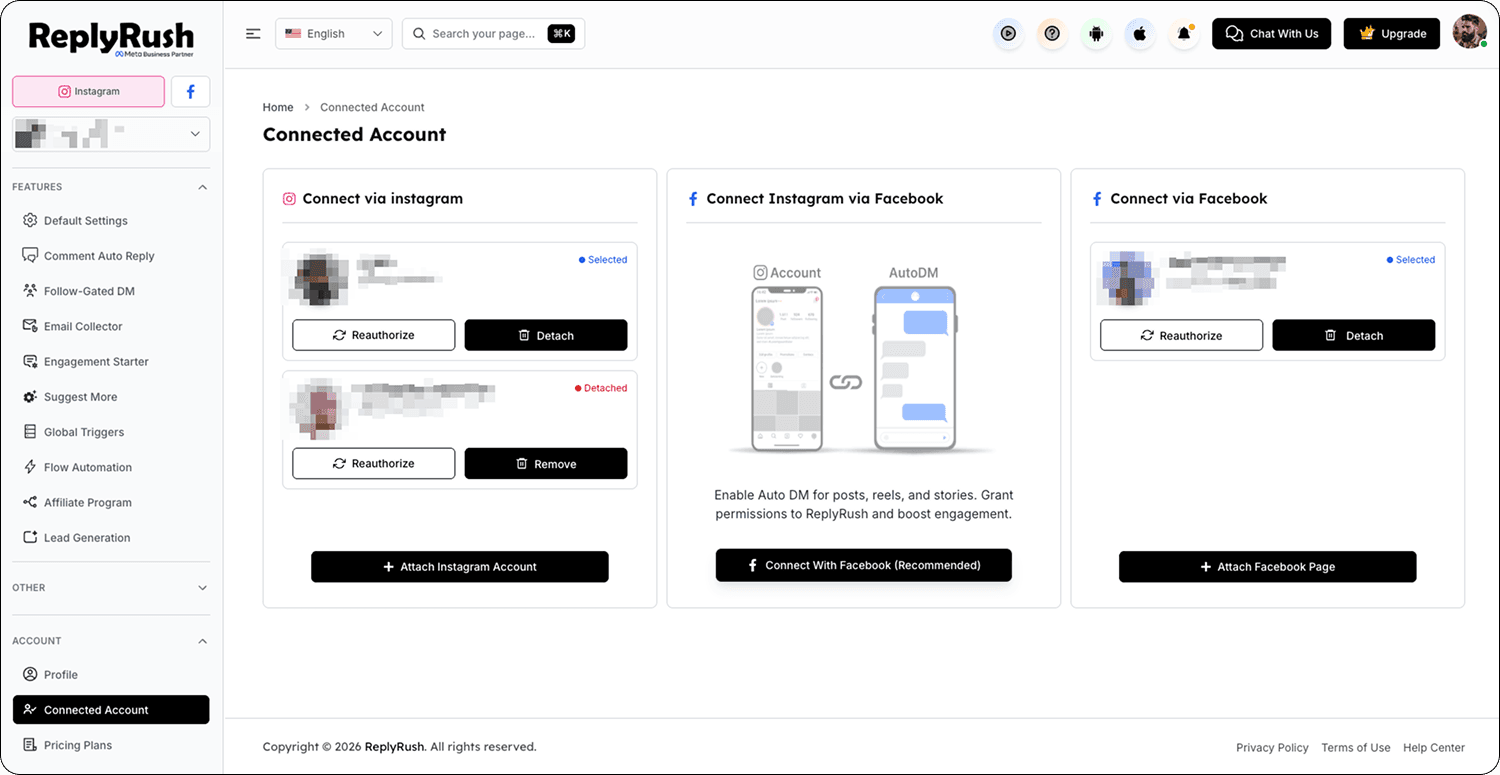
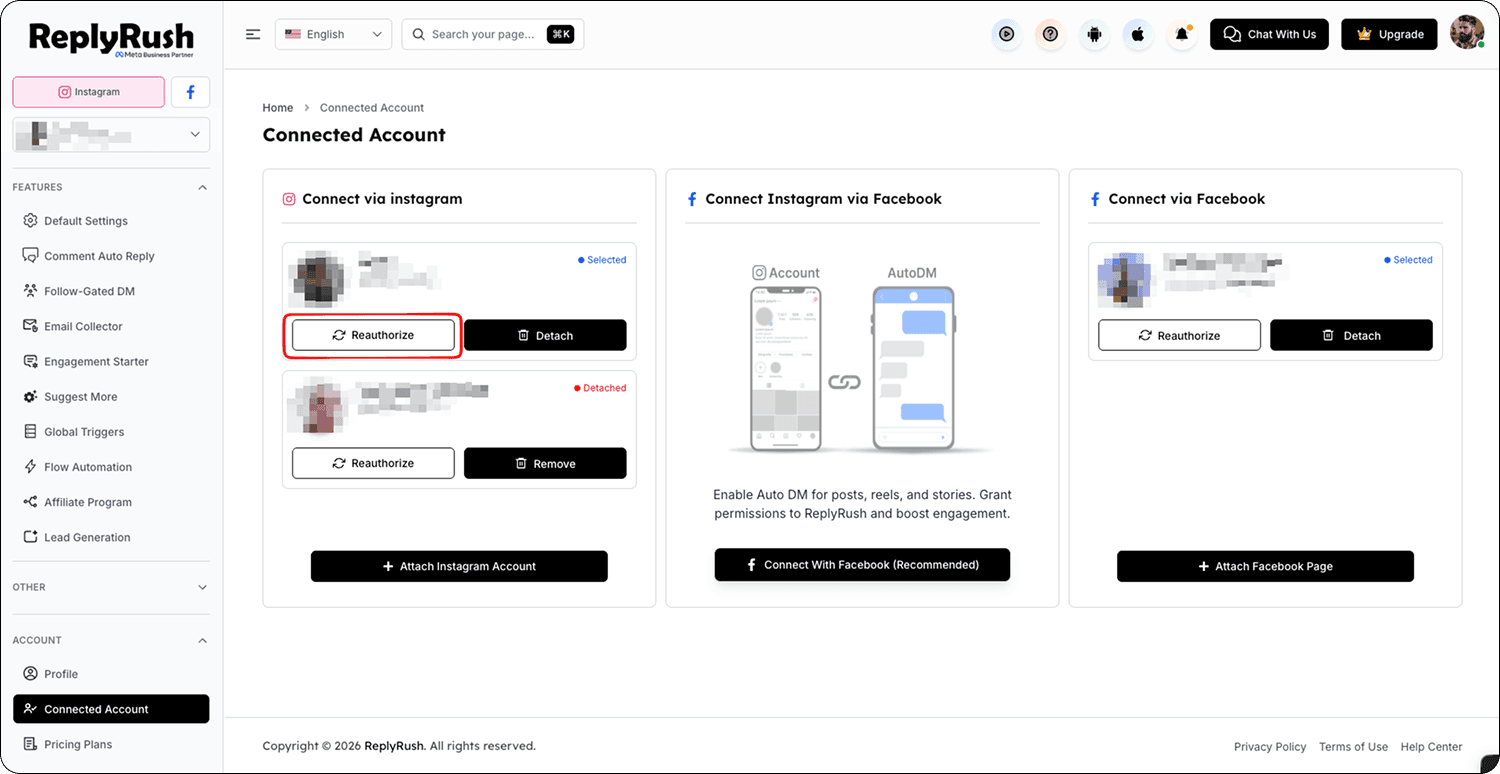
- Click Reauthorize to refresh permissions and regenerate your Instagram token.
- Re-check the automation setup for your post/reel/story.
Wrong Trigger Keyword:
- Make sure the trigger keyword in ReplyRush matches your Instagram post description or comments.
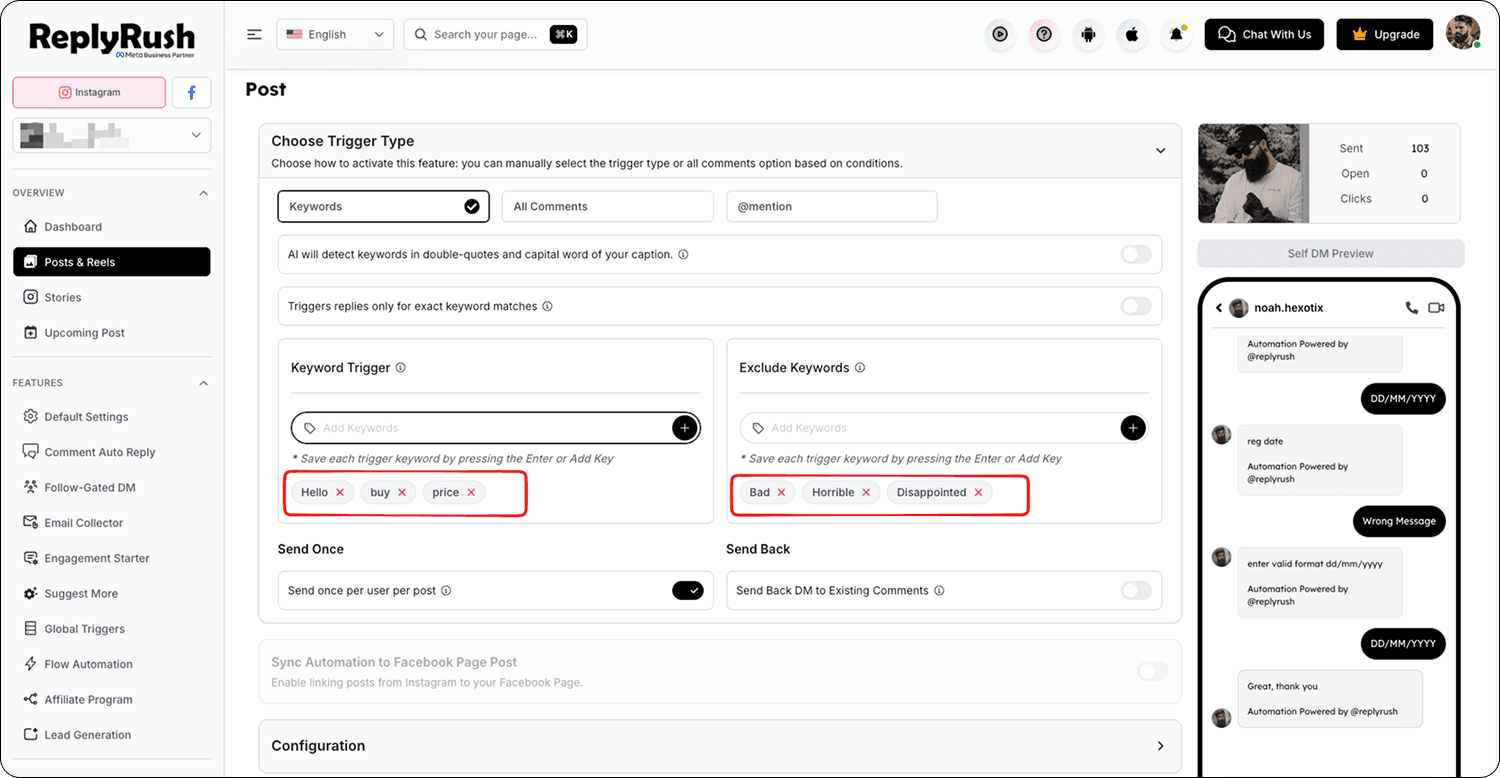
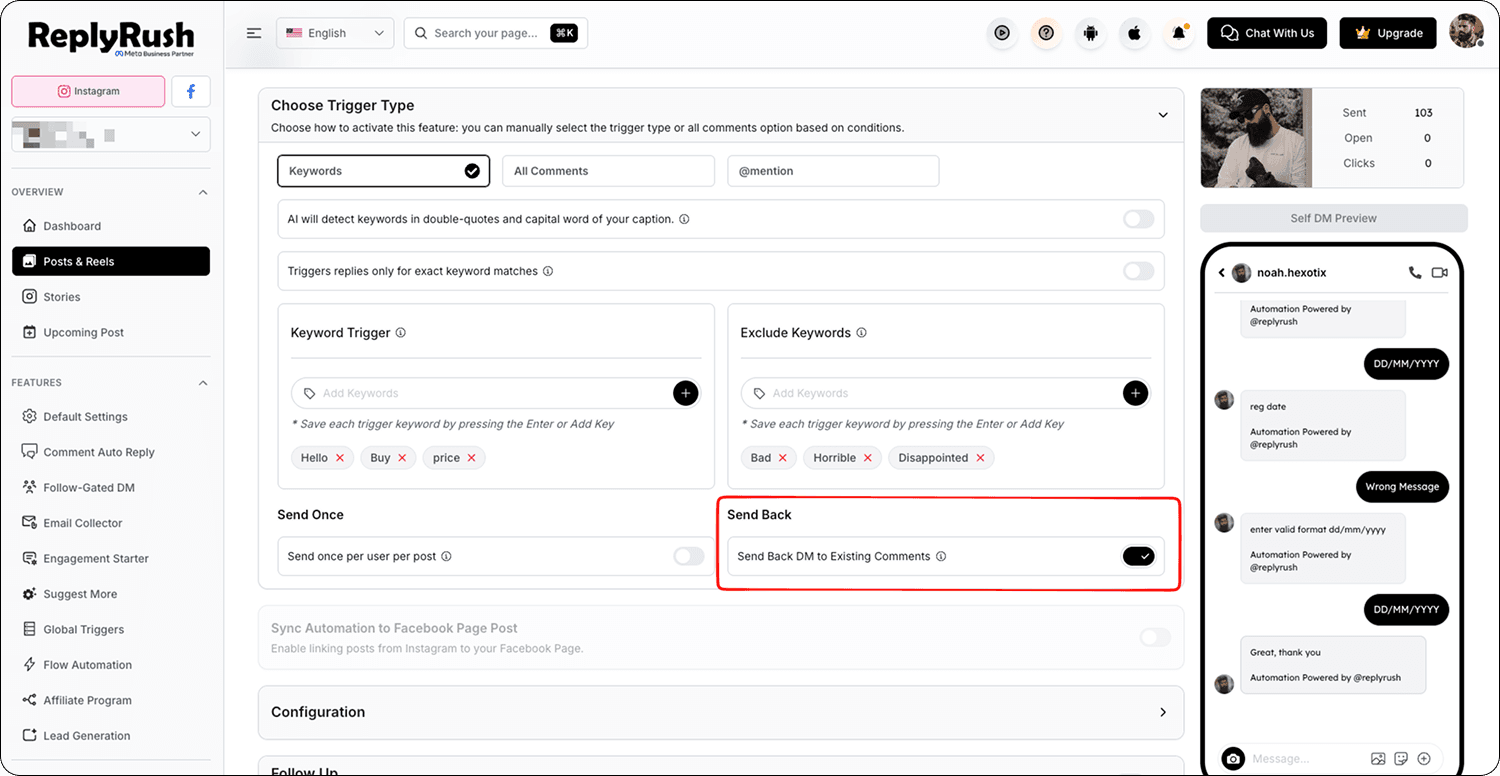
- If it doesn’t match, update the keyword in Linked Post Options and enable Sendback to resend missed DMs.
2. Permissions Missing
- Open the Sidebar → Connected Accounts.
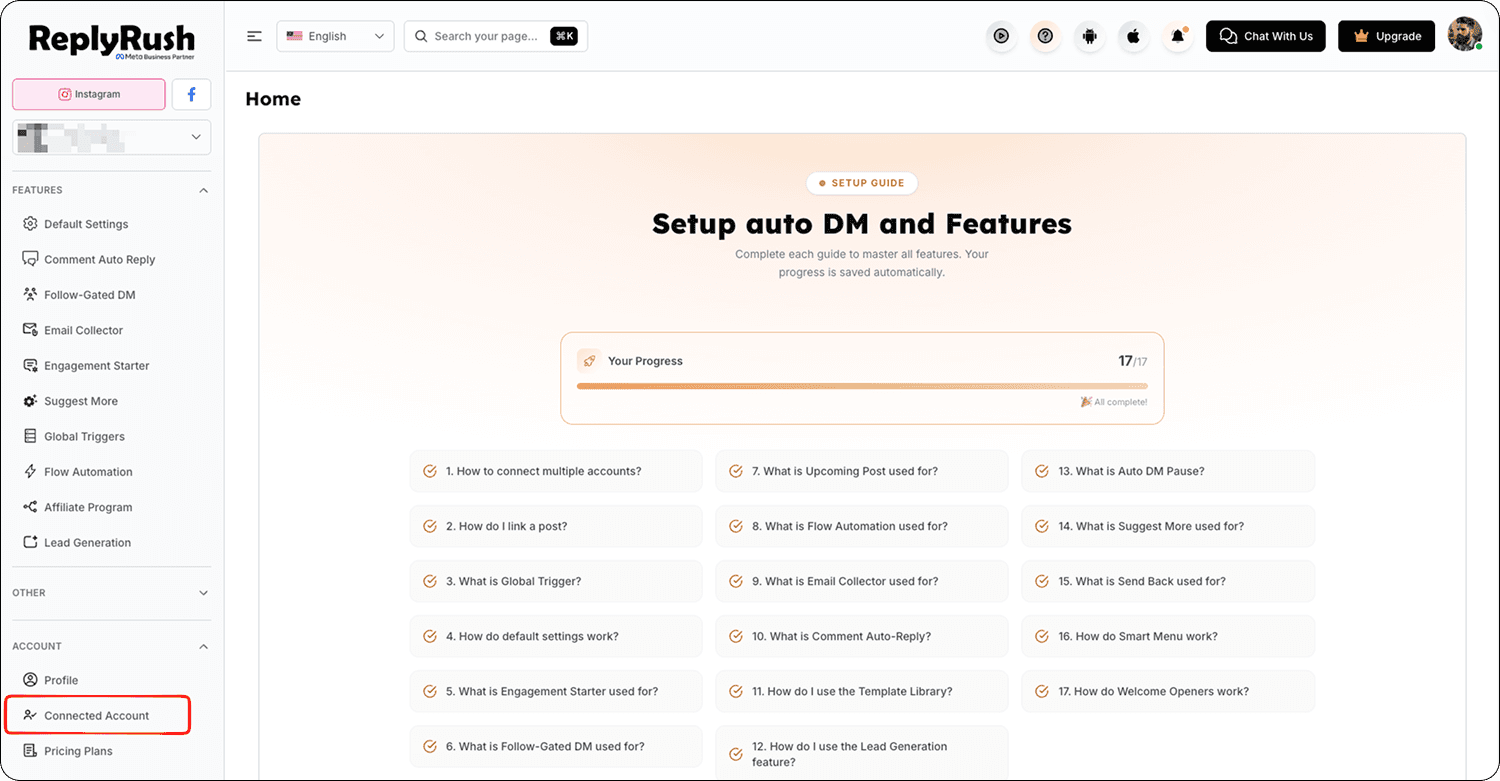
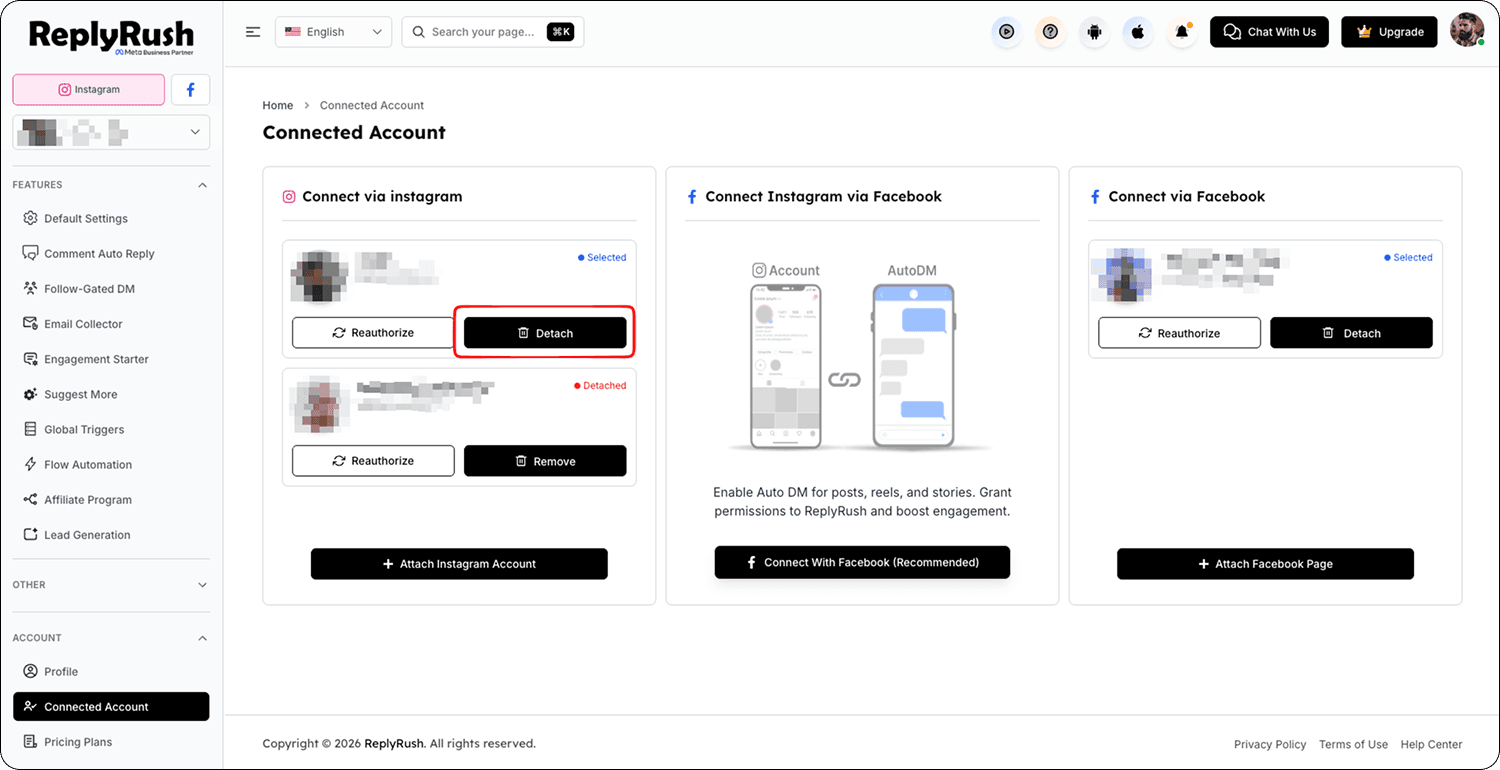
- Find your Instagram account and click Detach.
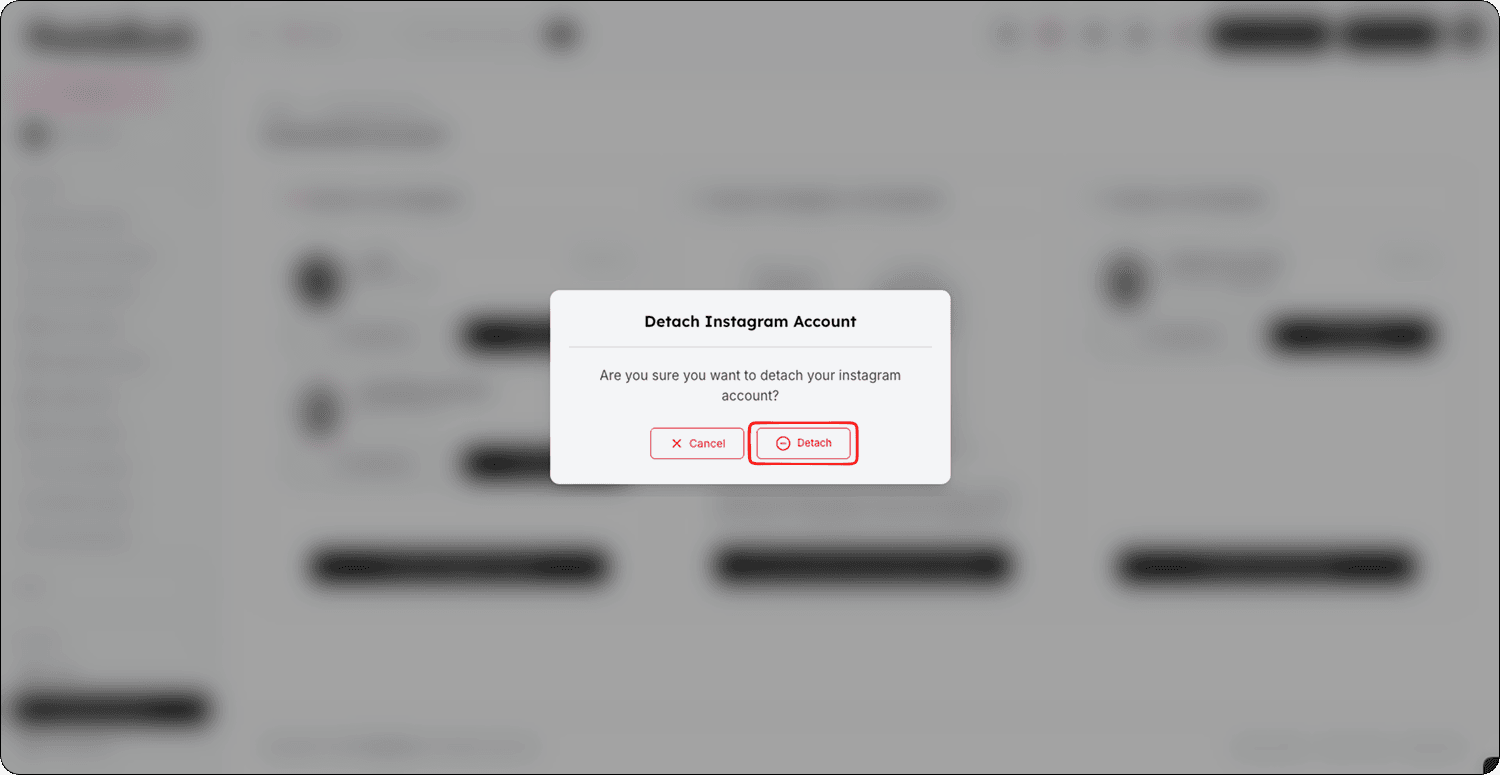
- Remove the account completely from ReplyRush.
- Reconnect it again via Instagram Login or Facebook Login.
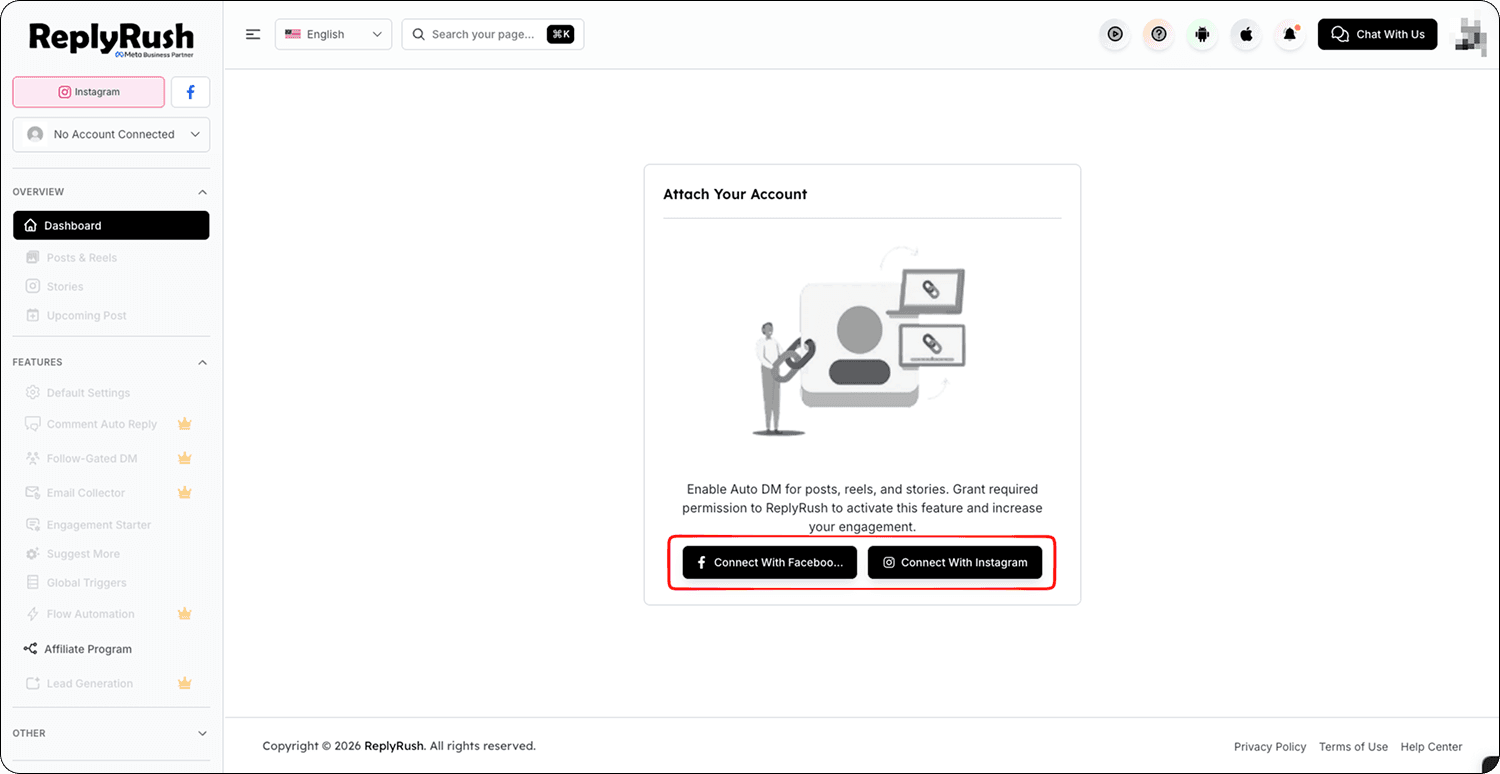
- When prompted by Meta, grant all permissions.
3. Only Last 50 Posts Are Loading
Explanation & Solution:
- ReplyRush loads your last 50 posts for free.
- If you need more (up to 1,000 posts), contact the ReplyRush Support Team at [email protected].
- Additional post loading is a paid service.
4. Post Not Appearing in Linked Posts List
Solution:
- Ensure your Instagram account is still Connected in ReplyRush.
- Wait 1–2 minutes after publishing a new post before checking the dashboard.
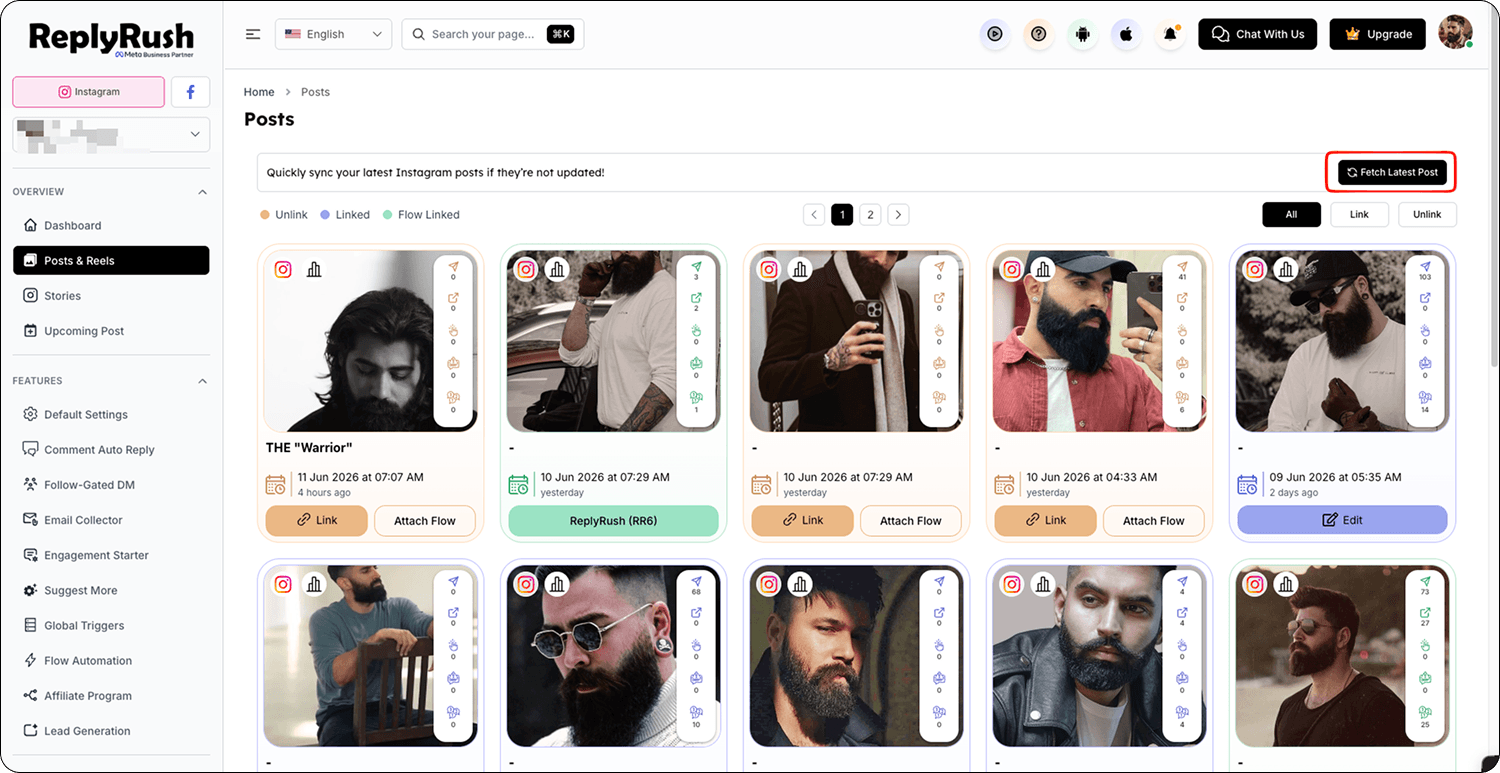
- If it still doesn’t appear, click Refresh Posts in the Linked Posts section.
5. DM Queue Delay
Explanation:
- ReplyRush uses a Safety Queue to comply with Meta’s API limits (600 DMs/hour).
- If your reel goes viral with thousands of comments, DMs will send gradually from the queue until all are delivered.
- This is normal and prevents account restrictions.
6. Trouble Logging In
Solution:
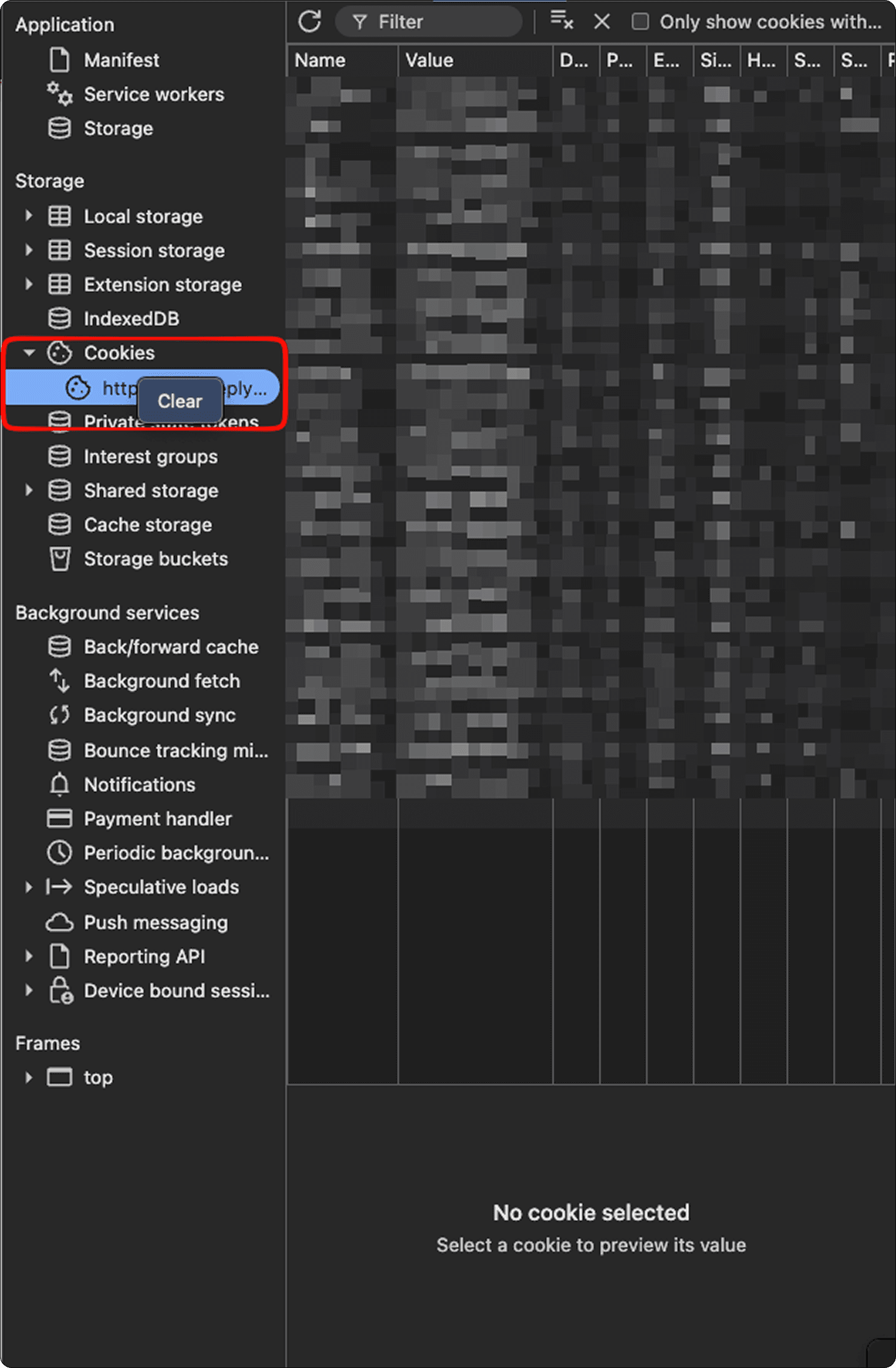
- Clear cookies/cache for replyrush.com, instagram.com, and facebook.com.
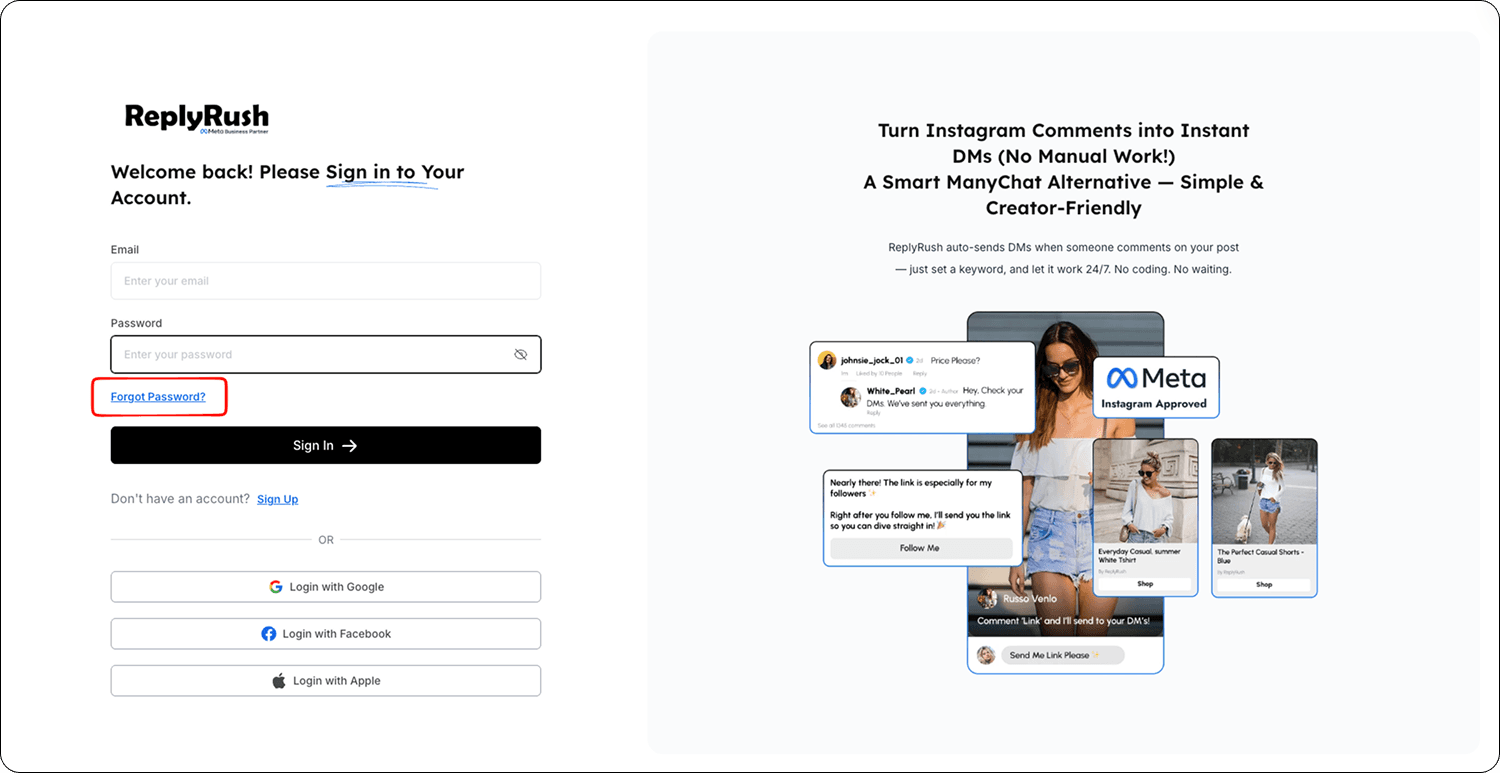
- If you used Google, Apple, or Facebook login and need a password to delete your account, use the Forgot Password option to set one.
7. Sendback Not Working
Solution :
Verify the post is linked and the correct trigger is set.
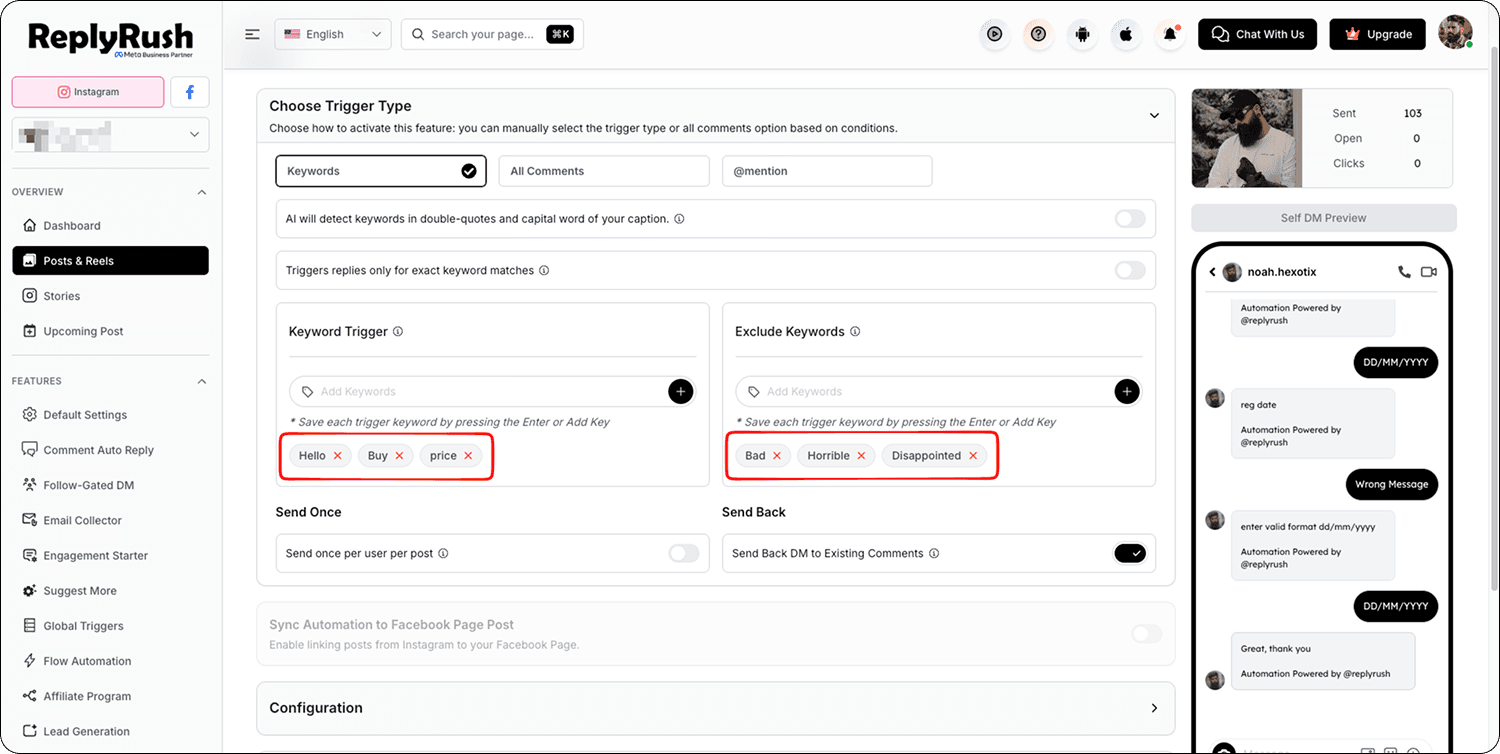
- Sendback can only be used once per post per day.
- Ensure the trigger keyword is correct before enabling.
📩 Still need help? Contact our support team at [email protected] with a detailed explanation and screenshots of your issue.