
Reply Time in ReplyRush
The Reply Time feature allows you to control when your automated DMs are sent after a user triggers them.
Instead of sending messages instantly, you can introduce a delay to make the conversation feel more natural and human-like — reducing the risk of being flagged as spam by Instagram’s algorithm.
Purpose
- Make automated replies feel more authentic.
- Avoid suspicion by Instagram that messages are coming from a bot.
- Space out conversations to improve engagement quality.
Benefits
- Works with Posts/Reels, Stories, Inbox Automation, and Sponsored Ads.
- Can be used with Global Triggers, Follow-Gated DMs, Engagement Starter, and Suggest More.
- Helps maintain account safety by mimicking real user behaviour.
How to Enable Reply Time on a Specific Post or Story
- From the sidebar, go to Posts/Reels or Stories.
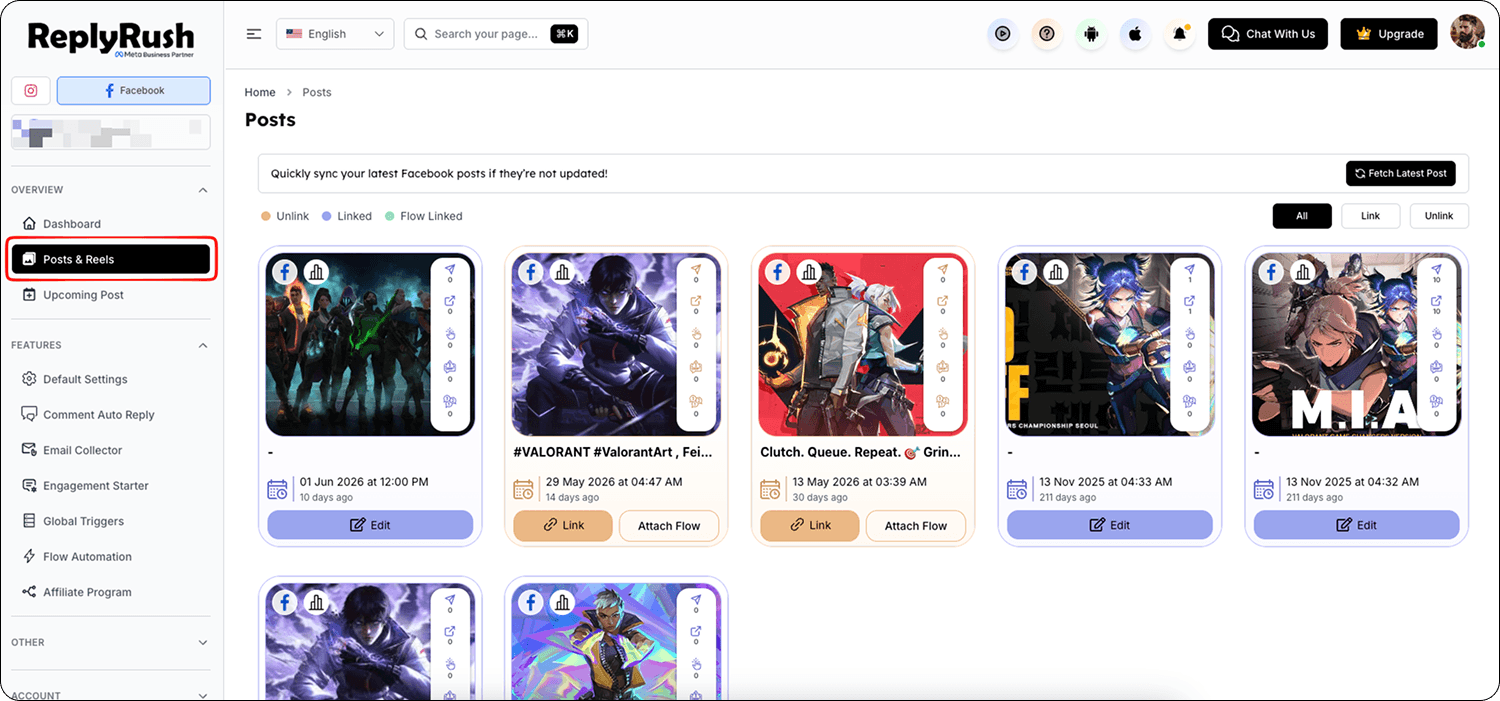
- Find the post/story → click Link (or Edit if already linked).
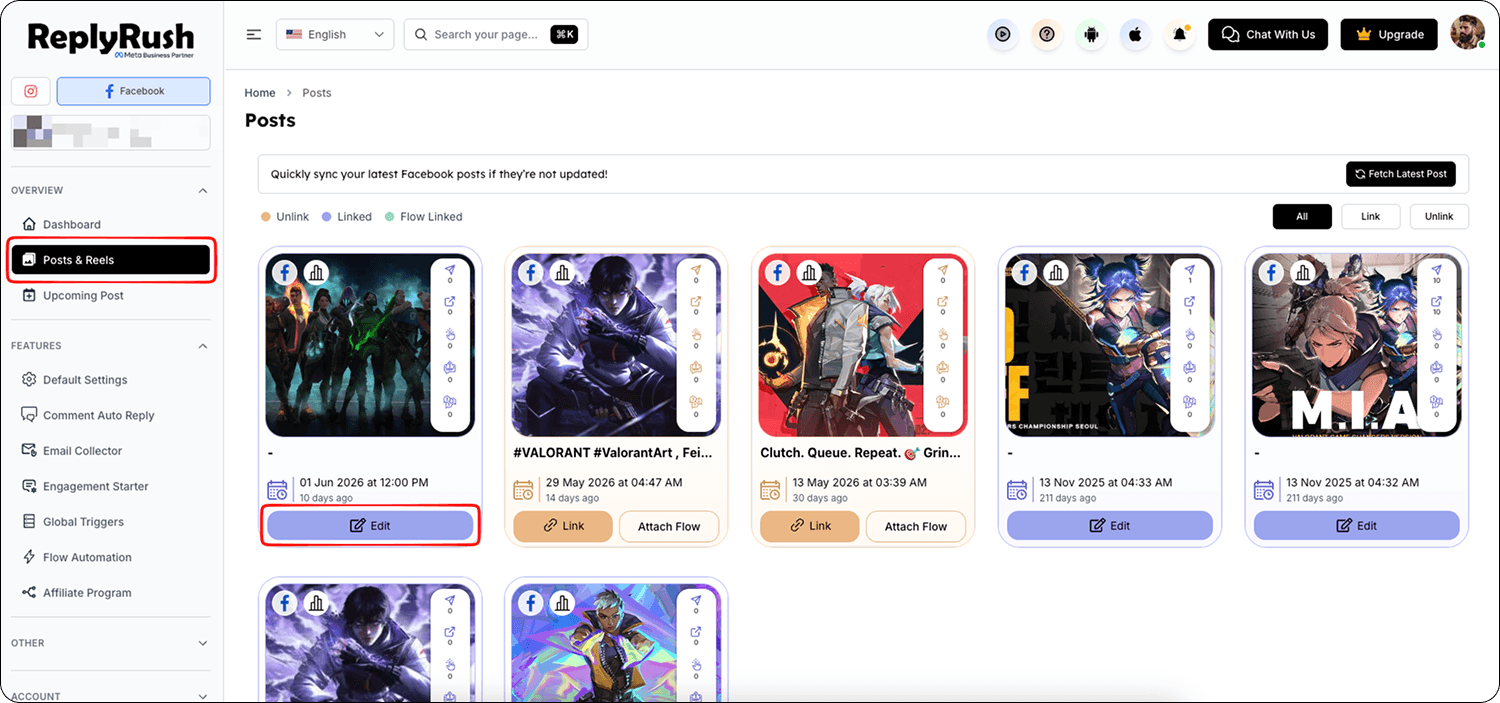
- In the Options section, set Reply Time.
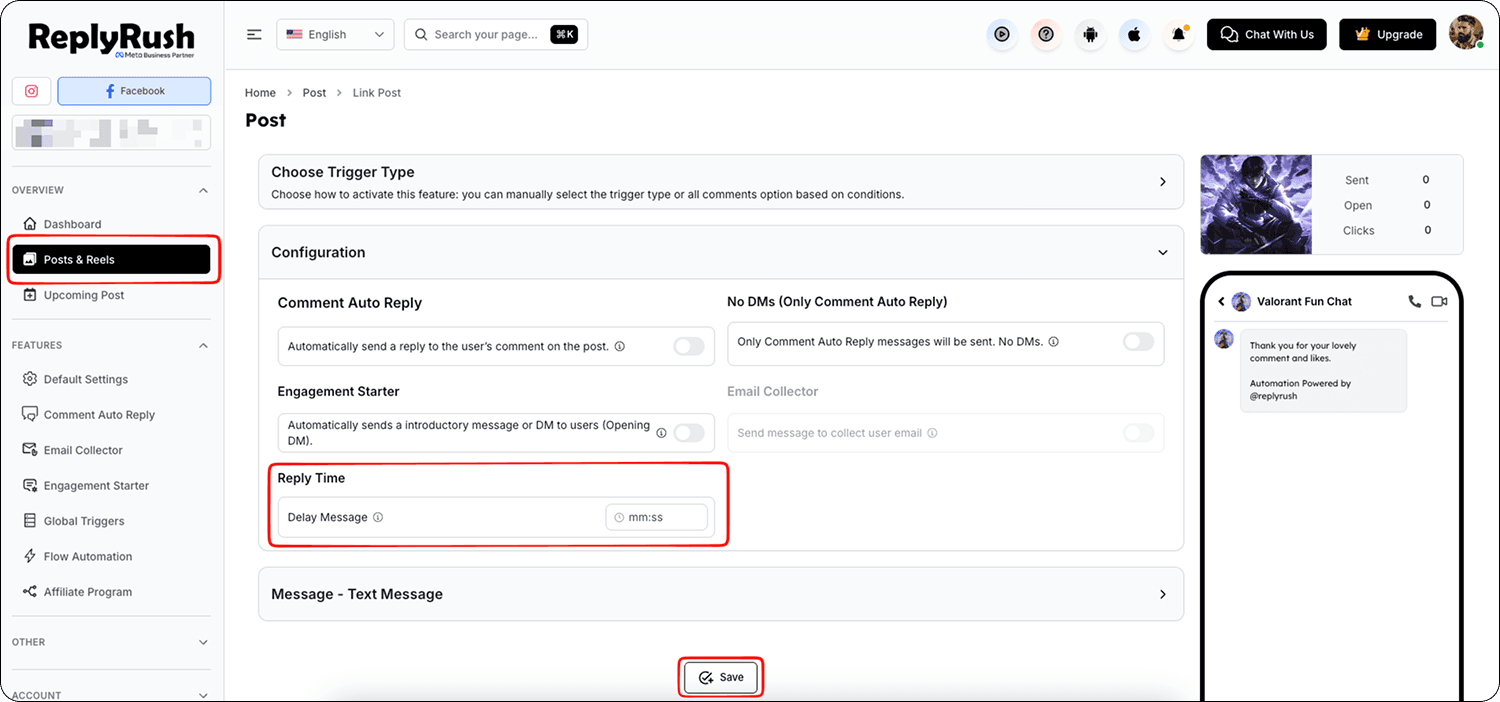
- Select your delay duration.
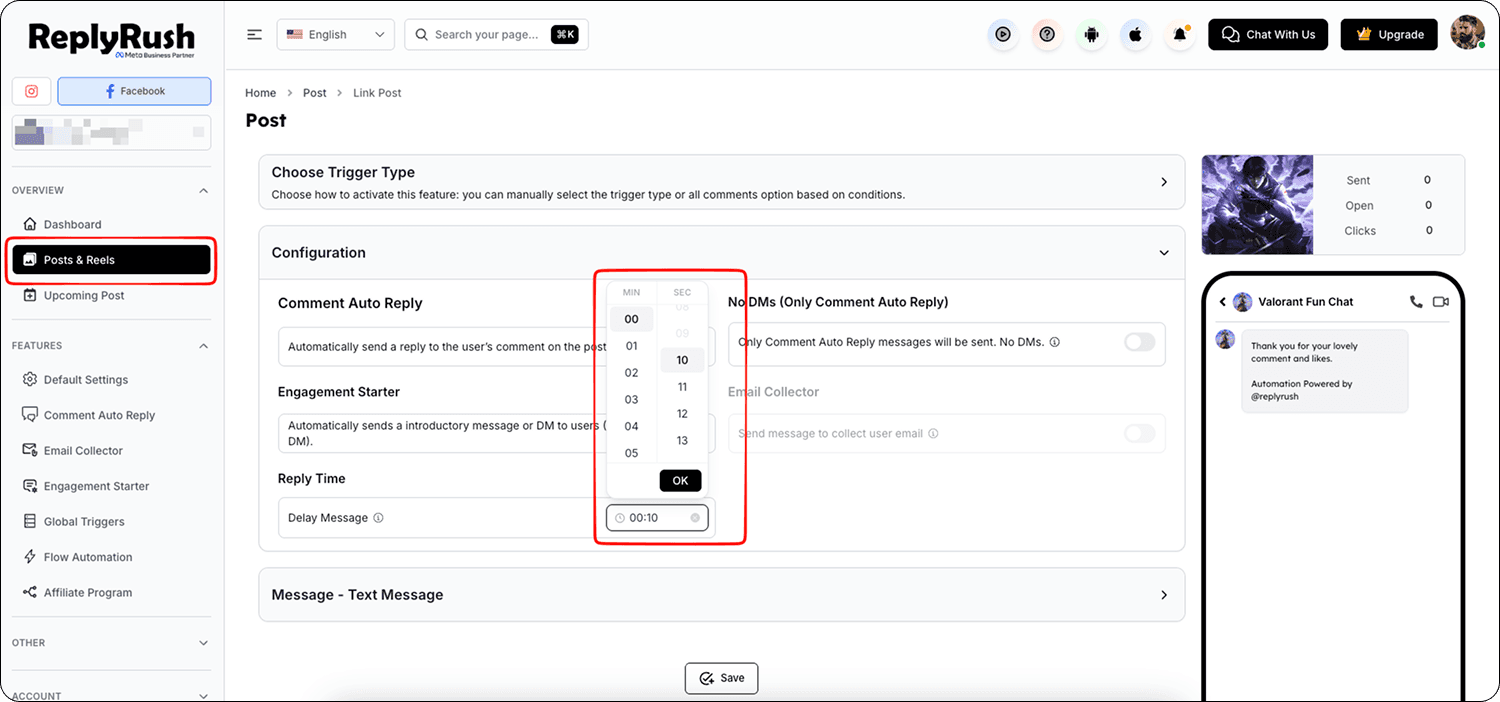
- Save your changes.
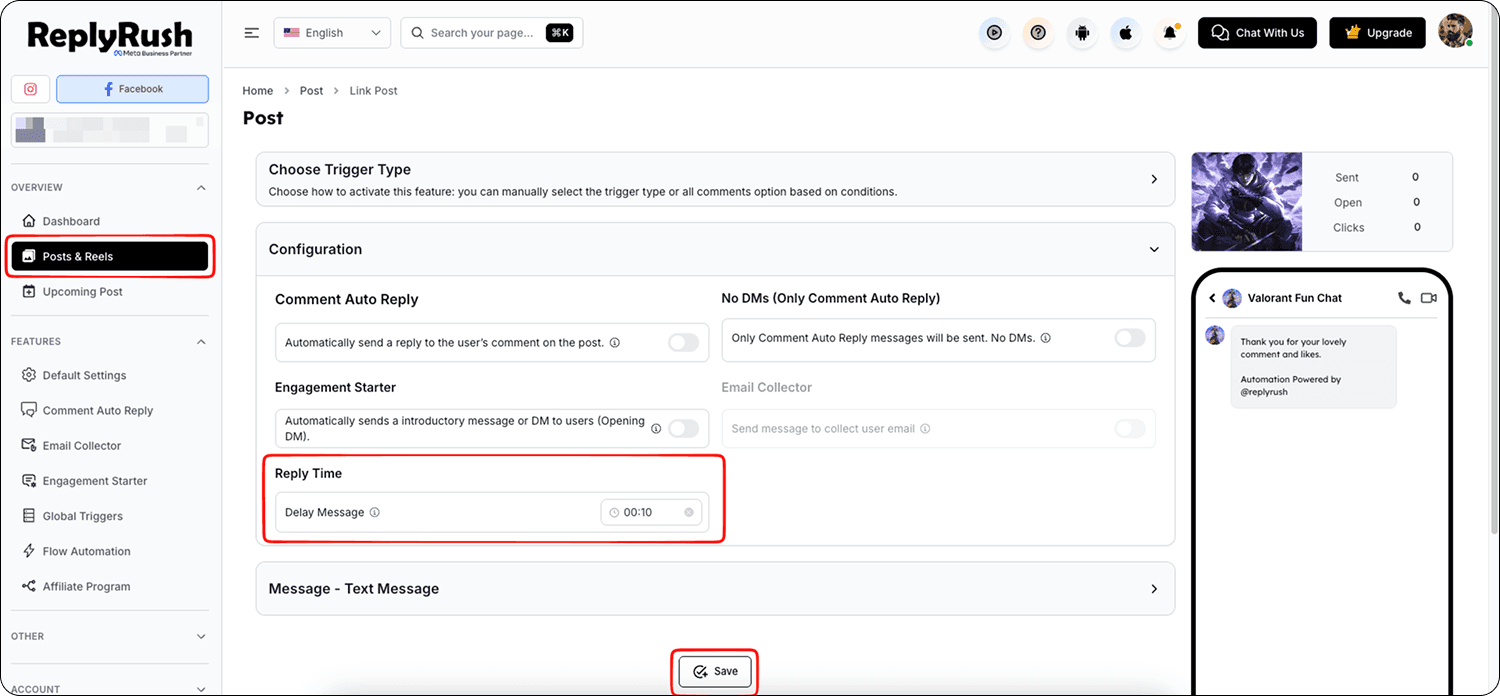
How It Works
- A user comments, sends a keyword, or triggers your automation.
- ReplyRush waits for your set Reply Time delay.
- The DM is sent after the delay, making it seem like a real human typed it.
Example Use Cases
- 30–60 seconds: Best for casual replies where the delay feels natural.
- 2–3 minutes: Great for story replies or when users request a link.
- 5 minutes or more: Useful for high-value leads to simulate manual response.
Best Practices
- Avoid too long delays (over 10 minutes) unless you have a specific reason — it can make the interaction feel unresponsive.
- Use Reply Time with Engagement Starter to create a warm-up message followed by your main DM.
- Combine with Sendback for missed comments to keep timing natural.
FAQs
Q: Can Reply Time be different for each post?
A: Yes — you can set a unique Reply Time for individual posts/stories when linking them.
Q: Does this affect comment auto replies?
A: No — Reply Time only delays direct messages, not public comment replies. But Comment reply works only after DM sent.
Q: Can I use Reply Time with Follow-Gated DM?
A: Yes — the delay starts counting after the user follows you.