
Email Collector in ReplyRush (Capture Leads in DMs)
The Email Collector feature allows you to automatically collect email addresses from users who comment on your Instagram posts, reels, or stories — and then send them your original DM or message flow once the email is collected.
It’s perfect for creators, influencers, bloggers, and businesses that want to capture leads directly through Instagram interactions while still delivering the main automation message afterward.
How Email Collector Works
When a user comments on your post:
- Engagement Starter sends the introductory message.
- The Email Collector prompts the user to provide their email address.
- If the user provides a valid email, it’s saved directly in ReplyRush for you to download later.
- Once the email is collected, the original DM or flow message is sent automatically.
- If they provide an invalid email, the Wrong Attempt Message is sent, and they can try again.
Configuration Options
- Automatically Enable on New Post – Activate Email Collector for all future posts by default.
- Enable for Already Linked Posts – Turn this on to activate for posts and stories you’ve already linked.
- Title – The heading shown in the DM asking for the email.
- Description – The body text explaining why you’re requesting their email.
- Wrong Attempt Message – The reply sent when a user submits an invalid email address.
How to Activate Email Collector
- Open the Sidebar in the ReplyRush Email Collector.
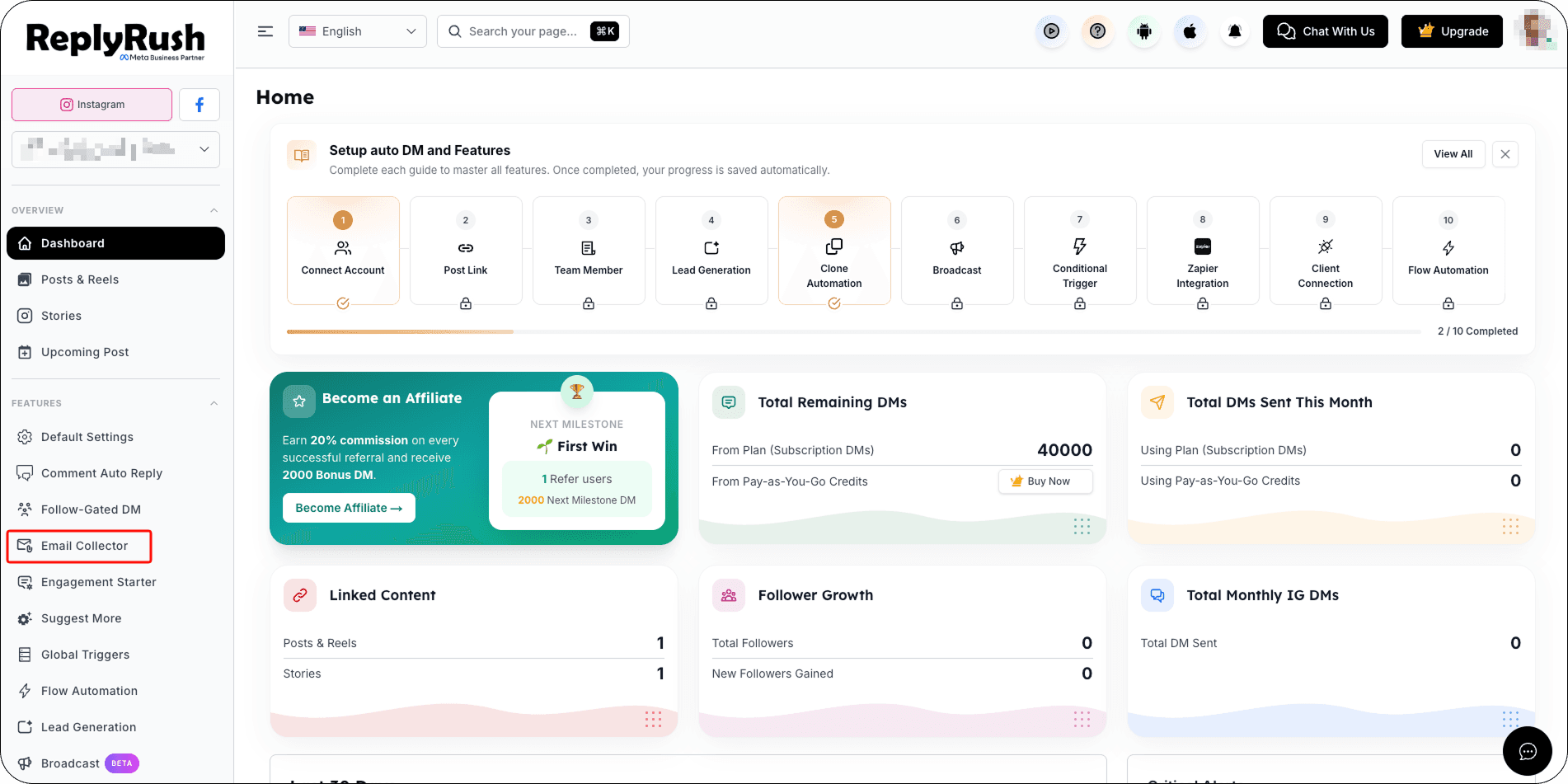
- Go to Email Collector and toggle it ON.
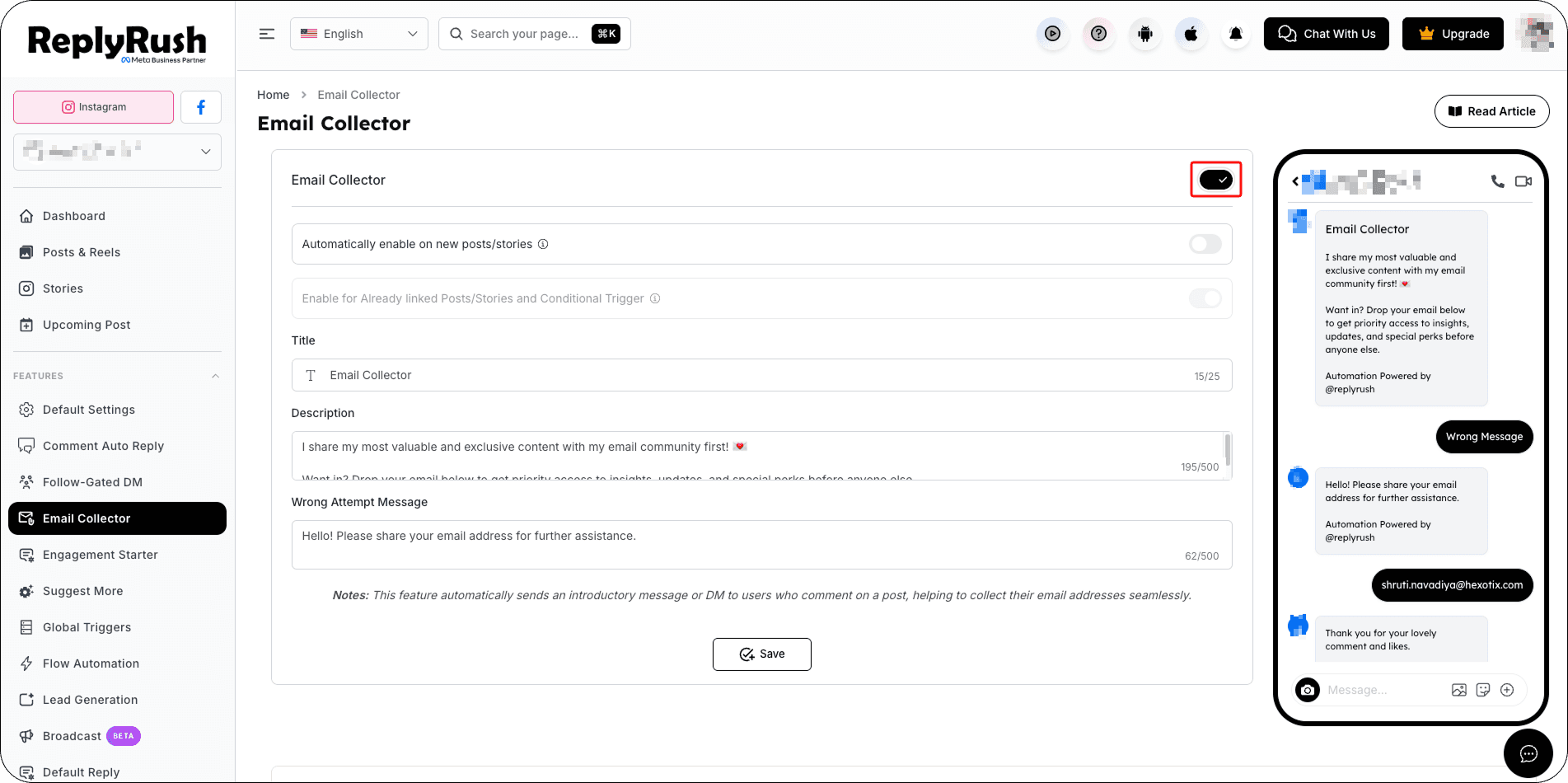
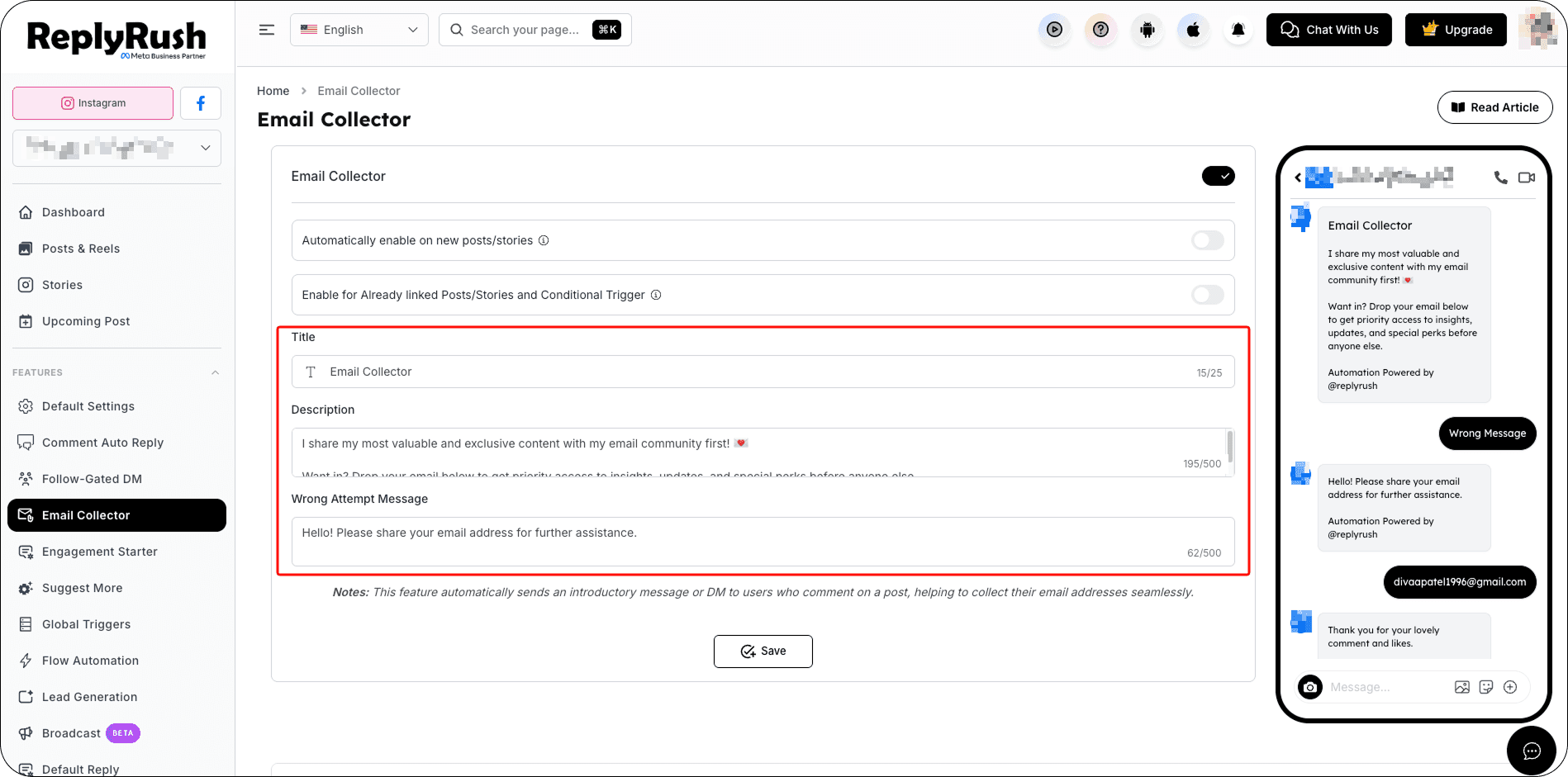
- Configure:
Set your configuration (Title, Description, Wrong Attempt Message). - Automatically Enable on New Posts/Stories – ON for every new linked post/story.
- Enable for Already Linked Posts/Stories and Conditional Trigger – Apply to all existing linked posts/stories.
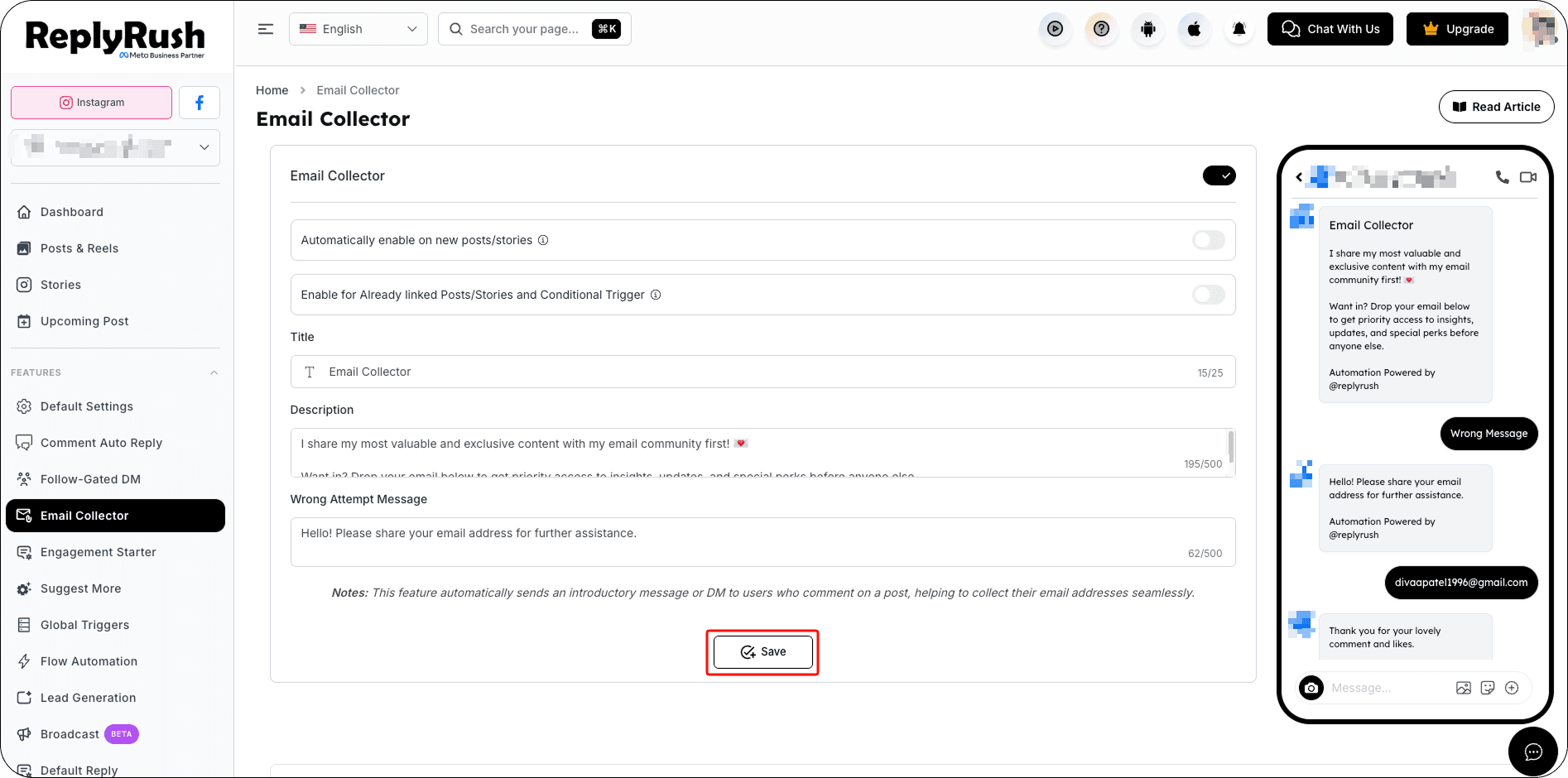
- Save your settings.
Manage Email Collector
When Email Collector is enabled, you can manage its status directly from the sidebar toggle.
When you turn the toggle OFF, ReplyRush displays an Active Automations dialog showing where Email Collector is currently being used.
Review these active automations before choosing how you want to proceed.
Temporarily Pause Email Collector
To pause the feature:
- Turn the Email Collector toggle OFF.
- Review the Active Automations.
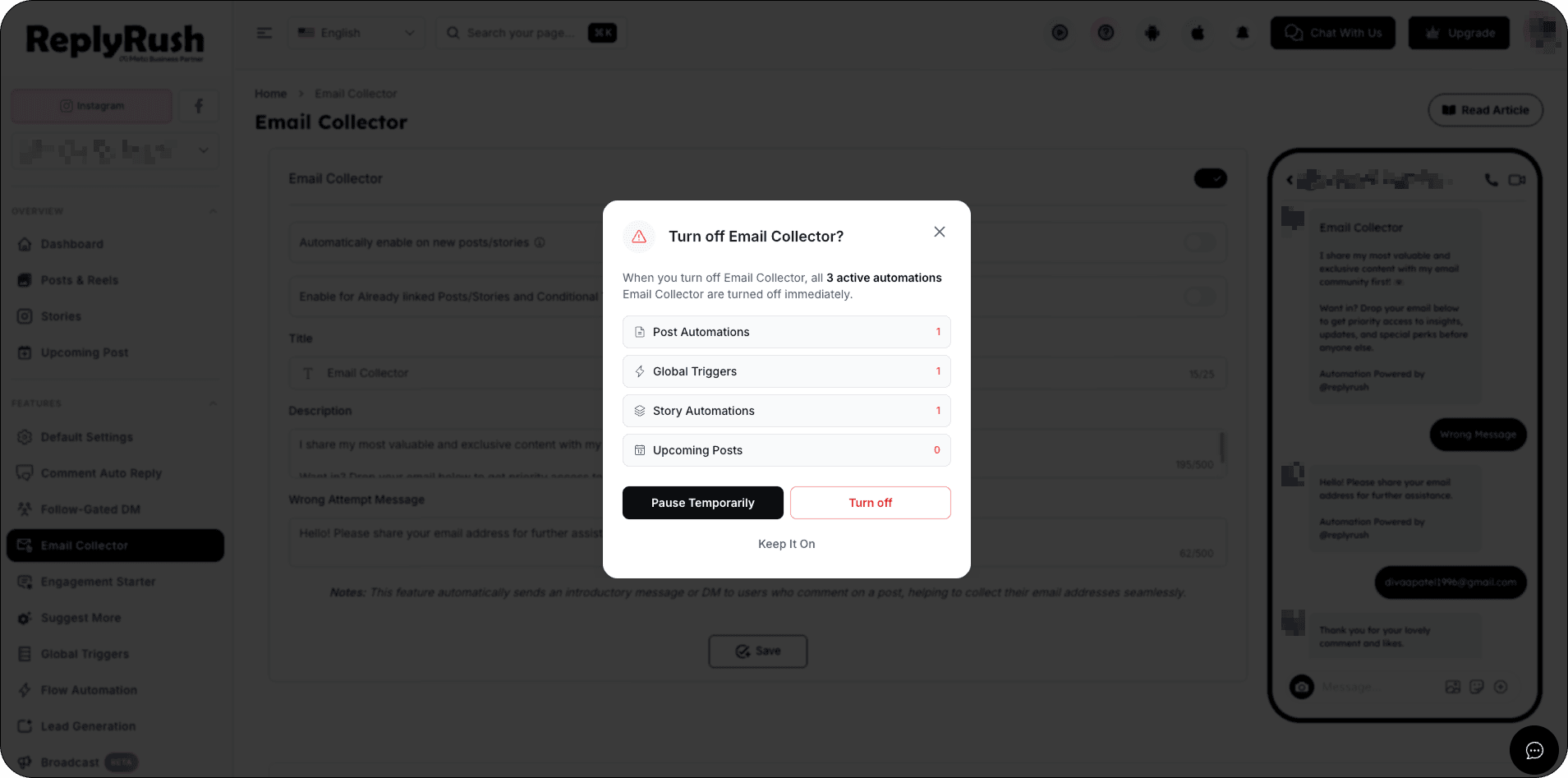
- You can select one of three options:
Keep It On
Keeps Engagement Starter enabled and all automations continue working normally.
Pause Temporarily
Temporarily pauses Engagement Starter for a selected duration.
Turn Off
Disables Engagement Starter until you manually enable it again.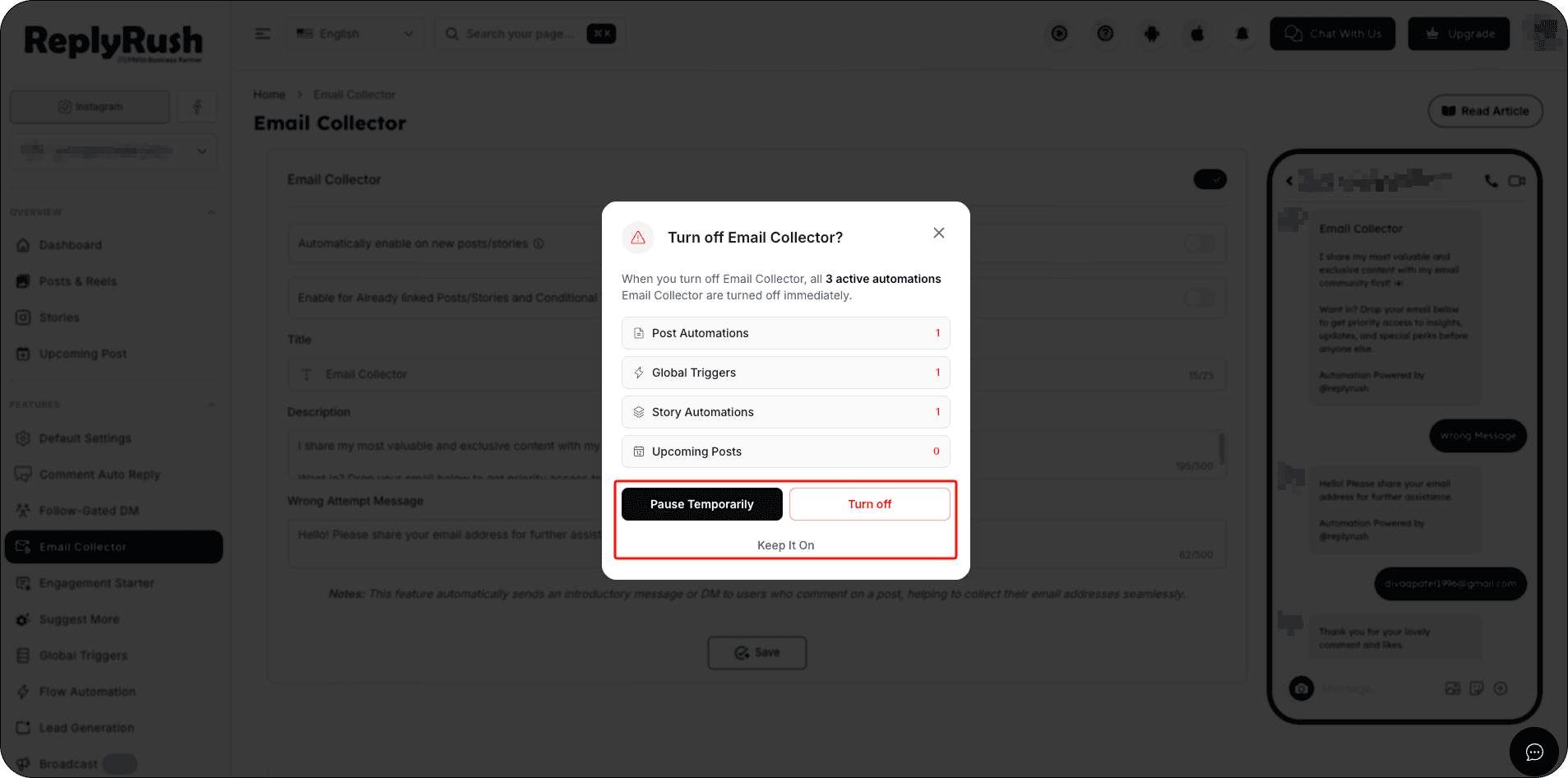
- Click Pause Temporarily.
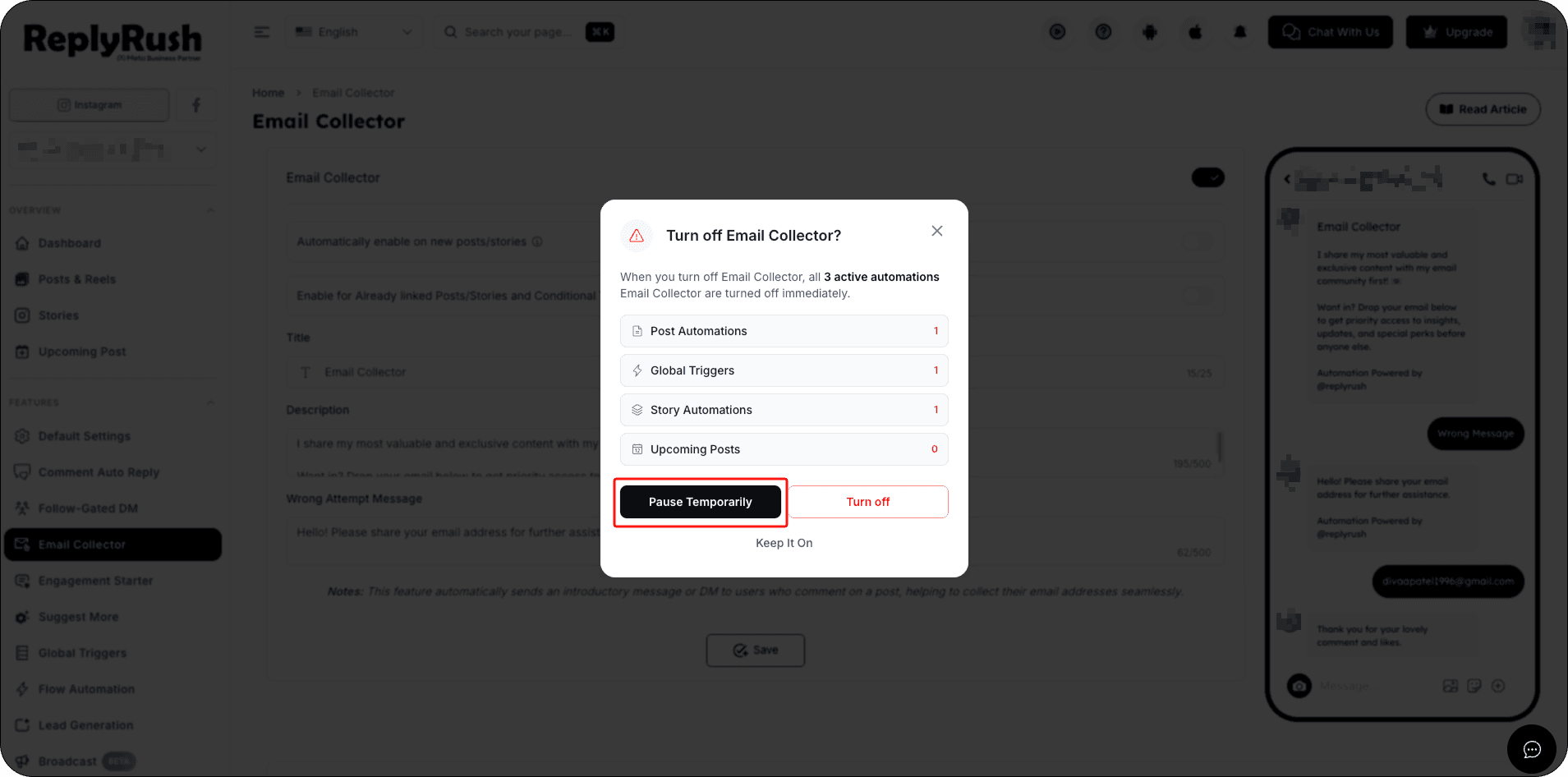
- Choose the desired pause duration.
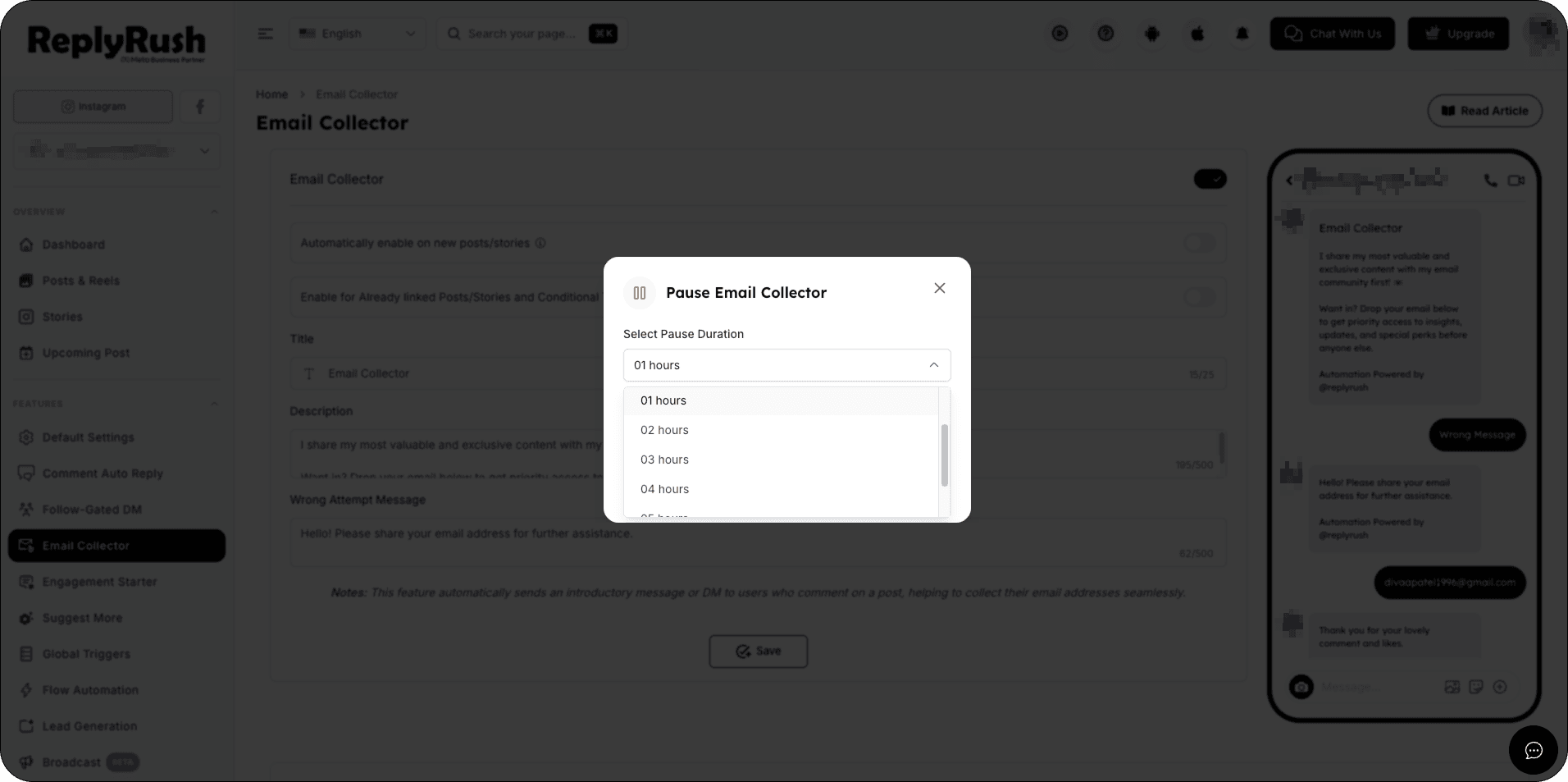
- Click Pause Feature to confirm.
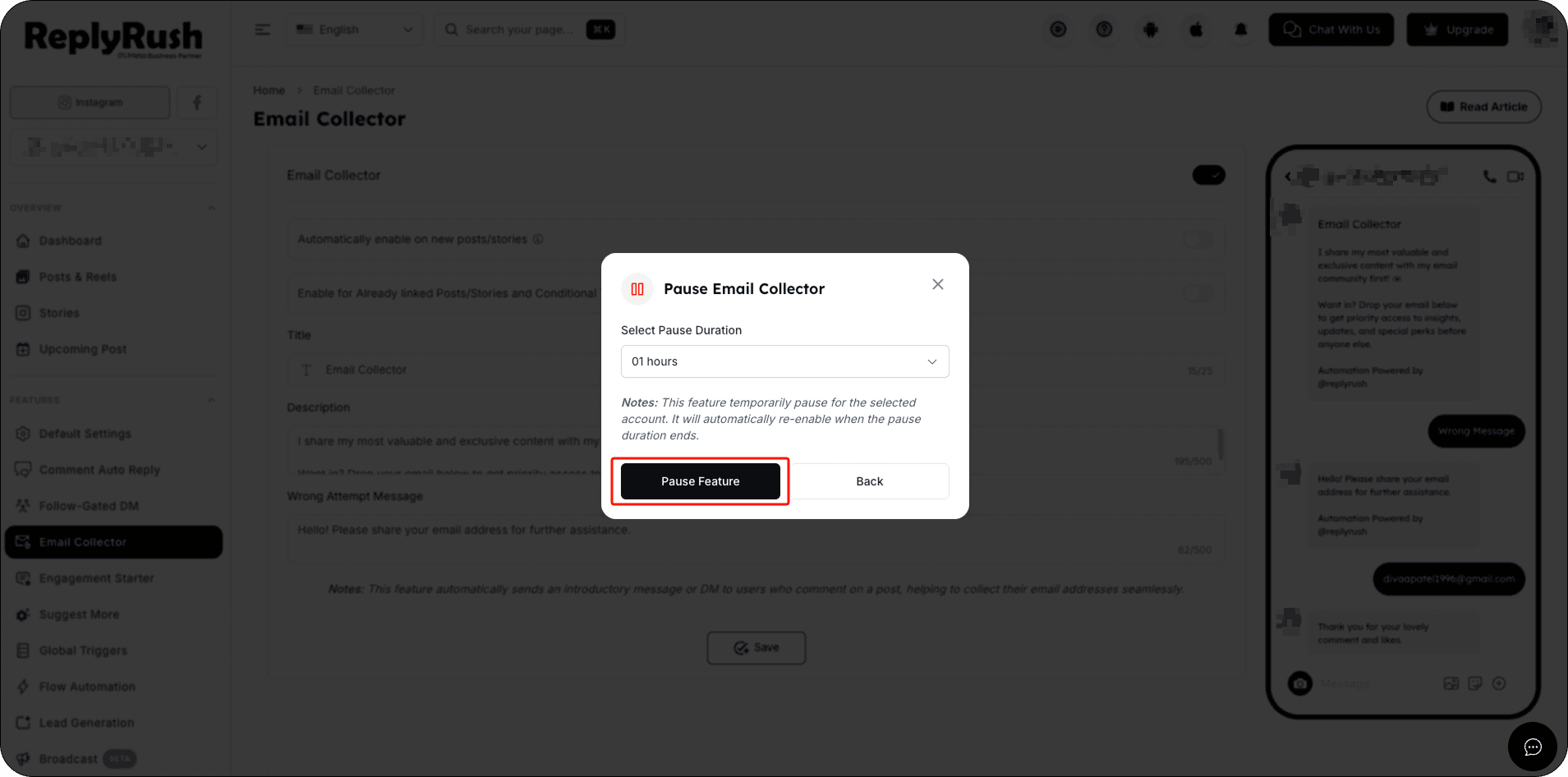
After the selected pause duration ends, ReplyRush automatically enables Email Collector again.
You don’t need to manually turn it back on.
Example:
If you select a 1-hour pause, Email Collector will automatically become active again after 1 hour.
If you select a 1-hour pause, you can click Resume Now at any time before the pause ends to immediately reactivate Email Collector. Otherwise, Email Collector will automatically become active again when the 1-hour pause is completed.
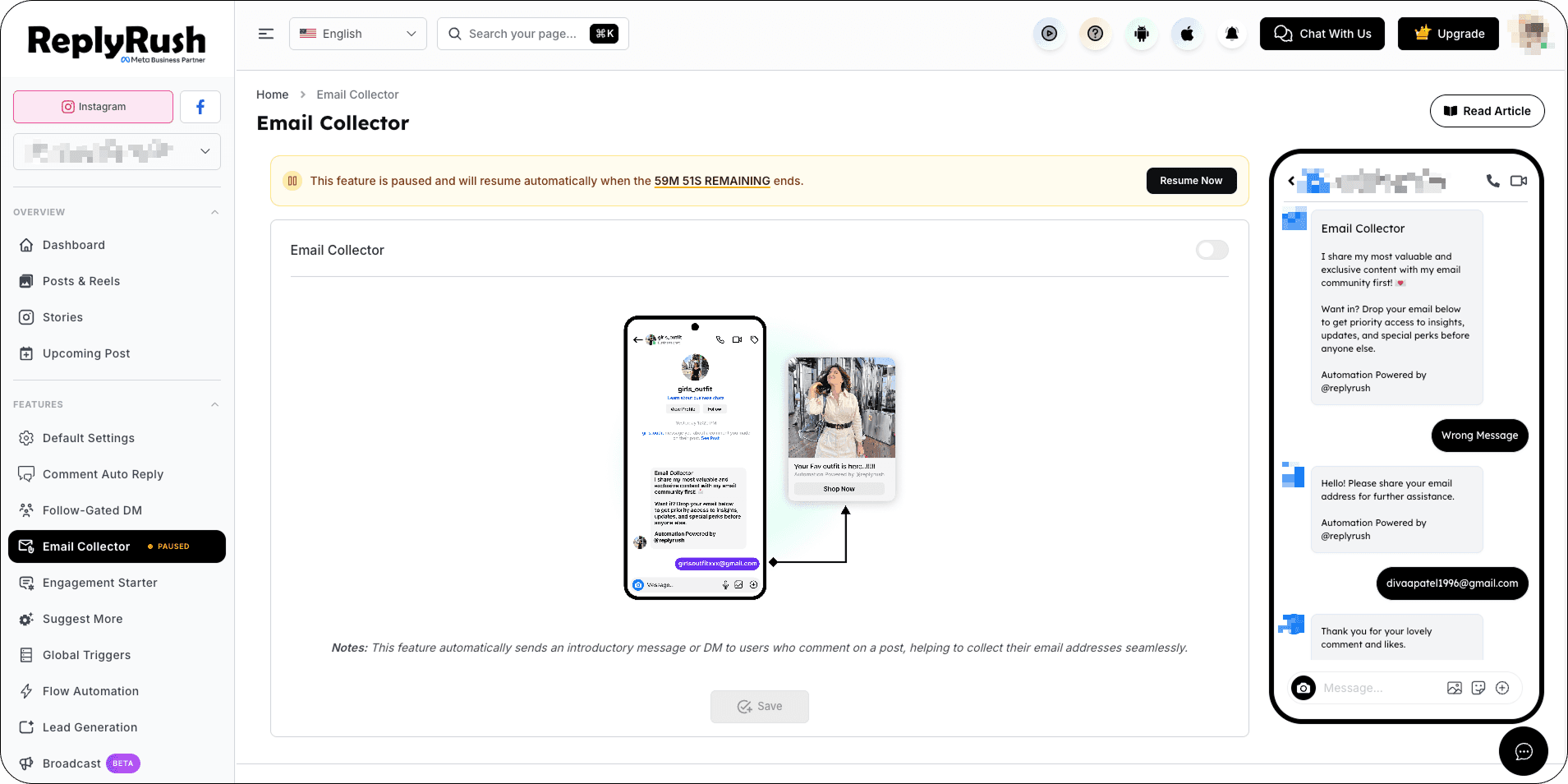
Enabling Email Collector for a Specific Post, Reel, or Story
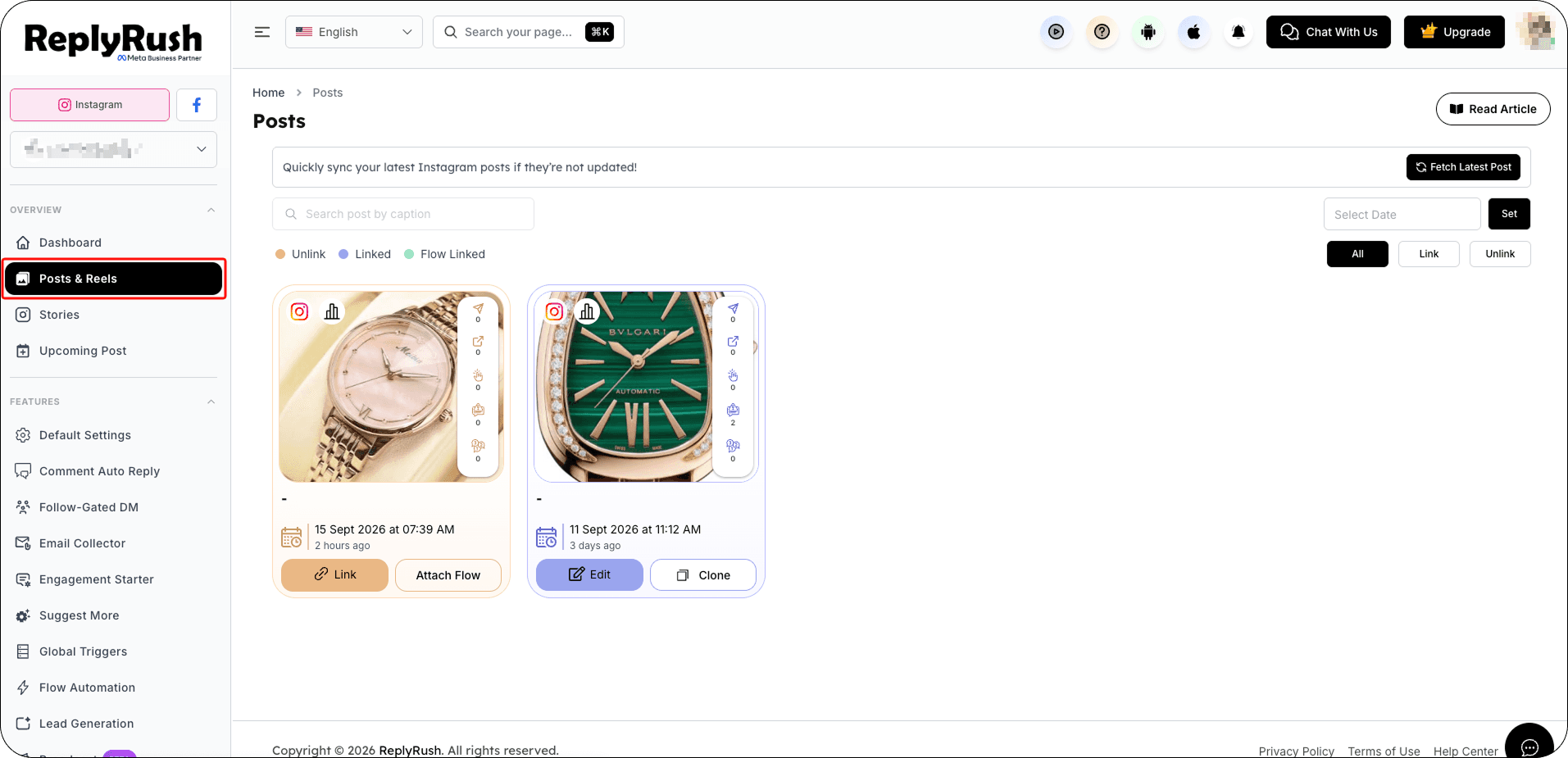
- Go to Posts/Reels or Stories in the sidebar.
- Click Link on the content where you want to collect emails.
- Go to the Email Collector section in the options.
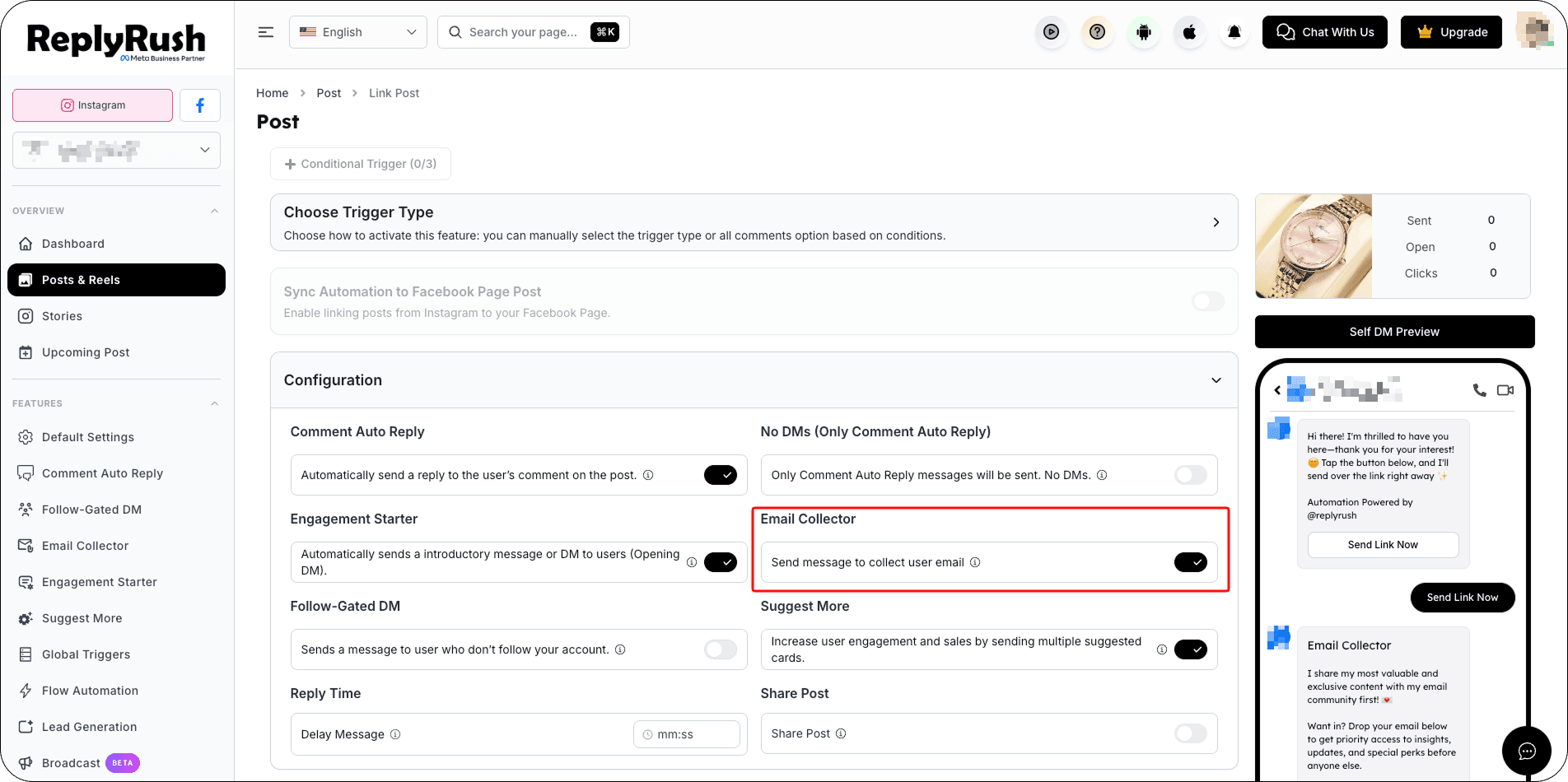
- Save your changes.
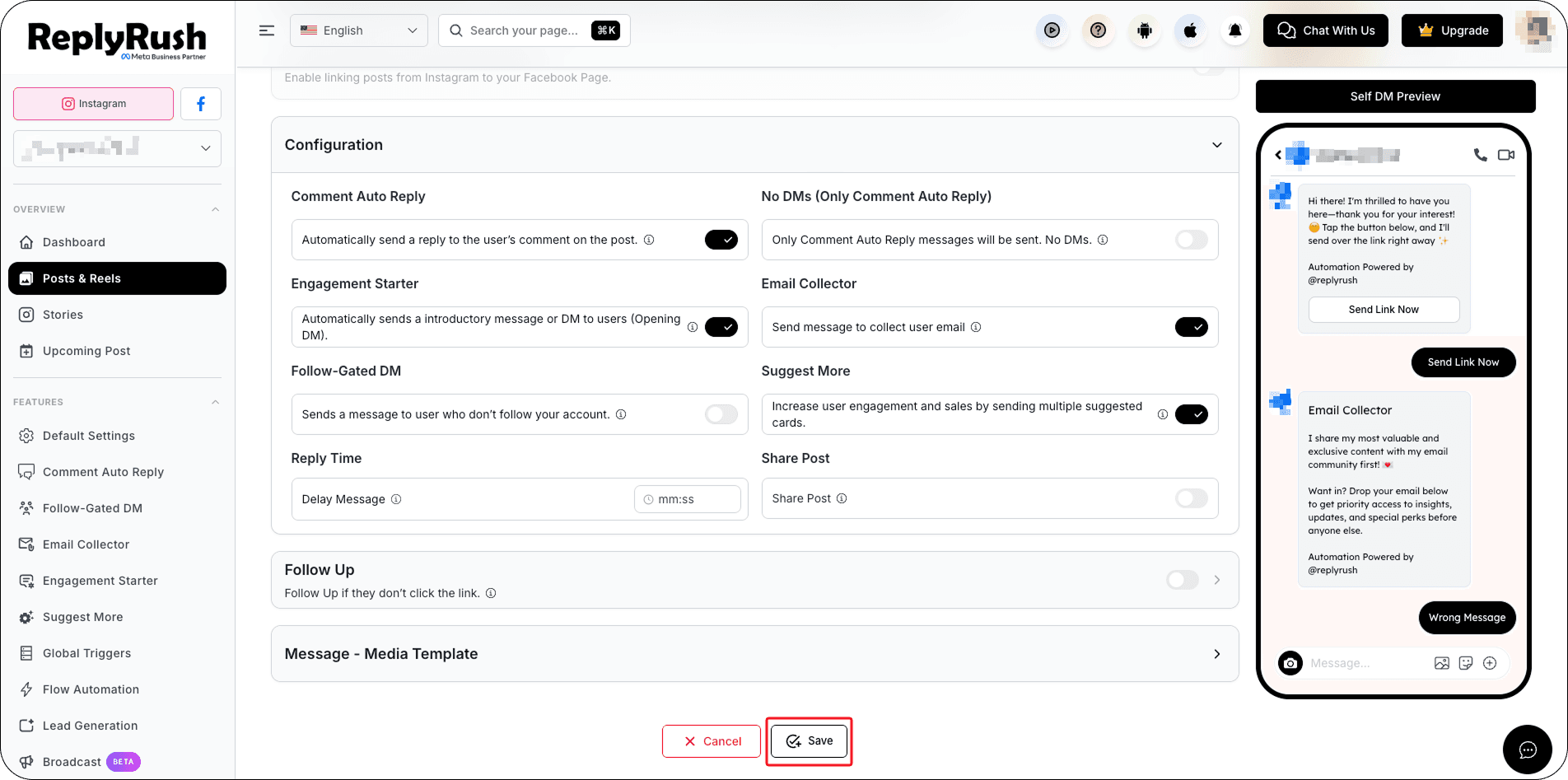
Note: Email Collector works only when Engagement Starter is enabled for that content.
Downloading Your Leads
- Log in to https://app.replyrush.com.
- Go to the Email collector section.
- Download all collected emails in CSV format.
Benefits of Email Collector
- Seamlessly capture leads from Instagram interactions.
- Send your original DM automatically after collecting the email — no manual follow-ups.
- Increase conversions by collecting warm leads directly in DMs.
- Works great for promotions, newsletters, product launches, and giveaways.