
Engagement Starter in ReplyRush
The Engagement Starter feature sends a welcome opener message when your trigger keyword is detected.
This opener contains a button that invites the user to interact (e.g., “Click here to get your free guide”).
Only after the user clicks the button will the original DM or flow be sent.
This method is the best practice for:
- Staying compliant with Meta’s interaction policies.
- Sending multiple messages without spam risk.
- Starting a natural, two-way conversation with commenters or story repliers.
Purpose
- Get explicit interaction before delivering your main DM.
- Increase click-through rate and conversation quality.
- Avoid message restrictions from Meta by ensuring the user engages first.
Benefits
- Compliant: Meta allows sending DMs after a user interacts (button click counts as interaction).
- Flexible: Works with posts, reels, stories, and even global triggers.
- Safe scaling: Send multiple messages without violating spam rules.
- Higher engagement: The initial button acts as a micro-call-to-action.
How to Activate Engagement Starter (Globally)
- Log in to ReplyRush.
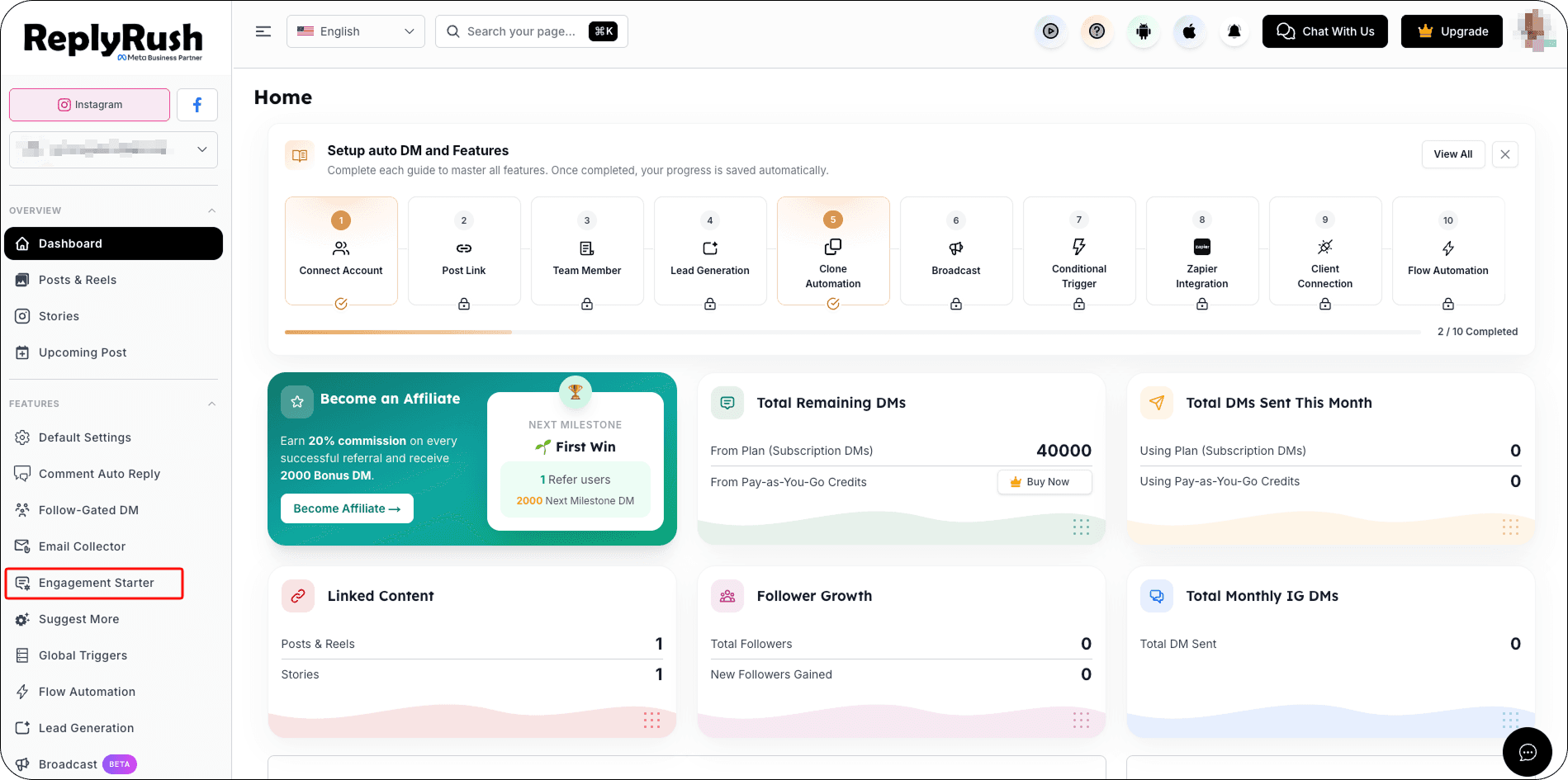
- Open the sidebar and select Engagement Starter.
- Toggle the feature to Enable.
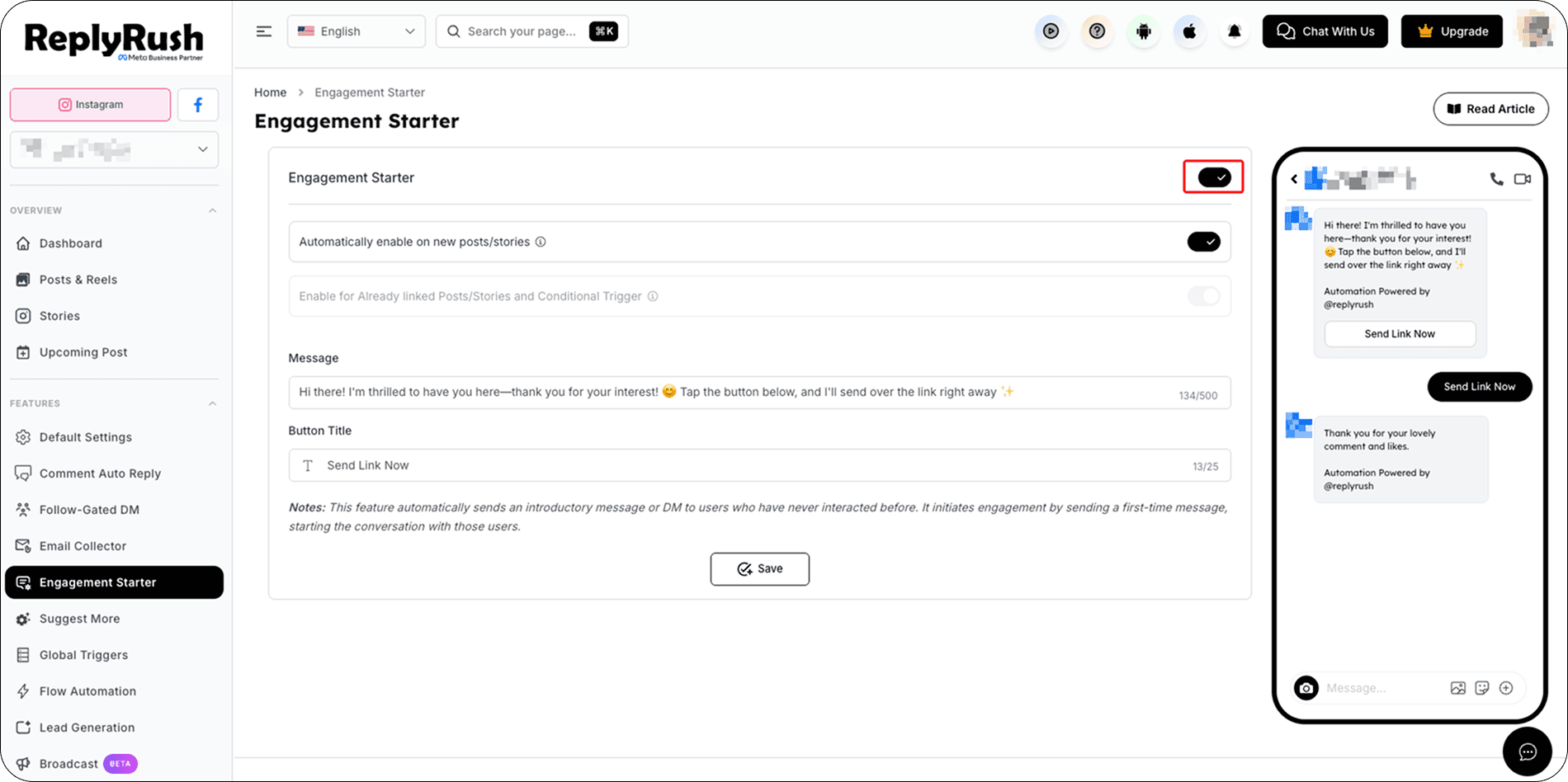
- Configure:
Automatically Enable on New Post – ON for every new linked post/story.
Enable for Already Linked Posts/Stories and Conditional Trigger – Apply to all existing linked posts/stories and Conditional Trigger.
Message – The welcome opener text (e.g., “Thanks for commenting! Tap below to get your discount code 🎁”).
Button Title – The clickable button text (e.g., “Get Code Now”).
5. Click Save to apply globally.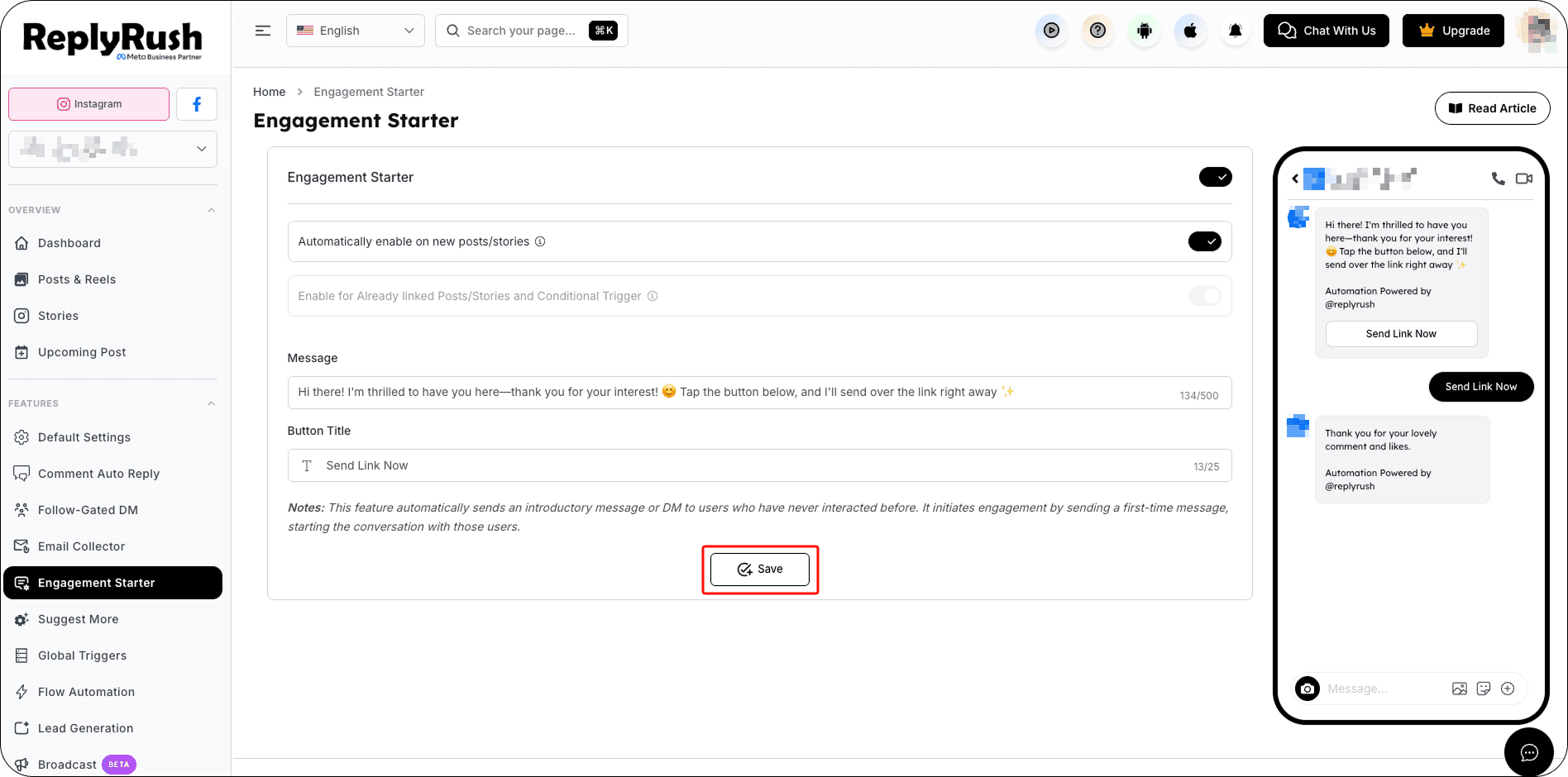
Manage Engagement Starter
When Engagement Starter is enabled, you can turn the feature off using the sidebar toggle.
Before turning off the feature, ReplyRush shows an Active Automations dialog so you can review how many automations are currently using Engagement Starter.
Temporarily Pause Engagement Starter
To pause the feature:
- Turn the Engagement Starter toggle OFF.
- Review the Active Automations.
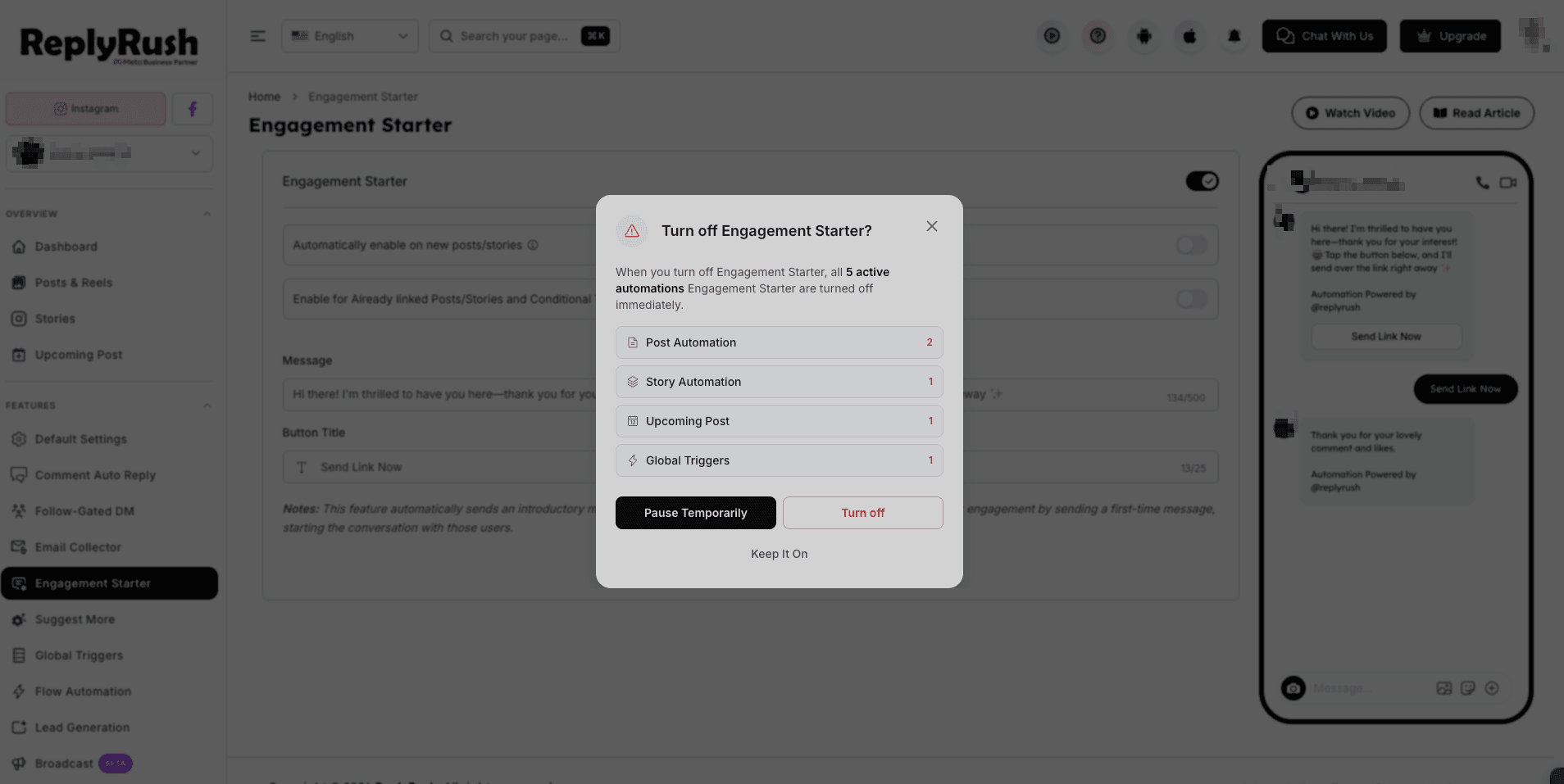
- You can select one of three options:
Keep It On
Keeps Engagement Starter enabled and all automations continue working normally.
Pause Temporarily
Temporarily pauses Engagement Starter for a selected duration.
Turn Off
Disables Engagement Starter until you manually enable it again.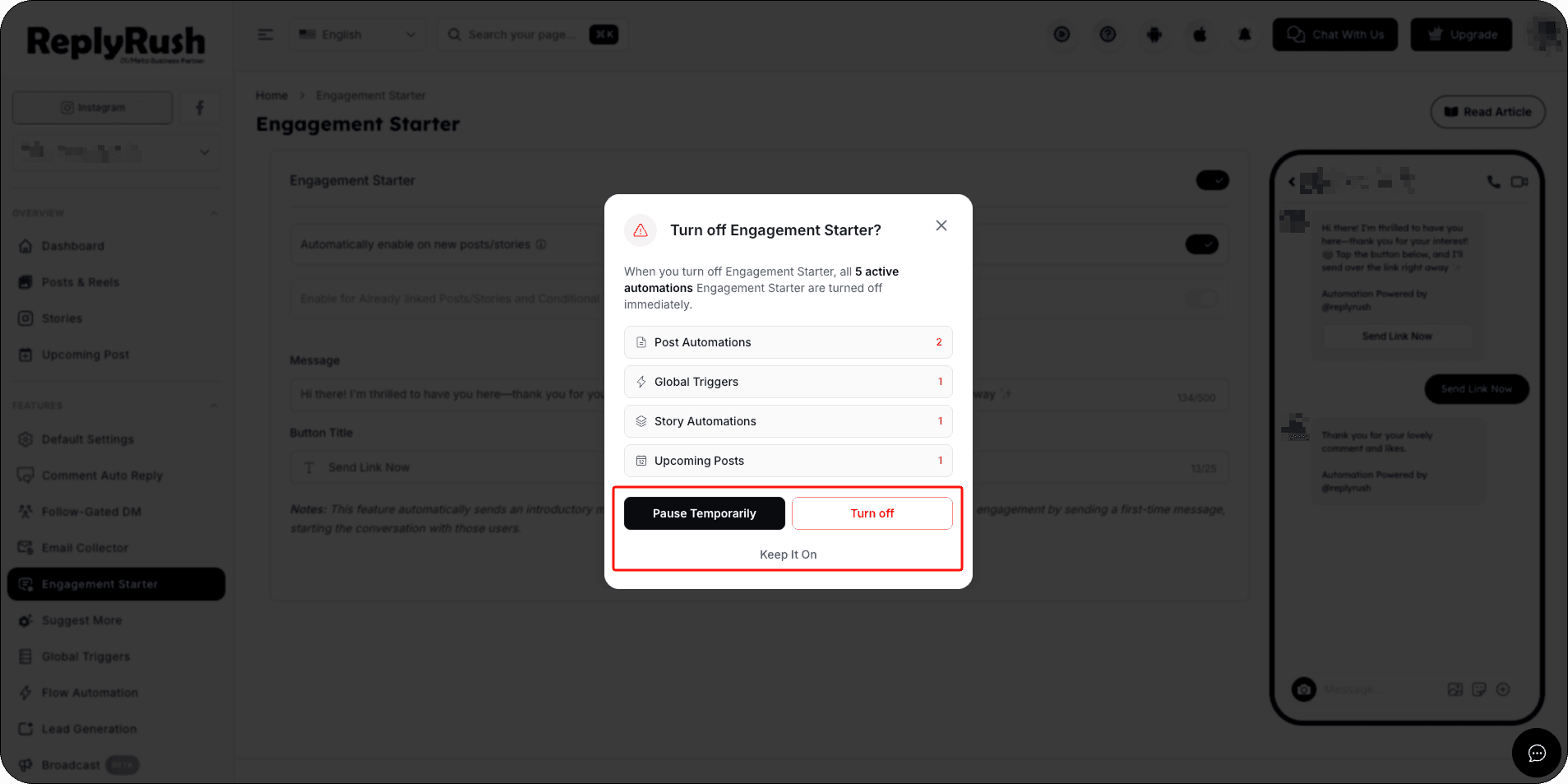
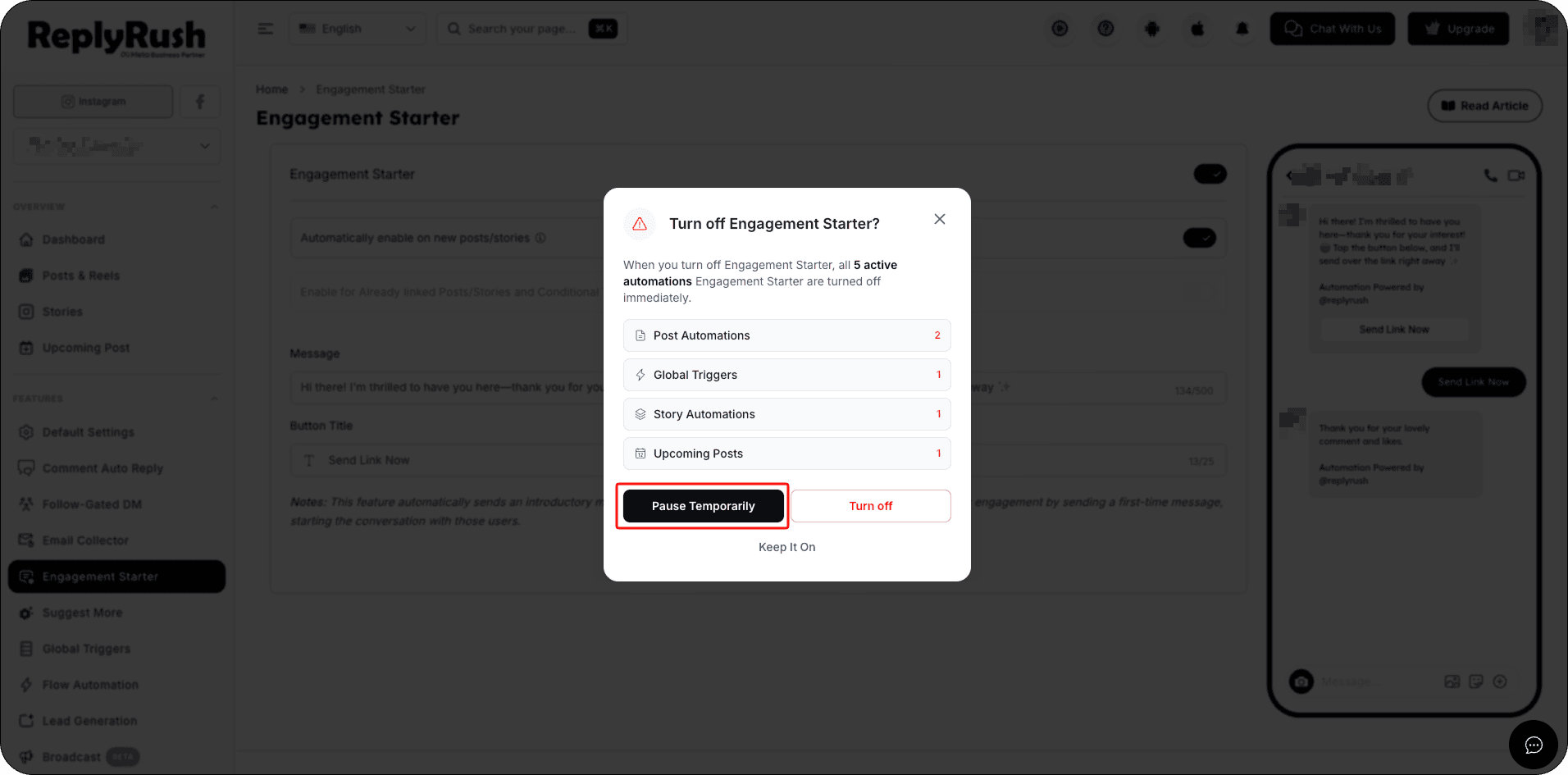
- Select Pause Temporarily.
- Choose the desired pause duration.
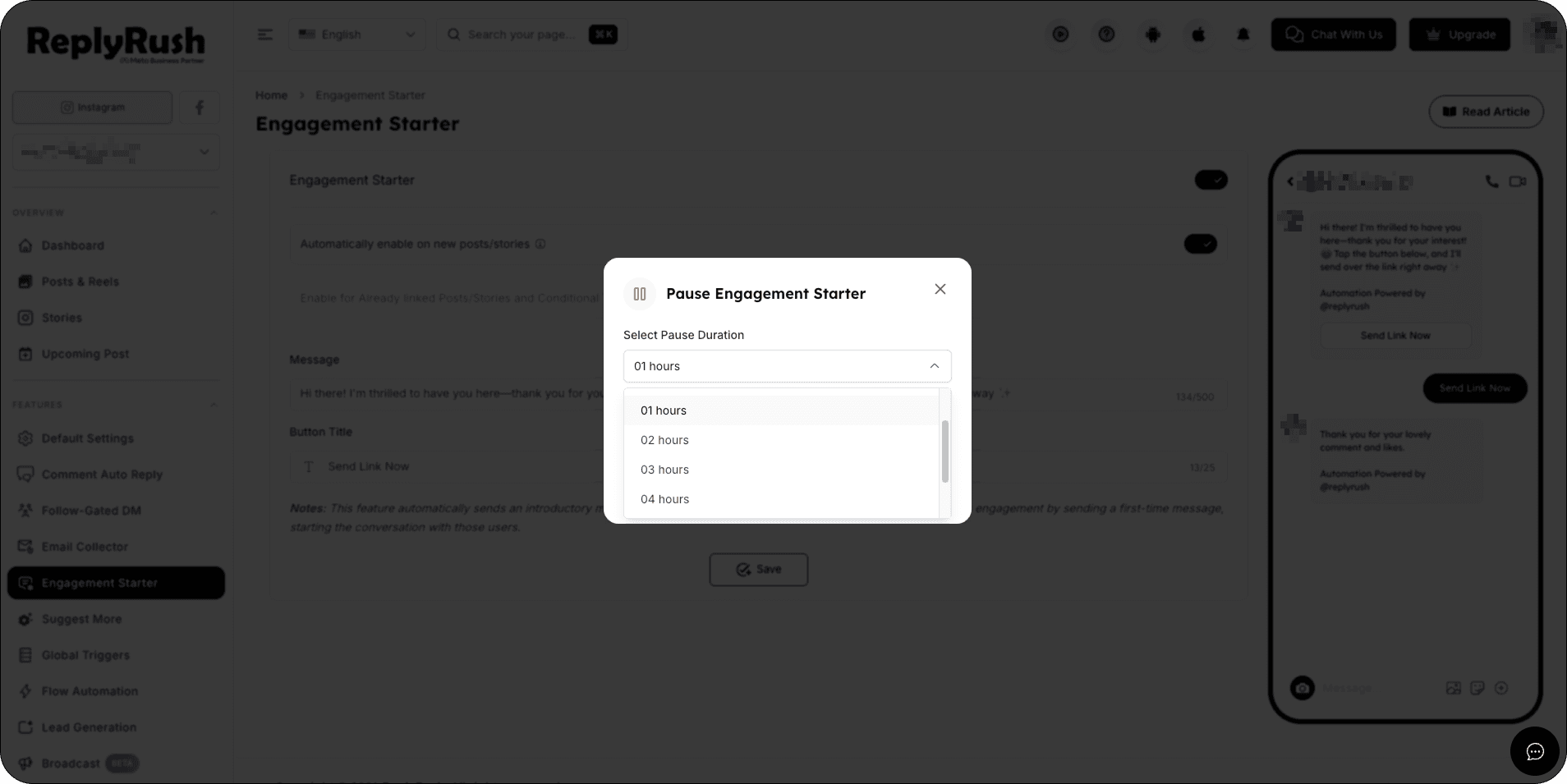
- Click Pause to confirm.
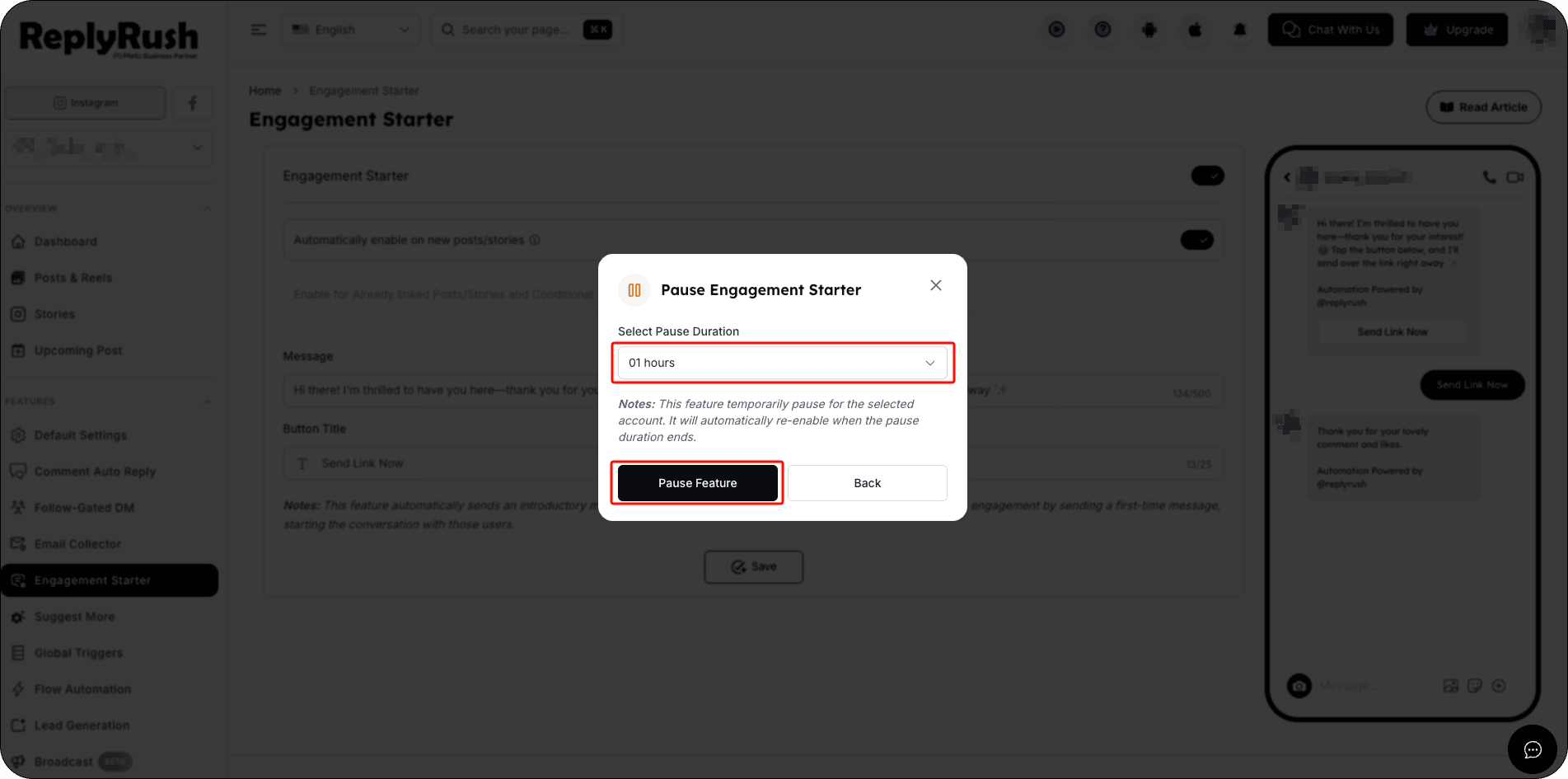
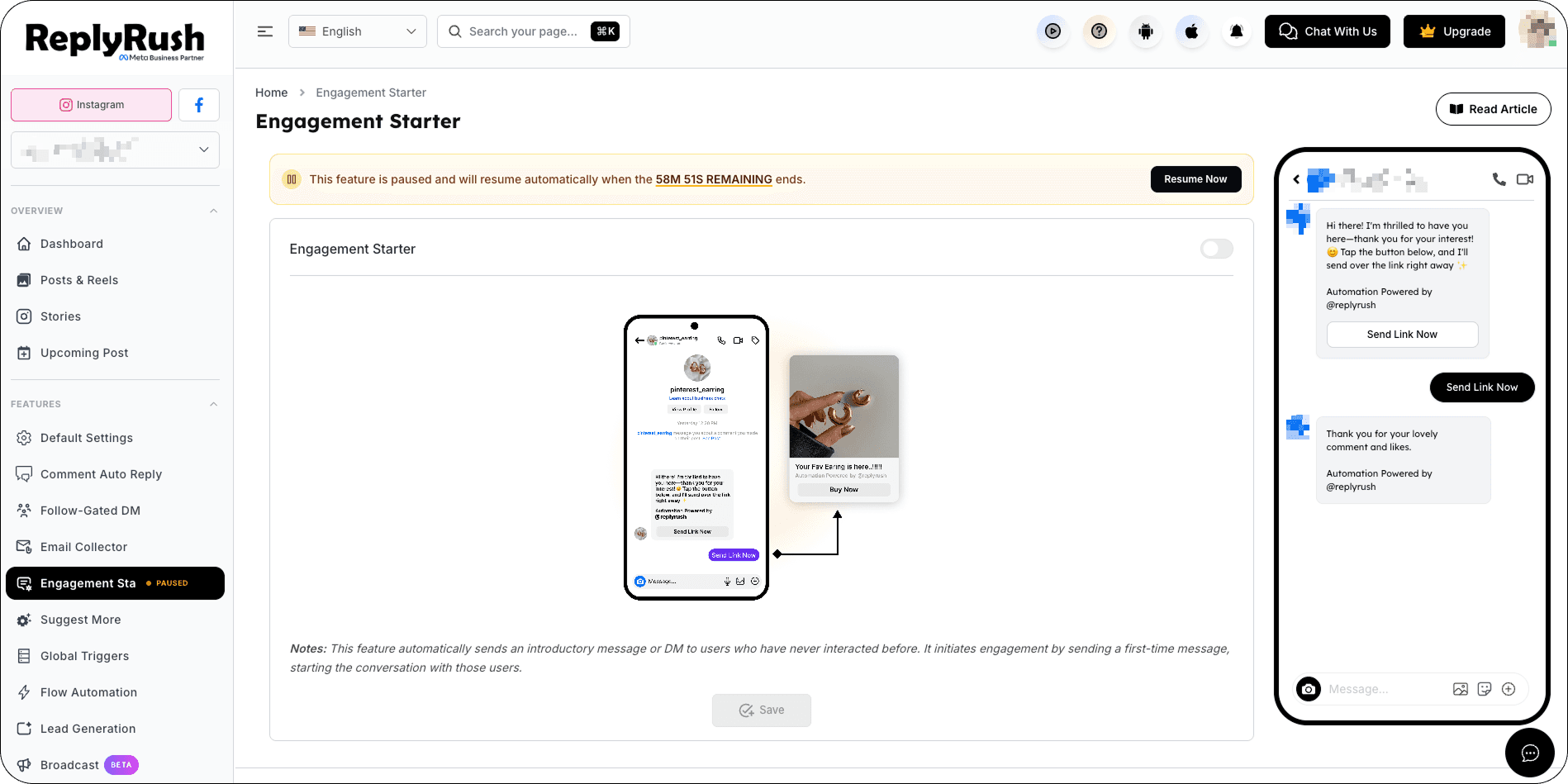
After the selected pause duration ends, ReplyRush automatically enables Engagement Starter again.
You don’t need to manually turn it back on.
Example:
If you select a 1-hour pause, you can click Resume Now at any time before the pause ends to immediately reactivate Engagement Starter. Otherwise, Engagement Starter will automatically become active again when the 1-hour pause is completed.
How to Enable Engagement Starter on a Specific Post or Story
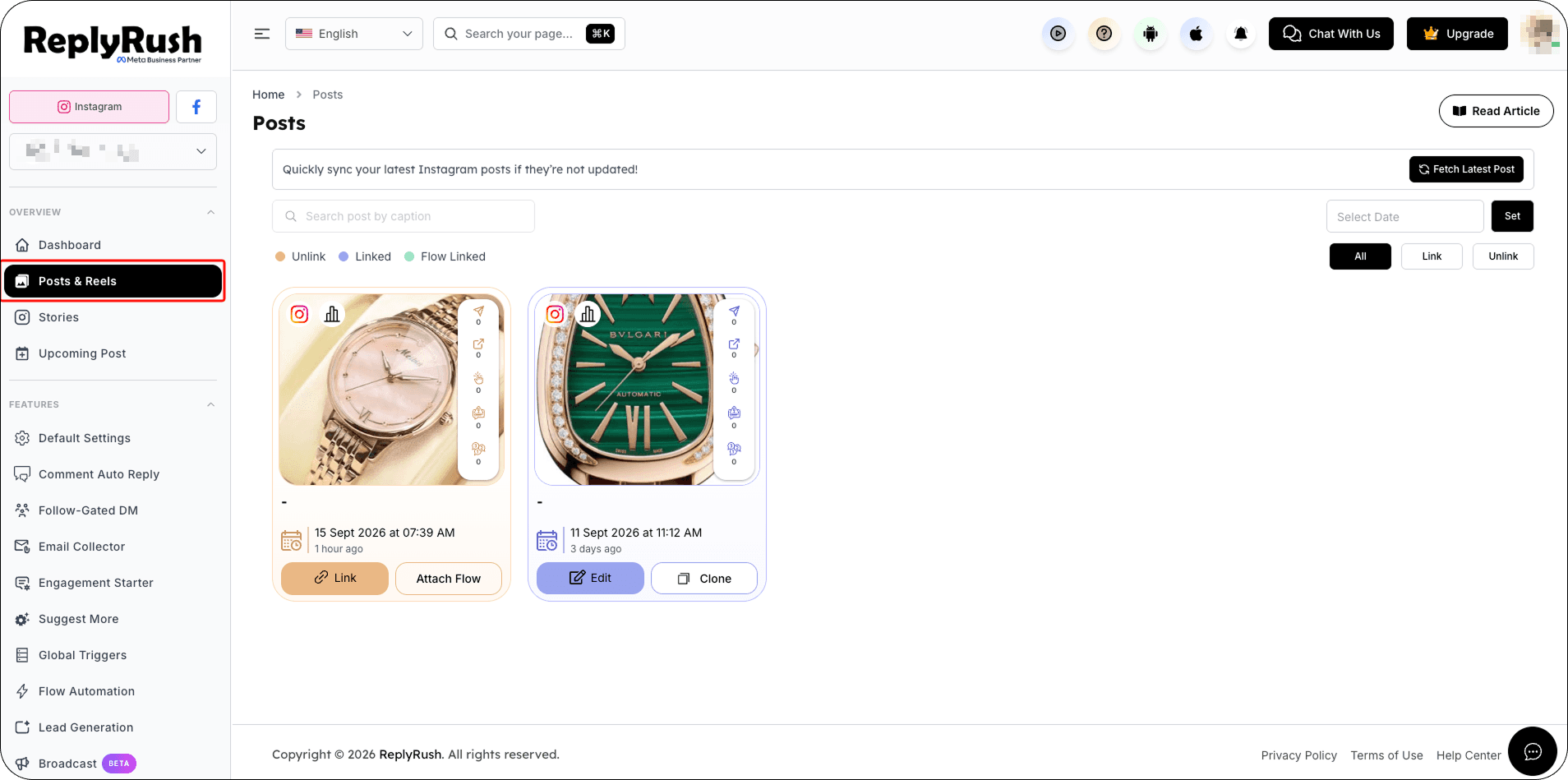
- From the sidebar, go to Posts/Reels or Stories.
- Find the post/story → click Link (or Edit if already linked).
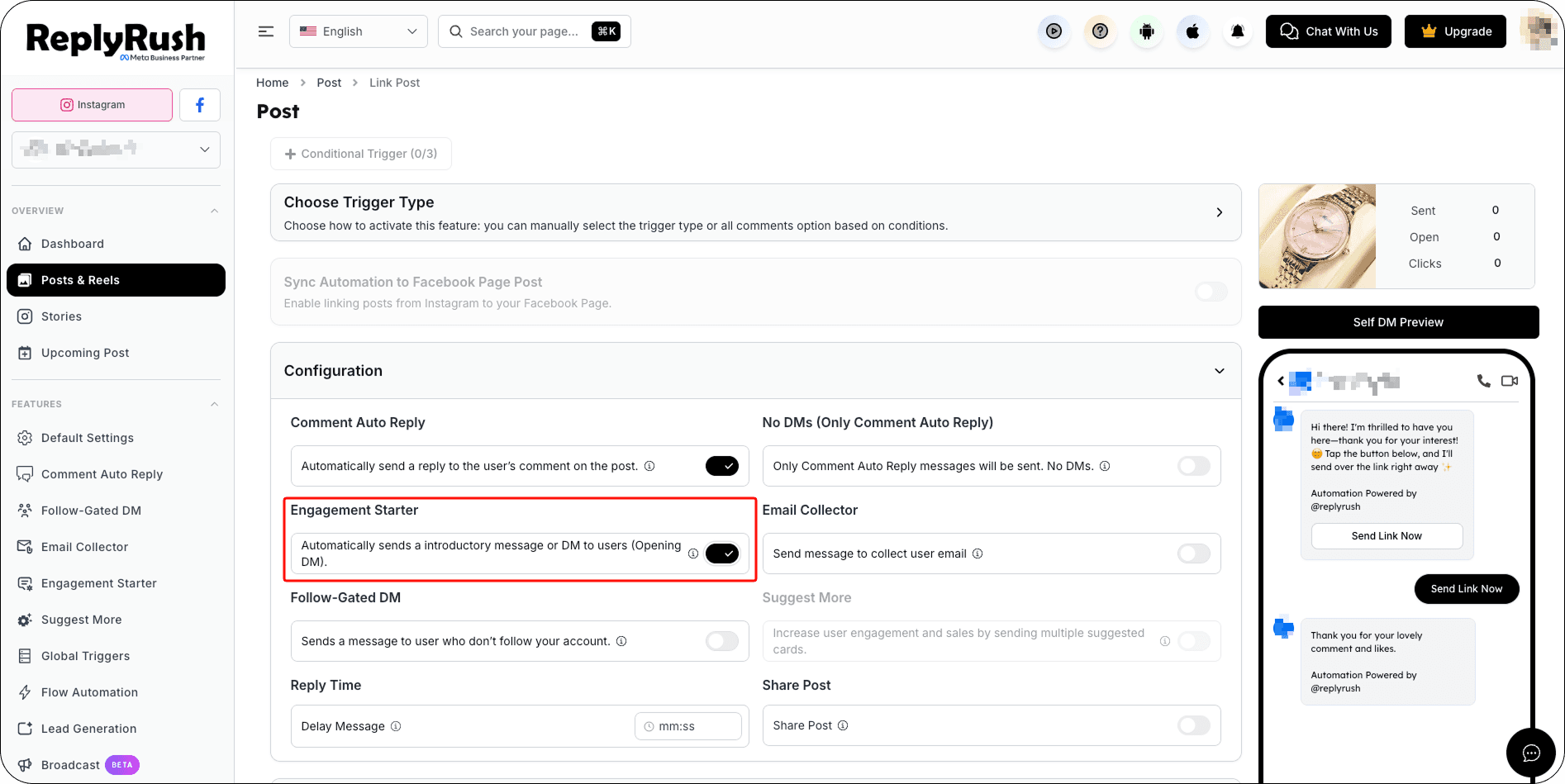
- In the Options section, toggle Engagement Starter ON.
- Save your changes.
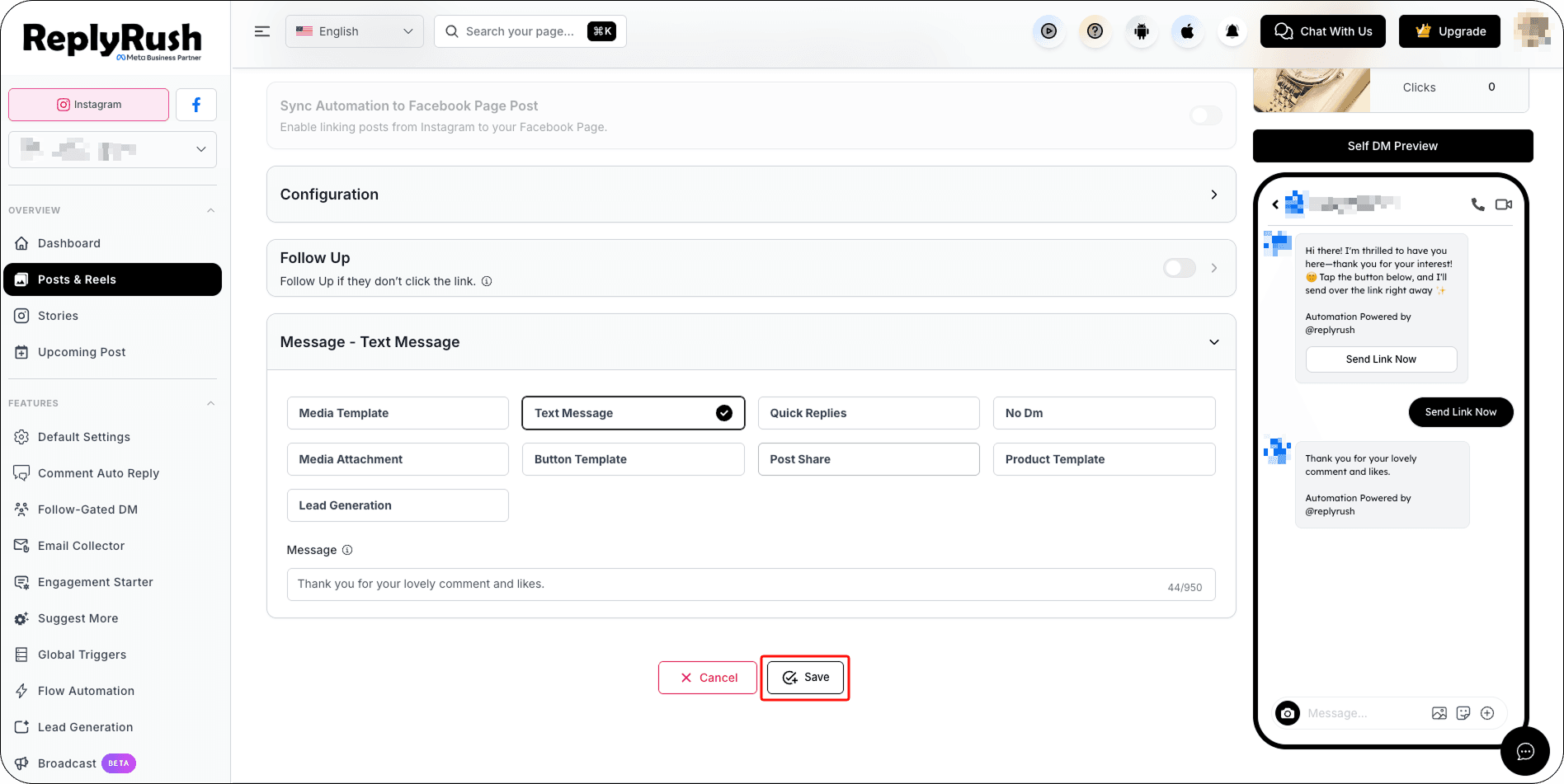
How It Works
- A user comments/replies with your trigger keyword.
- ReplyRush sends your Engagement Starter opener (with button).
- When the user clicks the button.
- Your main DM or flow message is sent instantly.
Example Use Cases
- Lead Magnet: “Thanks for showing interest! Tap below to get your free PDF guide.” → Main DM sends link after click.
- Coupon Offer: “Want 20% off? Tap below to receive your code instantly.” → Main DM delivers code after click.
- Event Signup: “Tap below to get the event link & reminders.” → Main DM sends signup page.
Best Practices
- Keep the opener short & clear.
- Use strong call-to-action in button text.
- Pair with Follow-Gated DM if you want the user to follow before clicking.
- Test different opener texts to see which gets the most clicks.
FAQs
Q: Can I send multiple DMs after the button click?
Yes — once the user interacts, you can send the full message flow.
Q: Is the button mandatory?
Yes — it’s the interaction point that makes this feature compliant.
Q: Can this be used with Sendback or Global Triggers?
Absolutely — Engagement Starter can be part of those automations too.
Q: Can I see which automations are active?
Yes. You can select View Active Automations to review where Engagement Starter is currently being used.