
Default Settings in ReplyRush
Default Settings let you save your most-used automation setup so it loads automatically whenever you link a new post, reel, story, or future post.
This feature reduces repetitive work and allows you to set up DM automation in seconds.
Purpose of Default Settings
- Speed up automation setup – No need to reselect triggers and templates every time you link new content.
- Consistency – Ensure the same triggers, templates, and options are applied across your campaigns.
- Efficiency – Set up new automation in under 10 seconds.
Benefits
- Works across posts, reels, stories, future posts, and global triggers.
- Automatically fills in your preferred trigger type, message template, and options.
- Ideal for agencies, marketers, and creators who use the same automation style for most content.
How to Set Up Default Settings
- Log in to your ReplyRush account: https://app.replyrush.com
- From the sidebar, click Default Settings.
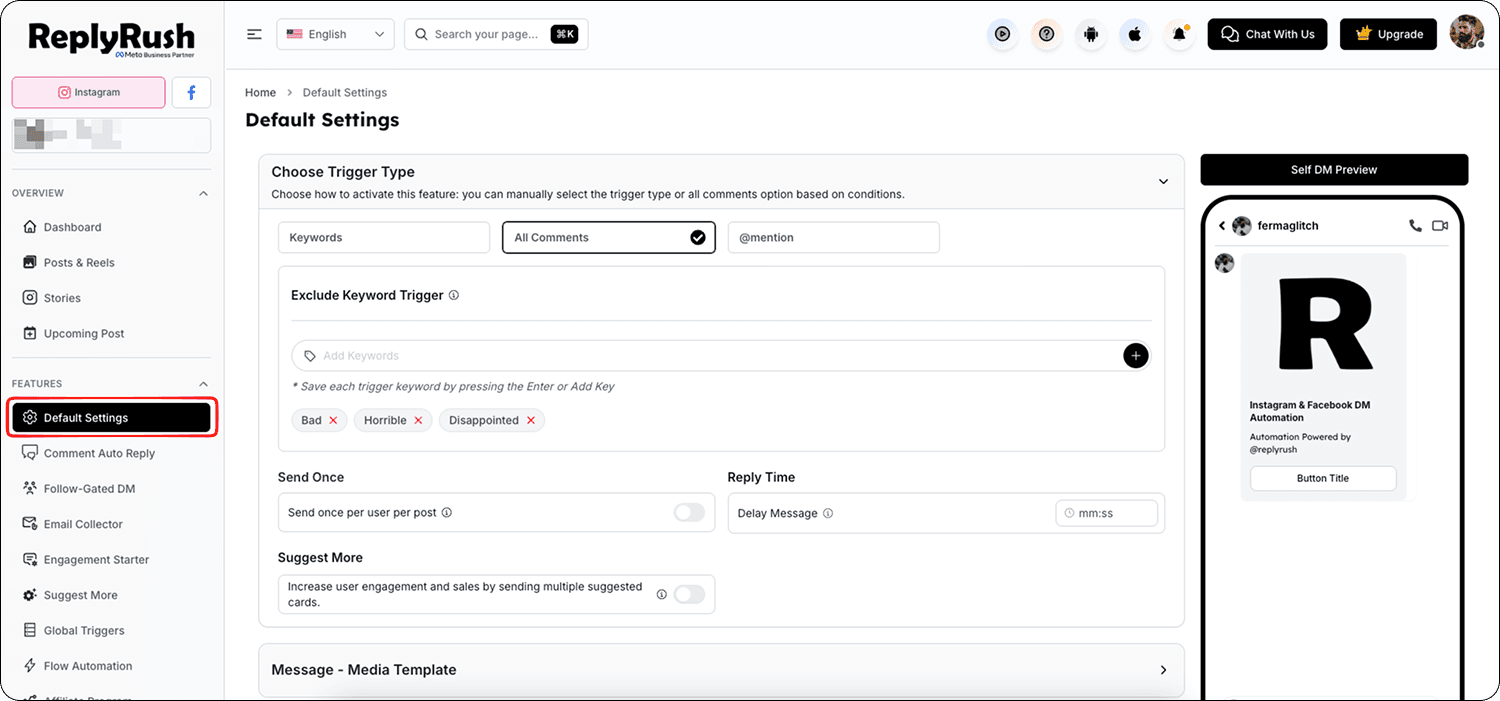
3. Choose your Trigger Type:
- All Comments
- Specific Keywords (enter your keywords)
- AI Trigger
- Share to DM
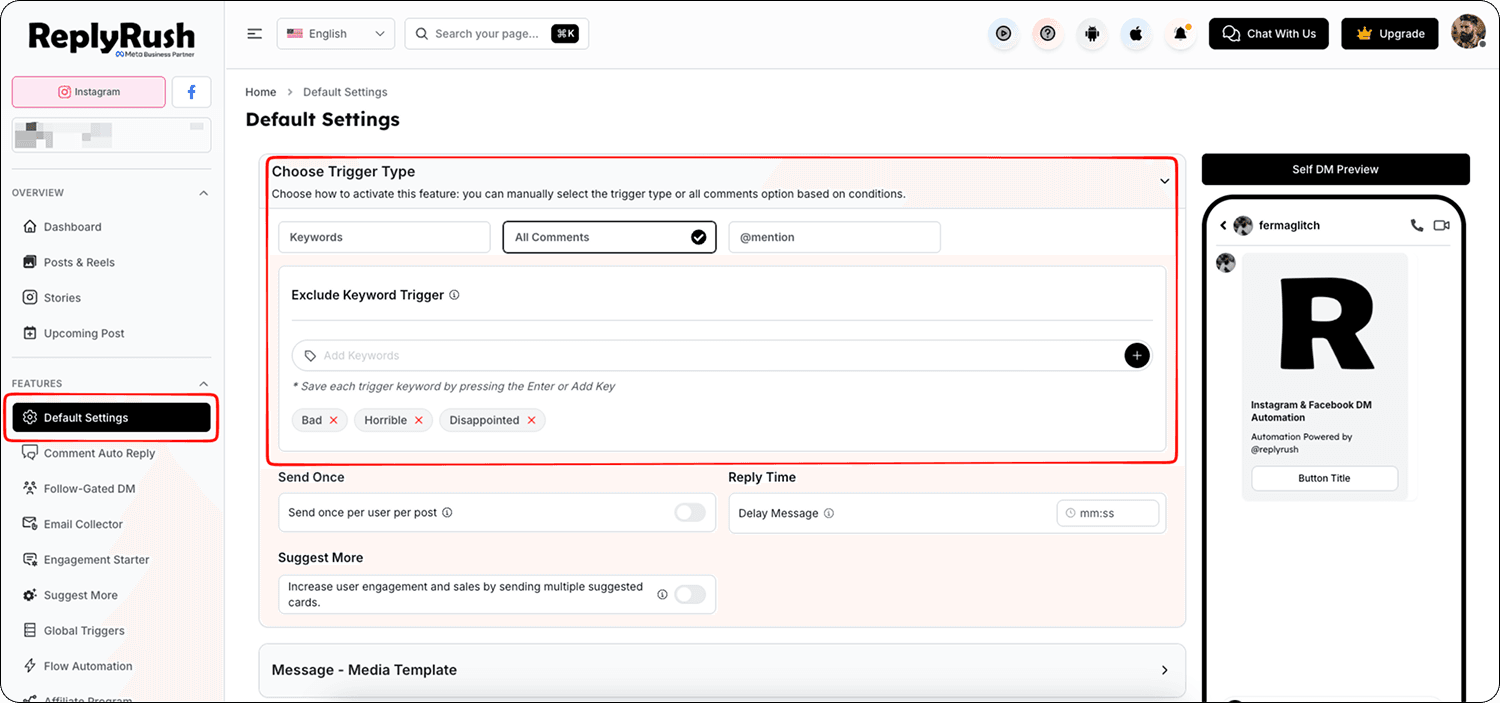
4. Select your Message Template:
- Media Template (Button Template)
- Simple Message Template
- Quick Replies
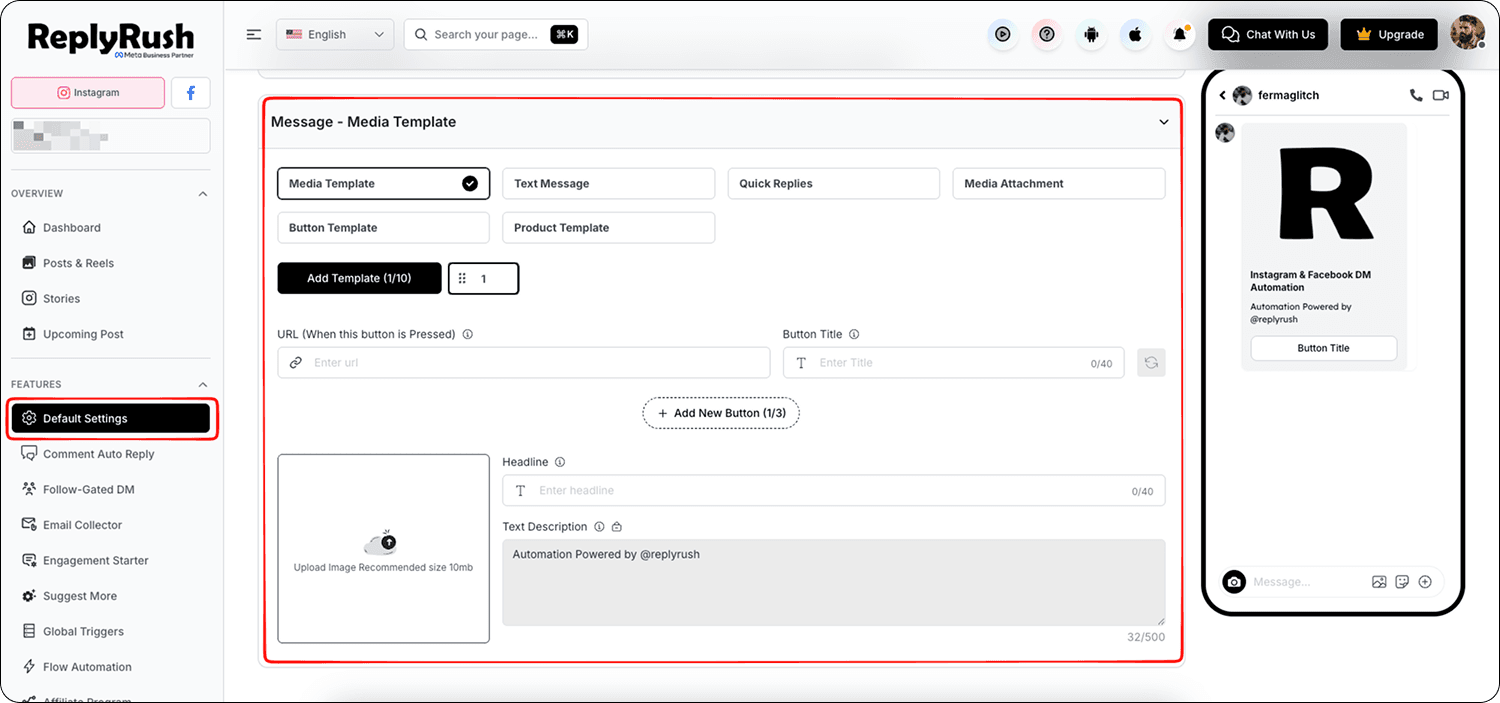
5. Configure any Additional Options:
- Comment Auto Reply
- Sendback
- Exclude Keywords
- Send Once Per User / Per Post
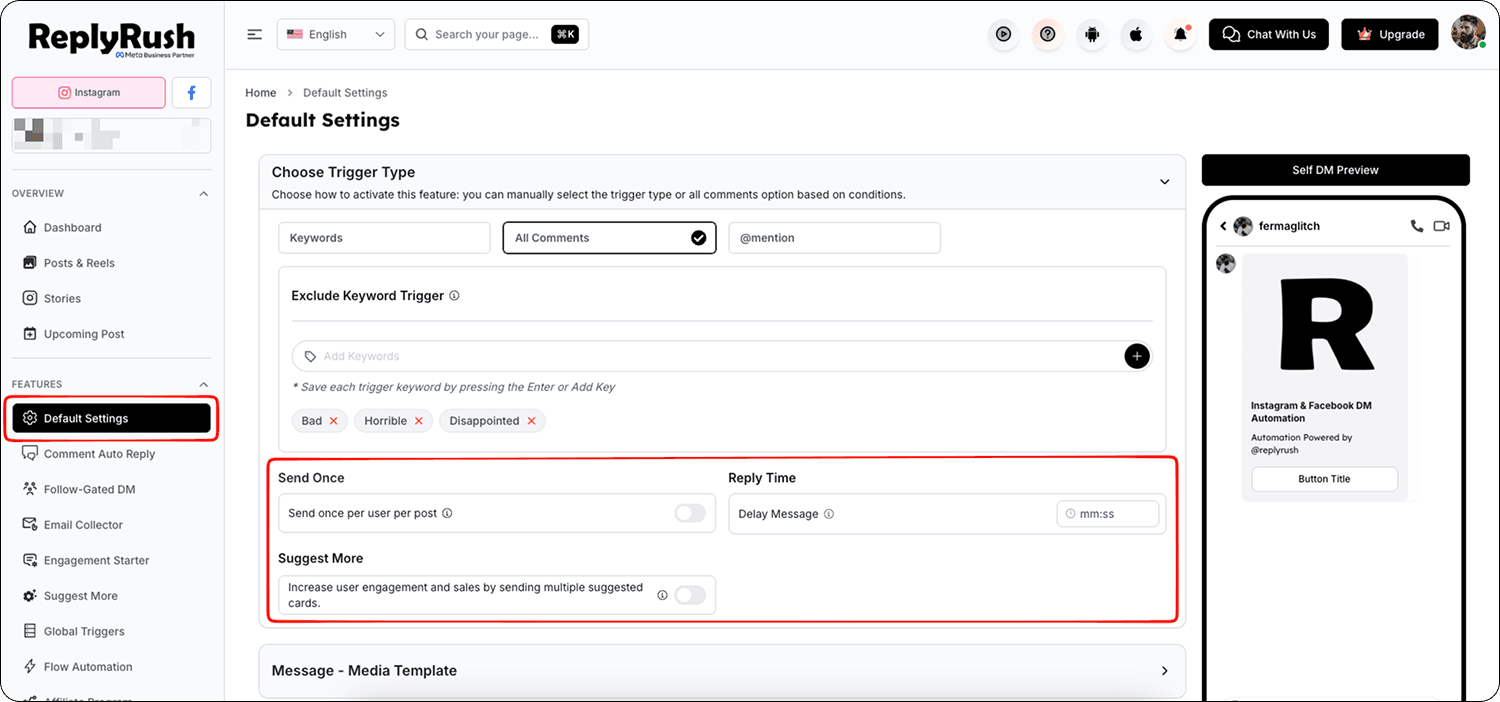
6. Click Save to set these as your default automation settings.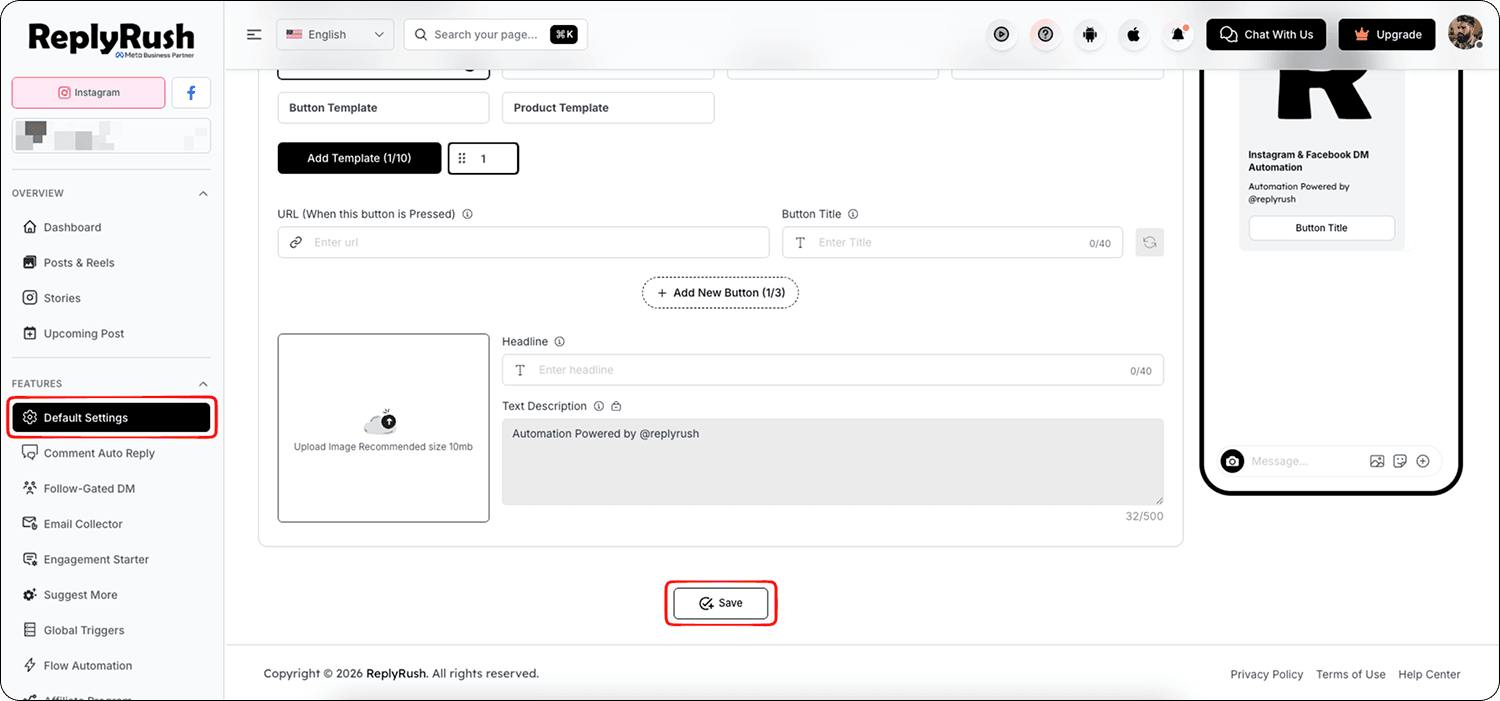
How It Works After Setup
- When you go to link any new post, reel, story, or future post, your saved Default Settings will load automatically.
- You can accept them as they are and save in seconds, or make quick edits for that specific content.
- This process allows you to complete DM automation setup in less than 10 seconds.
Best Practices
- Update your Default Settings whenever your campaign changes to avoid having to edit them later for every new post.
- Combine Default Settings with Future Post Automation to make your entire posting and linking process fully automated.
- Use AI Trigger in Default Settings if your campaigns often change keywords based on captions.
FAQs
Q: Can I override the Default Settings for a specific post?
A: Yes, you can change the settings for any individual post without affecting your saved defaults.
Q: Does Default Settings apply to stories and global triggers?
A: Yes, your defaults will appear when setting up automation for posts, reels, stories, future posts, and global triggers.
Q: Can I have different Default Settings for different accounts?
A: Yes, Default Settings are saved per connected Instagram account.