Share to DM trigger ~ Automated Replies to Shared Posts
Purpose
Share Post automatically sends a DM to users who share a selected Instagram post or Reel.
When a user shares a post with Share Post enabled, ReplyRush automatically triggers the configured automation and sends the selected DM.
Share Post can be used with Posts/Reels, Upcoming Posts, and Flow Automations.
Step 1: Go to Posts / Reels
Open the Posts/Reels section from the sidebar.
You can view your posts and Reels in two ways:
Calendar View — View posts and Reels based on their published date.
List View — View all available posts and Reels in a list.
Step 2: Select a Post or Reel
Click the Edit or Link button for the post or Reel where you want to enable Share Post.
Step 3: Choose Trigger Type
After selecting a post or Reel, choose how the automation should be triggered.
You can choose from:
Keywords
All Comments
Mention
Step 3: Configure Share Post
Enable the Share Post option in the automation settings.
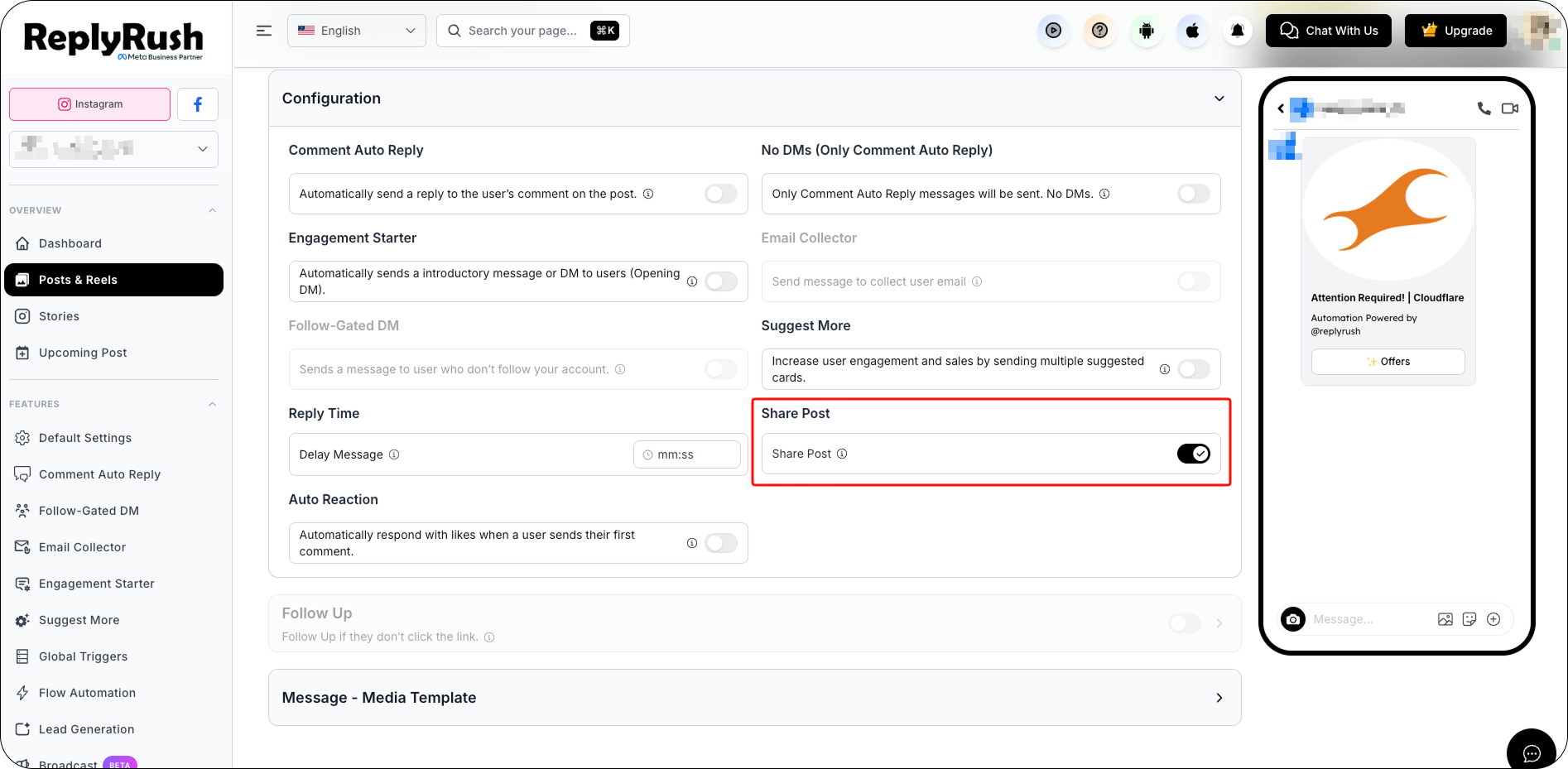
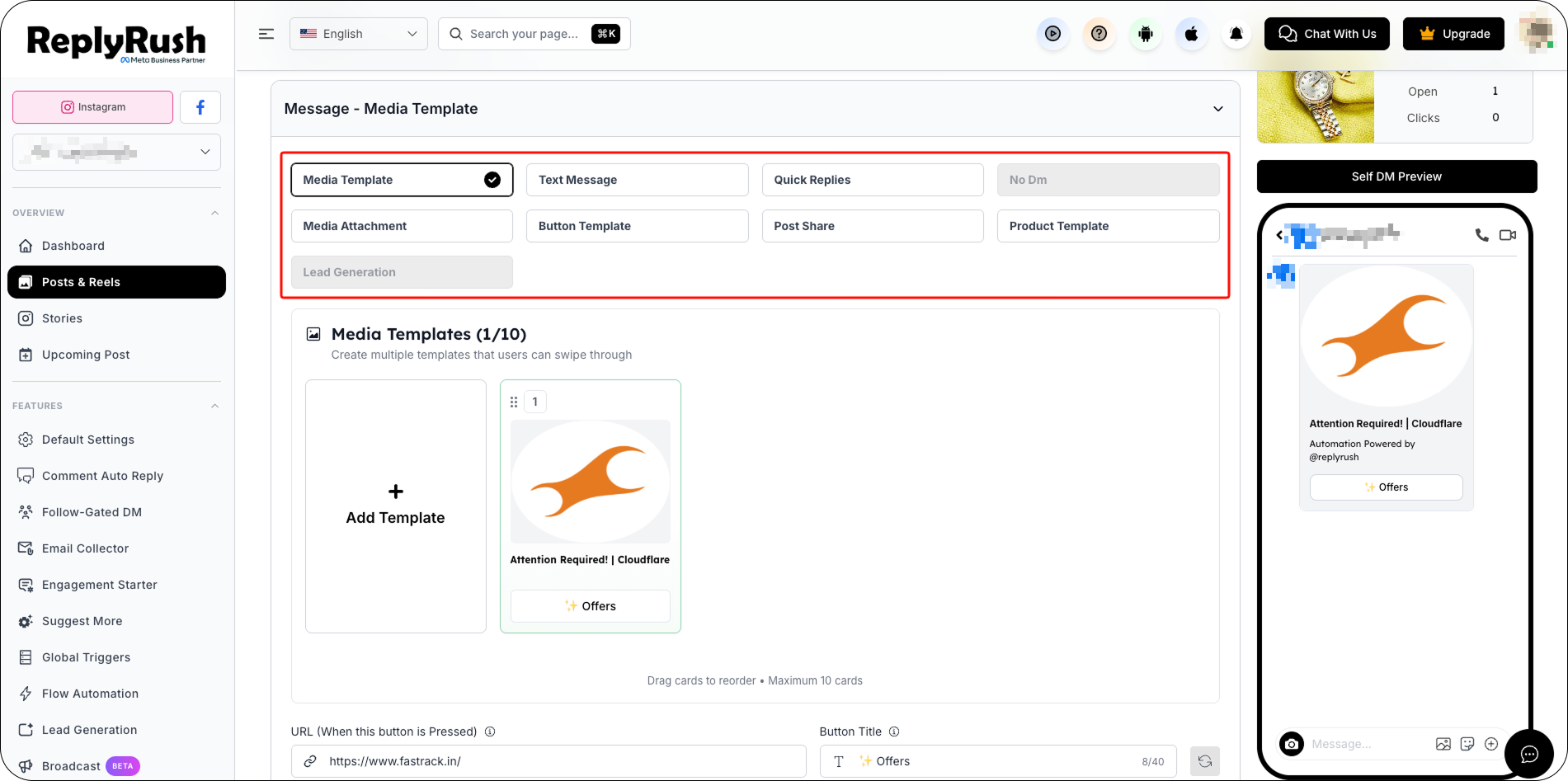
Step 4: Set Message Type
Select the message type you want to send to users who share the selected post or Reel.
Step 5: Save Changes
Click Save to apply your Share Post settings.
Once saved, the automation will be active for the selected post or Reel.
When a user shares a post or Reel where Share Post is enabled, ReplyRush automatically triggers the configured automation and sends the selected DM to that user.
Example
If you enable Share Post for an Instagram Post/Reel and configure a DM, users who share that Post/Reel will automatically trigger the configured automation and receive the DM.
FAQs